No new vibe-coded apps this week. What I’ve done instead is gone back to some of my older projects and given them a degree of polish I wasn’t able to before when using low-cost AI like DeepSeek Flash. What a difference a frontier model makes!
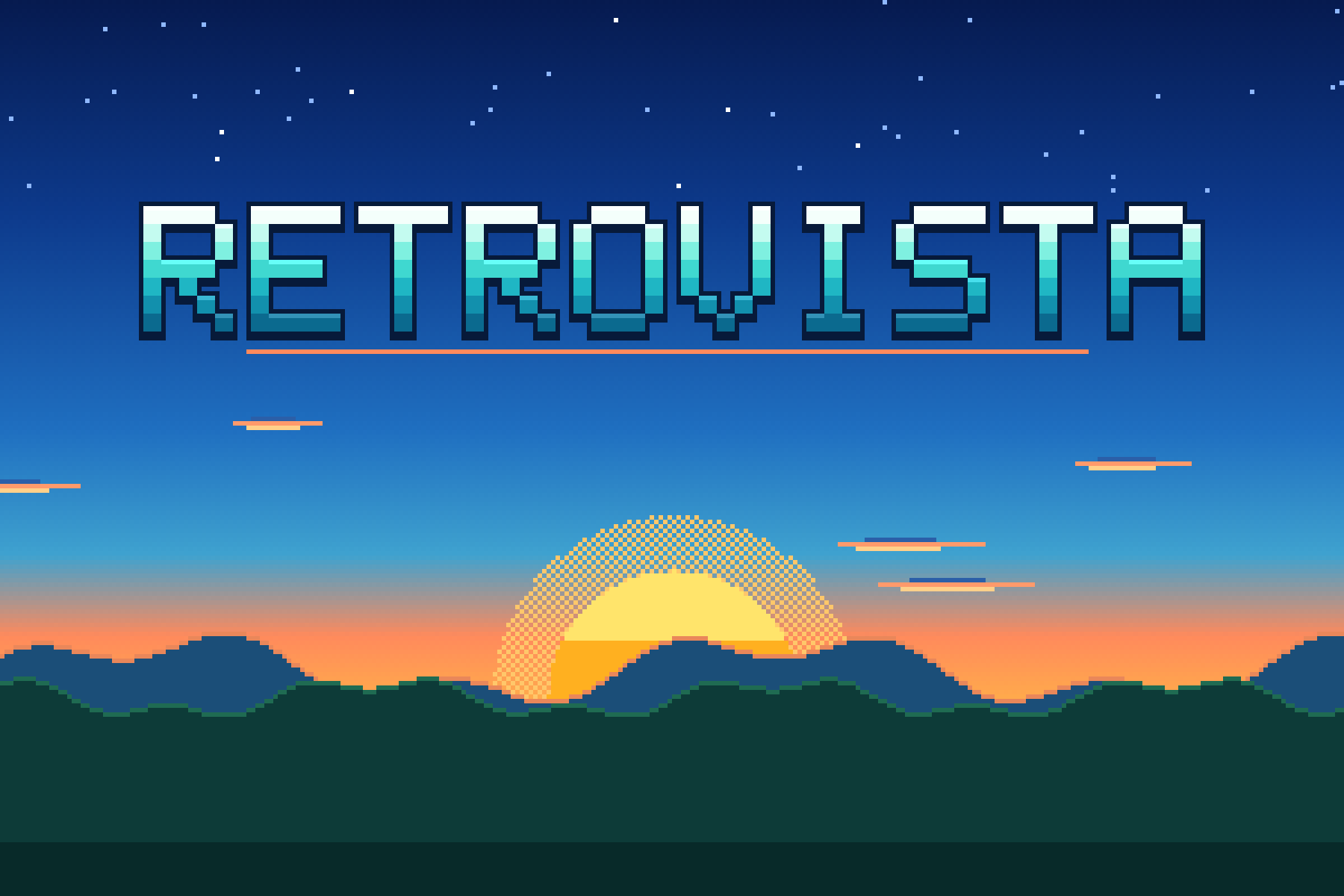
I did a ton of work on RetroVista, tweaking sounds and improving the authenticity of its classic game console graphics. I also added incidental animations (astral events, animals walking by, planes/trains/watermobiles) to make each of the seven scene types more lively. It looks really great now, if I do say so myself. Most of all, I’m super jazzed about the fact that the City scene now generates jazzy musical themes.
While working on RetroVista, I discovered a way for web apps to play audio without having to unmute your iPhone, a change that also allows them to play in the background while your phone is locked — just like a real music player! That technique has now been added to DataDeck, which was designed as a music player to begin with. That app has also been given a tune-up under the hood, with loads of bug fixes and performance improvements.
Orchids, Once. also received attention: the same audio behavior as above, and a major upgrade to the plant rendering system. The original code had major bugs that led to the GPU not rendering some intended effects at all, such as leaf textures. Flowers used to be assembled from parts floating in mid-air, so you’d see gaps and clipping. Not anymore. Now each piece grows out of the last and moves out of the others’ way. The graphical fidelity is at an all-time high. As an ‘art project’, I had previously considered the experience complete and never expected to make any changes, but I’m now really pleased about being able to bring it closer to perfection. Is this the same illness that afflicted George Lucas when he added CGI rocks to A New Hope??
But maybe the biggest glow-up was given to Shelf Expression, the software that powers my Bookshelf page on this site. On the frontend, new shelves have been installed, animations have been refined, books show physical wear & tear, and you can place decorations to liven things up. On the backend, it’s almost entirely new. I won’t bore you with the details, but the original was little more than a tool that helped spit out some HTML code you then had to paste into a file in order to update the page. The new setup is like a mini CMS in its own right! You can log in and update the bookshelf from anywhere with just your phone. The ‘Share Studio’ that creates social media-ready images and collages to show off your favorite books is now a powerful app in its own right.
Books can be perfect, lightly worn (L), or well-loved (R)Social post images created in the Share Studio
The best part is it’s easier than ever for non-technical users to configure; it can even detect and install new updates from GitHub with a tap. Now it behaves more like a live service rather than an ad hoc webpage. I cleaned up the GitHub repository and the source code is now up for anyone to grab and set up bookshelf sites of their own in minutes. If they don’t want to run the full app on a server (Vercel and Netlify are supported), they can simply export a static site that’s ready to be hosted anywhere.
And finally, my first app Collagen got a Liquid Glass UI and an infusion of new collage-editing code from Shelf Expression’s Share Studio, making it more reliable and nicer to use than ever.
On the home front, I’ve had my sleep disturbed by an incessant dripping sound from inside our bedroom AC unit. I had a guy come by to fix it by unclogging the drainage pipe, but he somehow didn’t finish the job and the sound returned a few hours after he left. Isn’t that the worst? Now I have to wait till next week for him to try again.
We watched the latest season of Netflix’s The Diplomat, a show that I’d be happy to see continue indefinitely, along with Slow Horses. I think what I like about it is that something is always happening, and someone is always talking. The dialogue is good, and things move fast. That’s not to say I can’t appreciate slow-burn atmosphere, but too many prestige shows nowadays are just stretching a feature film’s worth of plot across eight hours by having characters walk slowly between locations, stare intensely at computer screens, and then realize things the audience figured out three episodes ago. I’m looking at you, Silo and Neagley.
I finished reading Electric Dreams, a collection of 10 short stories by Philip K. Dick that were adapted into a TV anthology series by Amazon Prime. Except it’s not on Amazon Prime in Singapore for some reason. The stories are prescient for having been written in the 1950s; many of their darkly humorous extrapolations still ring true today. In one Cold War story, people are urged to upgrade to the latest life-saving shelters each year, and the people who won’t or can’t afford to keep up are social pariahs. More notably, almost all involve a heavy serving of paranoid atmosphere — either fucked-up things are really happening to the protagonists, or maybe it’s all in the mind of someone having a psychotic break. That dissociated POV, earned through his own mental struggles, was maybe PKD’s real gift to the world.
I’ve heard before that people were able to buy electronics with their SG60/CDC vouchers (essentially our local government stimulus checks) by spending them at NTUC hypermarts, but I’d never been to one before this week’s visit to Vivocity. I’m pleased to share that I picked up two Nintendo Switch 2 games for free: Splatoon Raiders and Nintendo Switch Sports Resort. If you have vouchers expiring this December, it’s worth checking out; they’ve got household appliances and a small toy selection too.
We were at Vivocity to try the first Singapore outpost of the cheap and cheerful Japanese yakitori izakaya, Torikizoku. It was sadly not very good. The executional faults aren’t worth getting into but I’ll sum it up by saying it’s so important to hire people who can identify the factors that make something what it is, and tell you how to replicate or translate it. Singaporeans go to Japan probably more than any other country save for Malaysia, and if they’re coming to eat here, it’s to access an experience they already know. I’m not saying localization is always bad, but you don’t see Apple opening a new store and asking “Hey what if we doubled the prices here and ran it like a Turkish souk where everyone has to haggle? And played really loud dance music?”
Music video of the week: The Rolling Stones’ Mr. Charm starring Alexander Skarsgård, who’s looking more like his dad than ever (ameliorative).
Local haze levels continued to climb and reached a ‘Very Unhealthy’ state in the middle of the week. My haze app, SecondHand, continued to see active use and added about 10,000 visits. I’ve heard that some people at the National Environment Agency (NEA) are aware of it and like it, which warms the smoky, congested cockles of my heart. For the record, Sunday brought some relief, with PM2.5 falling to near normal in some parts of the country.
It’s frankly been like an echo of those COVID days — staying home with the windows shut; that feeling of hunkering down under attack. And just like with COVID, restaurants are experiencing difficulties, so says the Straits Times. I’ve taken to walking on the treadmill as often as I can, usually for an hour while watching some insubstantial drama program I normally wouldn’t sit still for. This week, that’s been NHK’s Eat, Sleep, then Wait for Happiness on Amazon Prime.
But the real time suck has been provided by a return to vibe coding after a three-month hiatus. This has been thanks to Hark, which fulfills the promise of OpenClaw but without requiring the nerdery and foolhardiness of letting an AI take over your own computer. Hark’s computer runs in the cloud, and it’s intelligent enough to manage its own files and applications and capabilities — dare I say it? — so much so that it’s like handling a remote employee over chat. It sends me updates and artifacts, I give it problem-solving suggestions and creative input, and it comes back with the work. I spent so much time earlier this year with the self-imposed challenge of trying to squeeze water out of the rocks that are low-cost Flash-style models, that I completely missed experiencing what the very best frontier models can do. In retrospect, that was a little dumb, but the upside is I’m filled with so much wonder right now.
I’ve mainly been working on the procedural art generator tool that I mentioned back in April. Then, I described it as a never-ending background project for me to dip in and out of, due to each ‘style’ being modular, which has made it easy to jump back in this week. Using modern technology, I overhauled the rendering engines and revisited every individual style, as well as the app’s own UI and foundations (images above). It’s hard to explain how much better it is now, how much closer it is to what I wanted. It even has freaking Apple-style Liquid Glass effects on the toolbar! In a web app! I don’t know if I’ll ever release it or just keep messing around forever making wallpapers for my own amusement.
But I do have something to release today, something that came out of building one of those styles. Similar to how making a maze artwork generator led to making a maze game (a maze, a maze, a maze)in the April post above, I was making a pixel art landscape engine for the wallpaper tool and realized it would make a very nice desktop toy — in the vein of my earlier Window Box project.
It’s called RetroVista! Leave it open in a spare window or second screen while you work, and its lush natural scenes and chiptune sounds might relax you, if you’re a millennial who grew up playing games that have somehow, seemingly overnight, become retro and vintage. You can read more about it in this separate post.
Speaking of old videogames, Street Fighter (2026) is out and we went to see it with Peishan and James. Watching every movie adaptation of games from my childhood, even if I know they’re going to be terrible, is a weak spot I probably share with many my age. One time, I went to see Street Fighter: The Legend of Chun-Li (2009) with Peishan, and followed that up with Snake Eyes: G.I. Joe Origins (2021), and now she thinks we have a bad movie watching tradition. But it’s not. It’s a specific ‘bad movies cashing in on nostalgia’ watching tradition.
To get in the mood for it, I fired up the Street Fighter 30th Anniversary Collection on Nintendo Switch the day before. I got my ass handed to me by the CPU in like, the second-round match of SF2 Turbo Edition. When did the game get so hard? When did a Dragon Uppercut become impossible to pull off when you need it?
The good news is that the new Street Fighter film understood the assignment. It’s aimed squarely at people who are now dealing with mortgages, perimenopause, reading glasses, and other mid-life crises. They’ve set it in the 90s, packed it with 90s chart-toppers like 4 Non Blondes’ What’s Up?, and exposition is handled with MTV-style video clips passed through faux-VHS filters. For two hours, it puts you in superposition between being a kid on Saturday morning and an adult watching their dream come true. The live action is broken up by anime sequences that are good enough they should be their own feature film. It’s flawed and stupid as hell, but I loved it. A very strong 3.5 stars.
My previous app Window Box was designed to be a second screen companion, showing views of the real world while you work. RetroVista brings you to more perfect places: the kind of pixel-art landscapes you might have grown up with, fully animated and sounding like a lost cartridge from 1989.
Hit “Start”, watch the console boot up, and find yourself down by the coast, or in the mountains, or a desert, a forest, the arctic, a city, or an alien planet. Each scene is procedurally generated, so no two are alike. Waves crash, clouds drift, birds flock, and trees sway. You can even enable Live Time and Weather and it’ll match the conditions where you are.
Alongside the vintage graphics, the sound is authentic too. Each console’s audio chip is synthesized in software, so pick the NES and you get its bright pulse waves, the Game Boy and its thin, warm beeps, or the Super Nintendo and its lush instruments. The Master System, Commodore 64, PICO-8, and a 1-bit mode are in there too.
Scenes produce rain, wind, surf, and thunder sound effects along with gentle, procedurally generated music that’s never the same twice. The tunes weave in and out of silence, slowly evolving, so you can leave them playing for hours.
Completing the experience are a realistic CRT filter, a handy clock, and a shuffle mode that brings you a new world every so often. Add it to your phone’s Home Screen as a progressive web app and it’ll even work offline.
Made for your second screen, and your inner child.
NEW in v2.0!
RetroVista pays homage to Window Box by ripping it off — you can now shut the window and appreciate the local flora of each scene. Outdoor sounds get muffled, the rain stays out and runs down the glass, all that good stuff is here. “W” acts as the shortcut key.
The Game Boy Advance joins its older siblings, with a new backlit LCD filter effect too.
Tokyo has been added as a new city, with loads of detail. Our previous City scene has been renamed New York, and looks more the part with smokestacks and water towers.
Plus: occasional gusts of wind blow debris around in all scenes, many smaller improvements, and a very special surprise for those who love curling up by the window.
Changelog:
2.0.5–6 – Tokyo atmospheric sounds and character animations.
2.0.1–4 – Added window frames for Forest/Mountains and Arctic, tweaks to sfx.
2.0.0 – Window Box, Tokyo, and GBA. Massive update, details above.
1.5.0 – City jazz!
Every City scene now plays chiptune jazz: swung rhythm, 7th chords over ii-V-I changes, a walking bass and soft brushes on the noise channel
1.4.10 – Foggy worlds no longer play a low buzzing drone
1.4.9 – Power savings
The screen draws at 20 frames a second instead of 30, which saves power and keeps rain and snow in step with the rest of the animation
Sound runs at a lower sample rate (22.05 kHz) with no audible difference, for about half the audio processing cost
The screen skips redrawing when nothing has changed
1.4.8 – Audio behavior
The speaker button in the top-left corner now stops and starts sound instead of muting it.
Music and sound keep playing when you leave the app or lock the phone
1.4.7 – Raindrop sfx and visitor animation fixes
1.4.6 – Master System improvements
Master System now plays by the real console’s screen limits: 32 of its 64 colors on screen, in two palettes of 16, with each 8×8 tile using one palette
1.4.5 – Further C64 optimizations
1.4.4 – C64 multicolor mode and colors
C64 now plays by the real machine’s multicolor bitmap limits: pixels twice as wide as tall, one background color for the whole screen, and only three more colors in each 4×8 cell
1.4.3 – NES hardware rules, sound behavior
NES emulation improved across all scenes to obey the real console’s color limits
iPhone and iPad: sound now plays with the silent switch on (it pauses other audio, like a music app)
1.4.2 – Version numbering
The splash footer shows the version number
1.4.1 – Cricket adjustment
Crickets go quiet in the rain, sing at one pitch per world (a second cricket joins now and then), softer, and in spells with long quiet stretches between
1.4 – Visitor and city sounds
City: trains clack along the rail and sound their horn as they cross, ferries give one long low blast and tugs two short toots, and planes swell overhead, only while they’re on screen
City: a car horn down the street now and then (rarer at night) and, very rarely, a far-off siren
Visitors everywhere get voices, timed to what they do on screen: the elk bugles when it stops, ducks quack, the hawk cries, the barn owl screeches, owls hoot from the trees, the heron croaks as it takes off, boars grunt while they root, gulls cry, dolphins splash back in, the coyote howls, tumbleweeds swish, the saucer warbles and zips off, the whale blows with each spout and sings, the arctic fox yips before it pounces
1.3.2 – NES colors
NES: shades the palette lacks, like a night sky’s navy, are dithered from two colors instead of snapping to the nearest one, so Arctic and Mountains nights no longer go flat teal
1.3.1 – City storms
The city keeps running in storms: ferries, tugs and trains carry on, and planes come in low under the cloud with their lights on
1.3 – Visitors
Visitors: incidental animations in every scene, by day, by night and in the rain (storms stay empty)
City: ferries, tugs, planes and trains on a waterfront rail
Mountains: elk, ducks, hawks and barn owls
Arctic: Arctic foxes, polar bears and whales
Coast: sailboats, dolphins, gulls, crabs and turtle hatchlings
Forest: deer with fawns, rabbits, boars with piglets, herons and owls
Desert: tumbleweeds, camel caravans, vultures, roadrunners, a howling coyote and fennec foxes
Alien: saucers, sky jellyfish, slimes, six-legged grazers and crystal spores
Visitors respect depth: nearer land hides them, and they’re scaled for their distance
Butterflies and fireflies in the forest
Night sky: shooting stars, satellites, the odd comet and meteor shower, peeking through on cloudy nights
City skies are dimmed by light pollution
Crescent moons are lit from below, with their horns up
Animations step at a low frame rate, like the rest of the art
Fixes: forest walkers no longer wade the stream, streams dim at night, desert mesas no longer hover, sailboats no longer clip the distant island
1.2 – Music and resolution
Three resolution modes: Authentic (default), Chunky and Hi-Res
Occasional drums, with kits that suit each world
Musical phrases now come home to the root chord
Rain and storms are rare in the desert
1.1 – Coast waves
The waterline moves: waves run up the beach, drain back and leave a wet sheen
The haze (from Indonesia, it should be pointed out) has been steadily worsening, and its combined threat to the local F1 race and Singapore’s global reputation on social media is probably keeping the Singapore Tourism Board on antidepressants. What’s worse, instead of clearing up in a couple of weeks as usual, experts say this time it might hang around until December because of El Niño.
Hark Pro, yet another AI agent that promises to manage your life for you, went live this week. They’ve got what would have been called a rockstar design team in the old days — led by Abidur Chowdhury, famously stolen from Apple after he featured in the iPhone Air’s launch video; and including Andrew Kim who used to run the popular site/blog, minimallyminimal. I signed up for their waitlist a few months ago, and was rewarded with free credits for the first month.
The confluence of both those things led to me launching my first new web app in a couple of months: SecondHand (blog post / app). It’s an air quality app that measures the haze in cigarettes, with some fun graphics and animations. I got the project started in Hark, made some edits with Muse Spark in OpenCode, and then returned to Hark for more enhancements. It’s pretty capable for coding projects, and extremely convenient because it can publish directly to my GitHub, put up pull requests for me to audit, and publish to the live site — all through a chat thread on my phone.
The app has done very well by my lowly standards, with over 18,000 visits in the last four days. Someone put it on Reddit, and people have told me it was forwarded to them by other friends, and I’ve even heard from someone I haven’t spoken to in years all because someone showed it to them at work (and they recognized my domain). The initial version was poorly optimized and consumed some 25GB of my Vercel bandwidth in an afternoon, but thankfully I noticed and managed to rush out some fixes. It’s now lean, mean, and ready to be seen by more people without breaking my account.
You know what else deserves to be seen? Digger (2026), the new movie by Cruise/Iñárritu that’s (imo) unjustly bombing at the box office. The film has some vocal defenders, though, including Guillermo del Toro, Anne Hathaway, and Mandy Patinkin. It currently has a 51% Rotten Tomatoes score, but is one of the most ambitious, astounding, and aggressively pointed films I’ve seen all year. Even The Odyssey feels like a distant memory now; merely an expected epic, whereas Digger is a shapeshifting subversion of modern life, culture, and their relationships with capitalism. Tom Cruise does his best work here, and I think it’ll be recognized as a masterpiece in the years to come. Five stars. You must avoid all spoilers and watch it soon.
Kim was down with a cold/flu all week, maybe brought on by the haze which has anecdotally given quite a few people sore throats. I’ve miraculously managed to avoid catching it so far. Possibly due to the following:
In the middle of her illness, I went for my annual scheduled medical and also got the latest Northern hemisphere flu jab, roughly a year since my last one. I asked the nurse if it was better to get the Southern one that comes out in the spring/summer or this one, and was told you can get both! Each one is apparently like a patch update to the last, including new strains and deprecating old ones. All this time I thought you just chose one and it covered you for a whole year. But perhaps this is unique to equatorial travel hubs like Singapore, where we’re exposed to North/South variants all year round.
Friend and ex-colleague Bert was also back in town for his annual visit, the reunion around which we’ve taken to calling Bertopia. This year’s festival was attended by Jaz, Jussi, and Ted (Christian and Jean had a date with air pollution at the F1). For the first time in my life, I decided I’d go non-alcoholic all night at a bar — on the assumption that drinking would weaken my immune system. It was… not entirely unpleasant! On top of saving money, you skip all the physiological punishment of dehydration and fatigue the next morning. I mean, intellectually you know this, but actually experiencing a hangover-free Saturday is something else.
Last week I reported the Beats 360 headphones were too small for me, so of course that ended in me buying a pair of Bose QuietComforts. 10 years ago, I wore their predecessors on a flight from Hong Kong to New York and they were roomy and absolutely painless. What will I use them for?
The 9th edition of my BLixTape playlists is finished, signaling an increase in the amount of music I’ve been listening to lately. The last few have taken six months each to come together, but this one tracks the songs I’ve liked between July to the present moment — about three months, or half the usual time. I’m quite pleased with some of the juxtapositions and transitions, for example: Bill Callahan’s Computer, an examination of his own distasteful technology use, leads into Ninajirachi’s Fuck My Computer, which is about how she loves it so much she wants to… well, it’s there in the title. Another one-two combo is the Walter Murphy Band’s A Fifth of Beethoven from 1976 going into MEOVV’s present-day K-pop DDI RO RI hit.
October 2026 — It’s that hazy time of year again here in Singapore, and lots of air quality apps have been popping up thanks to this being The Year of Vibe Coding. But I hadn’t yet seen one that puts these esoteric numbers into terms we can all understand: like smoking. It’s also fitting, given how this is second-hand smoke from a country that loves its cigarettes. So here’s my contribution to the pool.
SecondHand takes the live 24-hour PM2.5 reading for your part of the island and converts it using Berkeley Earth’s rule of thumb (22 µg/m³ over a day is roughly one cigarette). Then it puts that number in your hand! Stay indoors my friends, and keep those air purifiers humming.
Changelog:
Added a map view (hold down to pop it up)
Added a haze-free state for better days
Significant optimizations to size and performance
Copy changes for clarity
PSI and 24hr PM2.5 figures now scale with the simulation slider
Max cigarettes upped from 12 to 20, with room smoke effects
I went to Apple Orchard Road and tried the Beats 360 headphones. They’re not large enough for my head; case closed. Money saved.
My new Apple Watch likes to try cheering me up by telling me that my body is “Ready” to “Go For It” (I assume “It” is a marathon, a swim to the far side of Australia, or something equally implausible) and that I had excellent sleep the night before, but these science and sensor-backed statements simply don’t match my reality. I’m tired; I wish I could sleep more!
I just took a little break (after one paragraph, natch) and went on Instagram, where I saw a post that read “Anyone else turn 40 around the start of the pandemic and now blinked and you’re somehow 46 wondering what the hell just happened?” On one hand, that sentence perfectly captures the fatigue that you’d imagine comes with being abducted by aliens and losing six years of your life — at the very least, the weariness of having to catch up with a lot of missed information, which is what being alive in this time of AI feels like, always on the back foot with lots to learn — but on the other hand, it implies not knowing at all where the time went, which I can’t identify with. Oh I know where the time went. I remember it all perfectly well, but it plays in my mind like a timelapse — hundreds of days passing, the figure getting in and out of bed, the view outside the window gradually changing.
Armchair theory: maybe what’s caused this ‘blink and time passed’ effect for many is the combination of massive disruption followed by repetitive discomfort. This is different from repetitive boredom, where days are long and time moves slowly. With repetitive discomfort, you’re constantly insecure and stressed, so the mind protects itself by generating summaries and discarding the details. This sharp change, followed by pain you’d rather forget, dislodges you from whatever life you were living before, making it feel like a separate country.
I’m listening to Apple Music 1 and three Taylor Swift songs have played in a short period of time. Without checking, I’ve known it was her from the fact that all her recent music sounds the same. It’s hard to feel bad for a billionaire, but that’s an awful place for any creative person to be. It’s like she doesn’t listen to any other music, or won’t allow herself to appear influenced by anyone else. Lonely at the top, as they say, which is why you won’t find me there (among other obvious reasons)!
Kim and I met Mandy for dinner one night to mark her birthday, and we went to a wine-focused place called Fiasco which has taken over the spot where Kilo used to be, that weird little building out in the middle of nothing near Lavender. The food was all really good (I forgot to take pictures), and they’re doing some really interesting things with hanger steak and pork collar, the latter seasoned to resemble a very fancy charsiew.
In an example of culinary R&D jumping the shark, we ate at Surrey Hills over the weekend, where my mother-in-law’s corned beef hash came partially covered with a purple sweet potato foam. Needless to say, she did not appreciate the touch. The place purports to be Australian, and with her being Australian too, I tried to gaslight her into believing that it was an authentic Australian recipe that she’d somehow never heard about. Needless to say, I was not successful.
I finished PARANORMASIGHT: The Mermaid’s Curse, and found it a worthy sequel, arguably better than the first game in every way unless you want a spooky atmosphere. This one can’t be classified as horror at all. It’s a mystery adventure with supernatural elements so tame they’d elicit no more than a shrug from a timid baby. Like the first game, its story concerns Japanese history and legends that one might find a little boring, but you don’t have to read all the text in its menus.
Playing that game unwittingly prepared me for the film Inu-Oh (2021), which I’ve had in my library for years and suddenly decided to watch. From the opening scenes, it eerily echoed story points from PARANORMASIGHT, concerning the 12th-century Heike samurai clan, and their vengeful spirits said to linger across the land after they were wiped out. Inu-Oh is a wildly ambitious and stupendously well-animated musical that is let down by, well, its music. The concept is a fusion of traditional Japanese music with glam rock, and a main character starts playing his biwa one day like an electric guitar without any explanation. The visuals work, but the songs are poorly structured to modern ears, overly long, and basically repeat the same melodies while pages of historical narrative are sung over them. Imagine Billy Corgan’s worst material, stretched twice as long, and the lyrics are all about random days of Napoleon’s life, and you’ll begin to understand how it feels.
We finally saw Sentimental Value (2025) and wow it really deserves its Oscar and 95% Rotten Tomatoes score. The opening scene with the house, and the title card needle drop that follows it, was so good that my body felt compelled to stand up and applaud — I didn’t allow it, but that feeling went on for much of its running length. The train oner is a wonderful bit of technical showing off, and actually the whole film’s lush 35mm look just stunts on the pervasive digital signature of Netflix movies. Everyone is great in this, making art about how art both fucks you up and saves you — 4.5 stars.
Found time for a grab bag of other films too: Runner (2026) — not to be confused with Gal Gadot’s The Runner (2026), Good Boy (2025), Elle (2016), Grand Theft Hamlet (2024) — the one to watch out of all of these, a very human documentary about two out-of-work actors putting on a production of Hamlet inside the GTA Online videogame whilst stuck at home during the pandemic — Shelter (2026), and Tony (2026).
Singapore made headlines this week because of the launch of a new dating site by the government, currently in a pilot phase only open to civil servants. It’s called FirstDate, and matches people based on compatibility assumed from their responses to a questionnaire. The idea of a state-run service has amused observers, with some seeing it as a dystopian step towards arranged marriages by Big Brother, amongst other hot takes on this strategy to combat our falling Total Fertility Rate (TFR). History rhymes, of course, and older folks will remember the existence of the Social Development Unit (SDU) in the 1980s, a pre-digital precursor to this scheme, that was something of a government-run activities club to help rescue graduates from singlehood after being encouraged (by the same authorities) to optimize for good grades instead of dating during their teenage years.
But it’s hard for outsiders to decide if Singapore’s environment really does produce a special breed of hapless, rizzless forever-aloners, uniquely ill-equipped to find their own mates through empathy and communication, so Singapore’s own state-run media conglomerate is providing some data in the form of a new reality dating show called Wingman. The show’s format introduces an original element to the Love Island formula, namely that each contestant brings their own wingman/wingwoman to serve as hype men/women, espousing their good qualities so they don’t have to — a perfectly valid and brilliant tweak for Asian cultures where tooting your own horn unironically is a major ick. The contestants, in addition to a few Singaporeans, are a bunch of attractive 20-to-30-somethings from the Philippines and Thailand, all of whom resemble functioning young adults who can read social cues and body language, and interact normally with members of the opposite sex (there is no LGBTQ+ representation). There’s obviously a tilt towards extroversion, which you’d expect from people volunteering to be a dating show, but even correcting for that, there’s an intriguing, discernible difference between the Singaporeans and their SEAblings that’s best seen for yourself. Full episodes are available on YouTube. We binged all 10 so far in one night.
Following up on the new phone and telco friction: it’s all sorted now. I didn’t have to switch again, and I fixed the issue by deleting and reinstalling the eSIM on my phone for a $5 fee, thanks to eight (that’s the telco’s name) offering the unpublicized ability to issue you an eSIM QR code online using Singpass — the exact feature I was asking for last week. If anyone needs to know, it’s on their customer portal under “Service Preferences”. Their plans are also quite generous with data and overseas roaming, so I’ll try to stay put as long as I can.
Last week I said it was very unlike Apple to be promising that older iPhones would soon receive the new Photographic Styles features that were announced for the iPhone 18 Pro, and wouldn’t you know it, I was right! The internet quickly noticed that the suggestive footnote had been amended on their website, clarifying that images could only be captured with Photographic Styles 3 on iPhone 18 Pro models. I did suspect that what Apple meant was older phones would have the ability to edit photos taken with the latest phones, but not actually take photos with the new styles embedded. I regret not having said that at the time. Unfortunately for themselves, Apple has not explained the change of wording, and so people who have trouble understanding how decisions are made at trillion-dollar companies are interpreting this as ‘they were going to, but suddenly got greedy and now they’re not letting us have it’.
My favorite camera app, Analogue, received a nice update to support the phones’ new aperture controls, develop images with contrast curves reminiscent of physical film scans, and add more personalization for custom presets. There’s still some work to be done to make the whole thing a little easier to use, but it’s certainly better than some of the others I’ve tried recently. The featured image you see on this post above was taken with it.
Beats released an entirely new pair of headphones, the Beats 360, and it was like waving a block of Kryptonite over Superman’s wallet (I’m Superman in this metaphor). They’re very interesting: the two earcups are essentially separate devices, each with their own chips, batteries, and wireless networking. This allows the headband to be extremely thin, and there’s a range of interchangeable earcups and headband pads that you can snap on to create different color and material combinations. I need to get down to a store to see how they fit my big head, and if they do, it’s bye-bye dollar bills.
The NYT published their list of the Top 100 TV Shows of the 21st Century (gift link) and it’s predictably made some waves. For one, there’s no anime representation on it, and the top spot went to Breaking Bad, reigniting the tedious war between those in its camp and supporters of The Wire. I’m not about to let the NYT hurt my feelings, but the list is nevertheless a good reminder to stop giving your precious time to trash programs that nobody considers the greatest, and likely never will.
In a brief discussion of the list with Ted and Lillian, I tried to think of a few shows I’d add. Billions might be one, because the dialogue is often sharp and Paul Giamatti’s performance is over-the-top fun. Poker Face is a Columbo homage that brings the format back to modern screens — I haven’t seen anything else like it. Fringe brings back The X-Files but adds an epic sci-fi mystery arc I’d like to revisit someday. And the most egregious omission might be 24, the real-time antiterrorism adventures of Jack Bauer that defined must-see TV in the early 2000s, holding a mirror up to a post-9/11 world that had one finger ever on the trigger.
In more recent viewing, I finished Season 2 of Apple TV’s Sugar this week, and I think I could put that in my personal Top 100. Because so much hinges on the plot points of Season 1, I urge you not to look anything up. Just give it a go. Especially if you’re into film noir, Hollywood’s Golden Age, and/or Colin Farrell. The show’s scenes are constantly intercut with analogous shots out of classic cinema — catnip for anyone with a well-used Letterboxd account. As for Farrell, he’s so great in this, and I think of it as an alternate take on Ted Lasso’s conceit: a man who refuses to succumb to cynicism, striving to model the kindness and decency he still believes humanity is capable of.
Not as great but still fairly entertaining was Lucky, a 7-episode crime drama about Anya Taylor-Joy’s face, namely how her eyes eerily recall Michael Jackson’s as she stares at the victims of her con artist skills, and her creaseless forehead remains dry while on the run from killers in the deserts around Las Vegas. I won’t be thinking about this again after today, but I’ll be thinking about Sugar all the time.
Album of the week: ear’s Rumspringa, a dreamy blend of pretty indie folk and glitchy electronica. I heard it just once (while on a bus) but its sound jumped out at me as novel, beautiful, and satisfying.
I have my new iPhone 18 Pro Max. It’s an all-round solid upgrade, and the only nits I can pick are the extra 20 or so grams of weight and the slightly worsened lens flare in dark conditions (the former I can feel, the latter I have only seen in online reviews). For a brief moment after preordering, I regretted not giving the new Glacier color a try this year, but that soon passed and I think this year’s Silver looks great. The white roundrect glass panel on the back of last year’s model was a seriously weird move.
There’s some doubt online about how big a deal the new wider maximum aperture (f/1.48) actually is, but I’m here to tell you that Bayer RAW photos have significantly less noise and an overall better appearance in low light scenes! On the past few iPhones, RAW (not to be confused with ProRAW) has been nigh unusable at night, with lots of weird purple color fringing around clumps of copious sensor noise. Color noise is still present, of course, but the overall aspect is smooth and high fidelity. This is on par with or even better than regular compact cameras, I think. (Edit: there’s a chance this may actually be down to the new RAW 9 engine in iOS 27.)
Style: Natural + Film
The new “Photographic Styles 3” image processing engine with texture controls, such as film-like halation and skin smoothing, appeared to be an exclusive feature for these new phones — after all, the last upgrade to Photographic Styles on the iPhone 16 was not retroactively made available to the iPhone 15 — but I spied a footnote in the press release that suggests it will be coming to older models at some point. Very unusual, and very unlike Apple. After all, the Pro manual controls in the default camera app are exclusive to the 18 Pro for no apparent reason. For anyone sitting out this year’s upgrade, it should be very welcome news these new options are coming to breathe new life into the camera experience.
Side note: The Apple Watch Series 12 is noticeably thinner and wider coming from a four-year-old model. The cover glass/sapphire crystal now reaches so far down the sides that you can barely see the metal. I reckon this year it makes the least difference whether you choose an aluminum or titanium body; you’ll hardly see it. The effect you get when looking at it straight on is that the watch is all glass and display. This is probably a precursor to the design concept of next year’s iPhone which should have the thinnest titanium frame ever: a glass sandwich with very little filling. Most of the Watch’s other benefits are invisible in everyday use, from better round-the-clock sensing to AI features that have yet to ship in software. I’m looking forward to Siri Recap in particular, and plan to hold conversations with myself doing different funny voices all day.
Silver goes with everything
I wish I could say that I’ve had a painless migration to the new phone, but it’s been terrible. And that’s all to do with telcos, not Apple. If you recall, I switched to M1 Maxx last week and marveled at how they could offer such incredible value for $12, naively forgetting to ask what the catch was.
The problem with eSIMs is that they can’t be popped out of one phone and chucked into another the way a physical card can. In order to be issued a QR code for installing the eSIM on my new phone, I had to go down to a physical store and wait in line to speak with a human. With Maxx being M1’s budget brand, they only opened up one service counter so the staff could stand around laughing at the broke people wasting their lunch break, while the rest of the store remained relatively empty. I waited a total of an hour. I was glad to have done this on Thursday because the line would surely have been many times longer after Friday’s launch.
Well it turned out that I couldn’t install it on Friday anyway, because their system didn’t register my old eSIM as deactivated after I’d done it. And these QR codes can literally only be scanned once — it seems that scanning and getting an error counts as once — so it became invalid after, necessitating another trip down to town to wait in line again. No fucking way, my friends. My solution: signing up for a new telco and porting my number away from M1 Maxx, just to get a working eSIM immediately. Total loss to this point: just $12 and several hours of my time.
But guess what? The new telco had problems too. SMSes either didn’t arrive or arrived hours after they were sent to me. This delay meant I initially couldn’t sign into any of my banks without my old phone, because logging into the apps on a new phone requires, yup, receiving an SMS. Later in the day, they started arriving 15 minutes late, and now on Day 2 they’re finally arriving on time. What irks me is how archaic this reliance on SMS is — why can’t companies use TOTP authenticator apps or email or (I can’t believe I’m saying this) WhatsApp? All local institutions should at least default to our national identity verification service, Singpass.
Shut up and take my freedom!
This sounds like a real first-world problem but that’s what it is — we’ve built an environment where it’s hard to live when you can’t access banking apps, PayNow, and Apple Pay. I’m not saying cash is the solution — because germs — but these accounts should just be biometrically tied to us or something. I used to think the Chinese system where you can pay with a palm scan was too invasive, too dystopian, but not anymore. I’m ready to sign over my rights in exchange for device-agnostic convenience. At time of writing, I still can’t activate FaceTime and iMessage using my phone number. God help me, I might be switching telcos for the third time next week.
You know what works well? Services that let you sell off your used devices, like Mister Mobile, CompAsia, and SellUp. In just a minute, you can arrange to have someone come to your doorstep and give you cash in exchange for your old phone. Let me walk you through the boy math I alluded to last week: A 512GB iPhone Pro Max loses about $500 in value if you keep it for two years instead of one. That means delaying an upgrade actually costs you money. So, take the price of that new phone, deduct the $500 of avoided depreciation, subtract the doorstep trade-in cash, and toss in the pro-rated refund from canceling your unused AppleCare+ plan, and upgrading annually might even provide better returns than investing in AAPL stock, and that’s saying a lot.
At least it wasn’t a total waste of time going out for the eSIM QR code on Thursday. I visited my favorite curry spot after, then dropped in on Jussi and Brian at their co-working office. I had my once-yearly pumpkin spice latte from Starbucks, and sadly have already forgotten what it was like.
After seeing tons of hype for the new Korean film, Hope, which is distributed by Neon and MUBI and was nominated for the Palme d’Or at Cannes, I’ve been anxiously waiting to see it in theaters here. That day came on Tuesday, and… I have no idea how anyone could recommend this stinking mess. Just another example of the West glazing Korean cinema, I guess. It has some positive qualities, like the first act where mysterious events steadily unfold with the action ramping up quickly; and the sudden appearance of leading lady Hoyeon (of Squid Game fame) about 40 minutes in, photographed so jarringly model-beautiful and flawless compared to everyone else in the podunk town setting, wielding an over-the-top weapon (whose origins are never explained) with utter seriousness, that the moment collapses into unintentional comedy. Unfortunately the rest of its 156-minute runtime is trash, the ending is one of the dumbest I’ve ever seen, and Michael Fassbender and Alicia Vikander may never live down their involvement in this. 2 stars, at best.
The National Library has a month-long ReadSG reading campaign underway and citizens are encouraged to log their daily reading sessions on a CrowdTask website, where meager rewards can be won but more importantly, a sense of community might emerge from trying to collectively hit 7.5 million reading minutes. For my part, I’m up to 51 books this year, the last two being Neuromancer and Lily King’s Heart the Lover. Then Kim showed me this Instagram Reel from Seoul, Korea, and I couldn’t help but wish our reading festival went all out like this. It’s aspirational, romantic, and makes reading look like something you’d gladly do with your friends instead of doomscrolling together in some cafe.