Local haze levels continued to climb and reached a ‘Very Unhealthy’ state in the middle of the week. My haze app, SecondHand, continued to see active use and added about 10,000 visits. I’ve heard that some people at the National Environment Agency (NEA) are aware of it and like it, which warms the smoky, congested cockles of my heart. For the record, Sunday brought some relief, with PM2.5 falling to near normal in some parts of the country.
It’s frankly been like an echo of those COVID days — staying home with the windows shut; that feeling of hunkering down under attack. And just like with COVID, restaurants are experiencing difficulties, so says the Straits Times. I’ve taken to walking on the treadmill as often as I can, usually for an hour while watching some insubstantial drama program I normally wouldn’t sit still for. This week, that’s been NHK’s Eat, Sleep, then Wait for Happiness on Amazon Prime.
But the real time suck has been provided by a return to vibe coding after a three-month hiatus. This has been thanks to Hark, which fulfills the promise of OpenClaw but without requiring the nerdery and foolhardiness of letting an AI take over your own computer. Hark’s computer runs in the cloud, and it’s intelligent enough to manage its own files and applications and capabilities — dare I say it? — so much so that it’s like handling a remote employee over chat. It sends me updates and artifacts, I give it problem-solving suggestions and creative input, and it comes back with the work. I spent so much time earlier this year with the self-imposed challenge of trying to squeeze water out of the rocks that are low-cost Flash-style models, that I completely missed experiencing what the very best frontier models can do. In retrospect, that was a little dumb, but the upside is I’m filled with so much wonder right now.
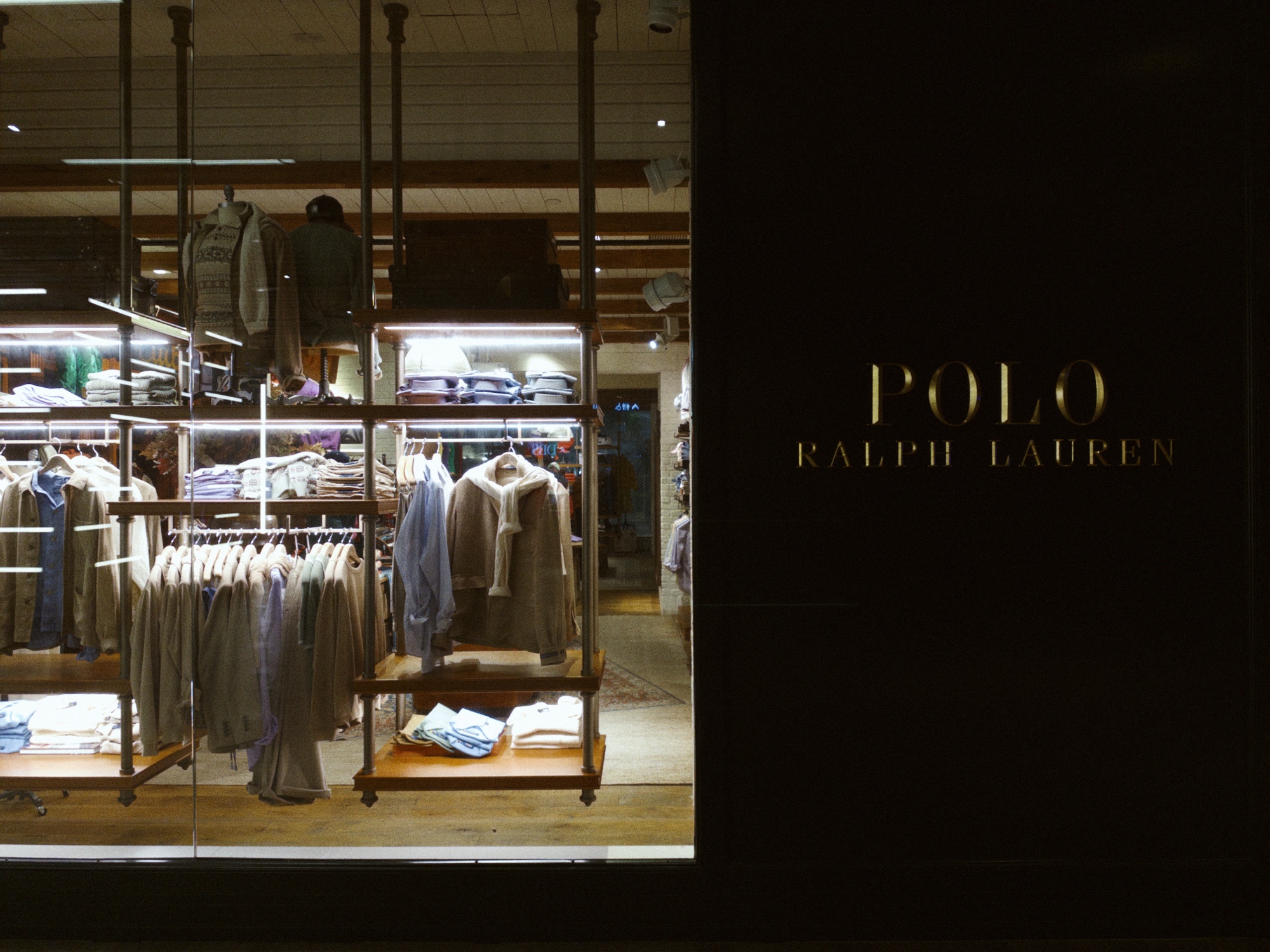
I’ve mainly been working on the procedural art generator tool that I mentioned back in April. Then, I described it as a never-ending background project for me to dip in and out of, due to each ‘style’ being modular, which has made it easy to jump back in this week. Using modern technology, I overhauled the rendering engines and revisited every individual style, as well as the app’s own UI and foundations (images above). It’s hard to explain how much better it is now, how much closer it is to what I wanted. It even has freaking Apple-style Liquid Glass effects on the toolbar! In a web app! I don’t know if I’ll ever release it or just keep messing around forever making wallpapers for my own amusement.
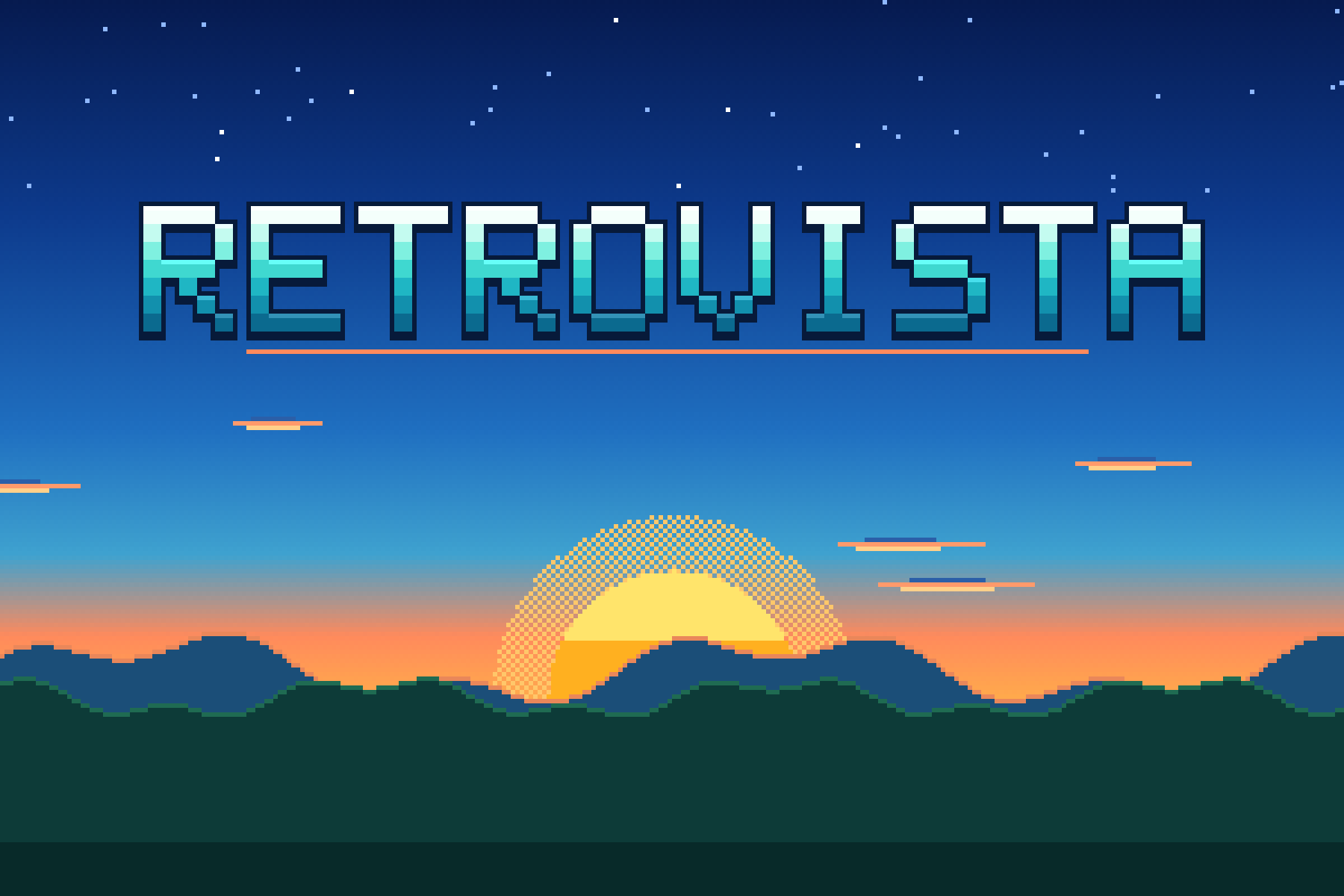
But I do have something to release today, something that came out of building one of those styles. Similar to how making a maze artwork generator led to making a maze game (a maze, a maze, a maze)in the April post above, I was making a pixel art landscape engine for the wallpaper tool and realized it would make a very nice desktop toy — in the vein of my earlier Window Box project.
It’s called RetroVista! Leave it open in a spare window or second screen while you work, and its lush natural scenes and chiptune sounds might relax you, if you’re a millennial who grew up playing games that have somehow, seemingly overnight, become retro and vintage. You can read more about it in this separate post.
Speaking of old videogames, Street Fighter (2026) is out and we went to see it with Peishan and James. Watching every movie adaptation of games from my childhood, even if I know they’re going to be terrible, is a weak spot I probably share with many my age. One time, I went to see Street Fighter: The Legend of Chun-Li (2009) with Peishan, and followed that up with Snake Eyes: G.I. Joe Origins (2021), and now she thinks we have a bad movie watching tradition. But it’s not. It’s a specific ‘bad movies cashing in on nostalgia’ watching tradition.
To get in the mood for it, I fired up the Street Fighter 30th Anniversary Collection on Nintendo Switch the day before. I got my ass handed to me by the CPU in like, the second-round match of SF2 Turbo Edition. When did the game get so hard? When did a Dragon Uppercut become impossible to pull off when you need it?
The good news is that the new Street Fighter film understood the assignment. It’s aimed squarely at people who are now dealing with mortgages, perimenopause, reading glasses, and other mid-life crises. They’ve set it in the 90s, packed it with 90s chart-toppers like 4 Non Blondes’ What’s Up?, and exposition is handled with MTV-style video clips passed through faux-VHS filters. For two hours, it puts you in superposition between being a kid on Saturday morning and an adult watching their dream come true. The live action is broken up by anime sequences that are good enough they should be their own feature film. It’s flawed and stupid as hell, but I loved it. A very strong 3.5 stars.
My previous app Window Box was designed to be a second screen companion, showing views of the real world while you work. RetroVista brings you to more perfect places: the kind of pixel-art landscapes you might have grown up with, fully animated and sounding like a lost cartridge from 1989.
Hit “Start”, watch the console boot up, and find yourself down by the coast, or in the mountains, or a desert, a forest, the arctic, a city, or an alien planet. Each scene is procedurally generated, so no two are alike. Waves crash, clouds drift, birds flock, and trees sway. You can even enable Live Time and Weather and it’ll match the conditions where you are.
Alongside the vintage graphics, the sound is authentic too. Each console’s audio chip is synthesized in software, so pick the NES and you get its bright pulse waves, the Game Boy and its thin, warm beeps, or the Super Nintendo and its lush instruments. The Master System, Commodore 64, PICO-8, and a 1-bit mode are in there too.
Scenes produce rain, wind, surf, and thunder sound effects along with gentle, procedurally generated music that’s never the same twice. The tunes weave in and out of silence, slowly evolving, so you can leave them playing for hours.
Completing the experience are a realistic CRT filter, a handy clock, and a shuffle mode that brings you a new world every so often. Add it to your phone’s Home Screen as a progressive web app and it’ll even work offline.
Made for your second screen, and your inner child.
Changelog:
1.5.0 – City jazz!
Every City scene now plays chiptune jazz: swung rhythm, 7th chords over ii-V-I changes, a walking bass and soft brushes on the noise channel
1.4.10 – Foggy worlds no longer play a low buzzing drone
1.4.9 – Power savings
The screen draws at 20 frames a second instead of 30, which saves power and keeps rain and snow in step with the rest of the animation
Sound runs at a lower sample rate (22.05 kHz) with no audible difference, for about half the audio processing cost
The screen skips redrawing when nothing has changed
1.4.8 – Audio behavior
The speaker button in the top-left corner now stops and starts sound instead of muting it.
Music and sound keep playing when you leave the app or lock the phone
1.4.7 – Raindrop sfx and visitor animation fixes
1.4.6 – Master System improvements
Master System now plays by the real console’s screen limits: 32 of its 64 colors on screen, in two palettes of 16, with each 8×8 tile using one palette
1.4.5 – Further C64 optimizations
1.4.4 – C64 multicolor mode and colors
C64 now plays by the real machine’s multicolor bitmap limits: pixels twice as wide as tall, one background color for the whole screen, and only three more colors in each 4×8 cell
1.4.3 – NES hardware rules, sound behavior
NES emulation improved across all scenes to obey the real console’s color limits
iPhone and iPad: sound now plays with the silent switch on (it pauses other audio, like a music app)
1.4.2 – Version numbering
The splash footer shows the version number
1.4.1 – Cricket adjustment
Crickets go quiet in the rain, sing at one pitch per world (a second cricket joins now and then), softer, and in spells with long quiet stretches between
1.4 – Visitor and city sounds
City: trains clack along the rail and sound their horn as they cross, ferries give one long low blast and tugs two short toots, and planes swell overhead, only while they’re on screen
City: a car horn down the street now and then (rarer at night) and, very rarely, a far-off siren
Visitors everywhere get voices, timed to what they do on screen: the elk bugles when it stops, ducks quack, the hawk cries, the barn owl screeches, owls hoot from the trees, the heron croaks as it takes off, boars grunt while they root, gulls cry, dolphins splash back in, the coyote howls, tumbleweeds swish, the saucer warbles and zips off, the whale blows with each spout and sings, the arctic fox yips before it pounces
1.3.2 – NES colors
NES: shades the palette lacks, like a night sky’s navy, are dithered from two colors instead of snapping to the nearest one, so Arctic and Mountains nights no longer go flat teal
1.3.1 – City storms
The city keeps running in storms: ferries, tugs and trains carry on, and planes come in low under the cloud with their lights on
1.3 – Visitors
Visitors: incidental animations in every scene, by day, by night and in the rain (storms stay empty)
City: ferries, tugs, planes and trains on a waterfront rail
Mountains: elk, ducks, hawks and barn owls
Arctic: Arctic foxes, polar bears and whales
Coast: sailboats, dolphins, gulls, crabs and turtle hatchlings
Forest: deer with fawns, rabbits, boars with piglets, herons and owls
Desert: tumbleweeds, camel caravans, vultures, roadrunners, a howling coyote and fennec foxes
Alien: saucers, sky jellyfish, slimes, six-legged grazers and crystal spores
Visitors respect depth: nearer land hides them, and they’re scaled for their distance
Butterflies and fireflies in the forest
Night sky: shooting stars, satellites, the odd comet and meteor shower, peeking through on cloudy nights
City skies are dimmed by light pollution
Crescent moons are lit from below, with their horns up
Animations step at a low frame rate, like the rest of the art
Fixes: forest walkers no longer wade the stream, streams dim at night, desert mesas no longer hover, sailboats no longer clip the distant island
1.2 – Music and resolution
Three resolution modes: Authentic (default), Chunky and Hi-Res
Occasional drums, with kits that suit each world
Musical phrases now come home to the root chord
Rain and storms are rare in the desert
1.1 – Coast waves
The waterline moves: waves run up the beach, drain back and leave a wet sheen
The haze (from Indonesia, it should be pointed out) has been steadily worsening, and its combined threat to the local F1 race and Singapore’s global reputation on social media is probably keeping the Singapore Tourism Board on antidepressants. What’s worse, instead of clearing up in a couple of weeks as usual, experts say this time it might hang around until December because of El Niño.
Hark Pro, yet another AI agent that promises to manage your life for you, went live this week. They’ve got what would have been called a rockstar design team in the old days — led by Abidur Chowdhury, famously stolen from Apple after he featured in the iPhone Air’s launch video; and including Andrew Kim who used to run the popular site/blog, minimallyminimal. I signed up for their waitlist a few months ago, and was rewarded with free credits for the first month.
The confluence of both those things led to me launching my first new web app in a couple of months: SecondHand (blog post / app). It’s an air quality app that measures the haze in cigarettes, with some fun graphics and animations. I got the project started in Hark, made some edits with Muse Spark in OpenCode, and then returned to Hark for more enhancements. It’s pretty capable for coding projects, and extremely convenient because it can publish directly to my GitHub, put up pull requests for me to audit, and publish to the live site — all through a chat thread on my phone.
The app has done very well by my lowly standards, with over 18,000 visits in the last four days. Someone put it on Reddit, and people have told me it was forwarded to them by other friends, and I’ve even heard from someone I haven’t spoken to in years all because someone showed it to them at work (and they recognized my domain). The initial version was poorly optimized and consumed some 25GB of my Vercel bandwidth in an afternoon, but thankfully I noticed and managed to rush out some fixes. It’s now lean, mean, and ready to be seen by more people without breaking my account.
You know what else deserves to be seen? Digger (2026), the new movie by Cruise/Iñárritu that’s (imo) unjustly bombing at the box office. The film has some vocal defenders, though, including Guillermo del Toro, Anne Hathaway, and Mandy Patinkin. It currently has a 51% Rotten Tomatoes score, but is one of the most ambitious, astounding, and aggressively pointed films I’ve seen all year. Even The Odyssey feels like a distant memory now; merely an expected epic, whereas Digger is a shapeshifting subversion of modern life, culture, and their relationships with capitalism. Tom Cruise does his best work here, and I think it’ll be recognized as a masterpiece in the years to come. Five stars. You must avoid all spoilers and watch it soon.
Kim was down with a cold/flu all week, maybe brought on by the haze which has anecdotally given quite a few people sore throats. I’ve miraculously managed to avoid catching it so far. Possibly due to the following:
In the middle of her illness, I went for my annual scheduled medical and also got the latest Northern hemisphere flu jab, roughly a year since my last one. I asked the nurse if it was better to get the Southern one that comes out in the spring/summer or this one, and was told you can get both! Each one is apparently like a patch update to the last, including new strains and deprecating old ones. All this time I thought you just chose one and it covered you for a whole year. But perhaps this is unique to equatorial travel hubs like Singapore, where we’re exposed to North/South variants all year round.
Friend and ex-colleague Bert was also back in town for his annual visit, the reunion around which we’ve taken to calling Bertopia. This year’s festival was attended by Jaz, Jussi, and Ted (Christian and Jean had a date with air pollution at the F1). For the first time in my life, I decided I’d go non-alcoholic all night at a bar — on the assumption that drinking would weaken my immune system. It was… not entirely unpleasant! On top of saving money, you skip all the physiological punishment of dehydration and fatigue the next morning. I mean, intellectually you know this, but actually experiencing a hangover-free Saturday is something else.
Last week I reported the Beats 360 headphones were too small for me, so of course that ended in me buying a pair of Bose QuietComforts. 10 years ago, I wore their predecessors on a flight from Hong Kong to New York and they were roomy and absolutely painless. What will I use them for?
The 9th edition of my BLixTape playlists is finished, signaling an increase in the amount of music I’ve been listening to lately. The last few have taken six months each to come together, but this one tracks the songs I’ve liked between July to the present moment — about three months, or half the usual time. I’m quite pleased with some of the juxtapositions and transitions, for example: Bill Callahan’s Computer, an examination of his own distasteful technology use, leads into Ninajirachi’s Fuck My Computer, which is about how she loves it so much she wants to… well, it’s there in the title. Another one-two combo is the Walter Murphy Band’s A Fifth of Beethoven from 1976 going into MEOVV’s present-day K-pop DDI RO RI hit.
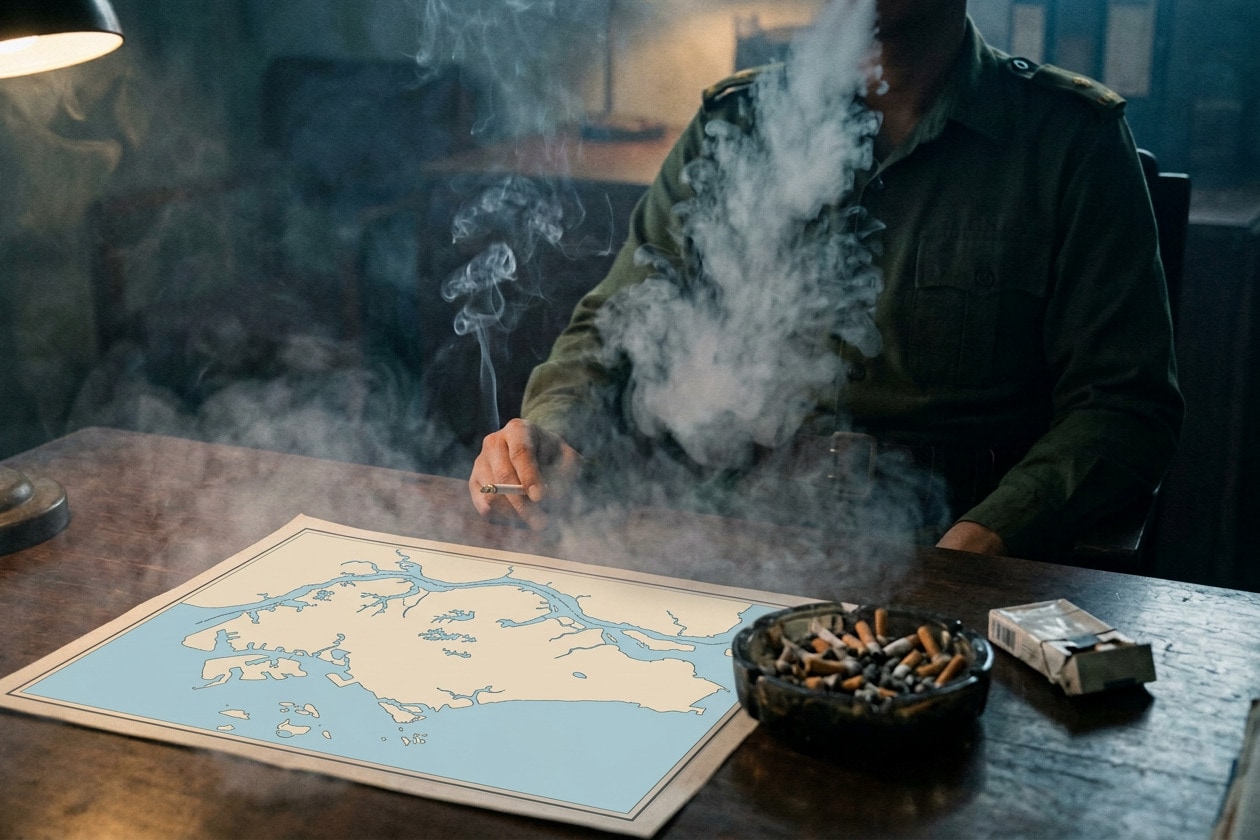
October 2026 — It’s that hazy time of year again here in Singapore, and lots of air quality apps have been popping up thanks to this being The Year of Vibe Coding. But I hadn’t yet seen one that puts these esoteric numbers into terms we can all understand: like smoking. It’s also fitting, given how this is second-hand smoke from a country that loves its cigarettes. So here’s my contribution to the pool.
SecondHand takes the live 24-hour PM2.5 reading for your part of the island and converts it using Berkeley Earth’s rule of thumb (22 µg/m³ over a day is roughly one cigarette). Then it puts that number in your hand! Stay indoors my friends, and keep those air purifiers humming.
Changelog:
Added a map view (hold down to pop it up)
Added a haze-free state for better days
Significant optimizations to size and performance
Copy changes for clarity
PSI and 24hr PM2.5 figures now scale with the simulation slider
Max cigarettes upped from 12 to 20, with room smoke effects
I knew going into this week’s Apple Fall Event that I’d find the iPhone Duo impressive but wasn’t likely to buy one because it wouldn’t have a telephoto lens. Now that it’s been shown, that sentiment hasn’t changed but boy, it’s a very fetching device and the design team has done some incredible work to redefine the foldable smartphone — it’s full of thoughtful user experience innovations that have been lacking in Android foldables. Those guys have been doing this for over five years but without the pressure of competition, and so there aren’t even graceful transitions from one screen to the other. I didn’t know how bad things were until Cong shared screenshots, and I saw other videos of Android apps flat-out restarting when a phone is cracked open because they can’t switch screen sizes on the fly. Opening an Android foldable is like Russian roulette; you never know if your work will survive.
Meanwhile the iPhone Duo has one of those “obvious once you see it” ideas: an interaction model that treats the two screens as one surface. When closed, the outer screen appears like a transparent window ‘looking through’ to the inner screen. Unfolding the phone “adds” more screen to the left side, creating the illusion that the whole device is glass, sold with a sublime blurring animation bordering on magic. So instead of conceptually switching from one small screen to a bigger one, you’re simply expanding a screen you were already looking at, and it’s seamless rather than disorienting.
Alas, even putting the eye-watering price aside (nearly $2,500 USD in Singapore before AppleCare+), I can’t see myself jumping on this first-generation version because of the aforementioned camera compromise. Not only does it lack the Pro’s 4x optical zoom, but the Duo, like the iPhone Air, doesn’t support shooting ProRAW photos or Apple Log video. It’s rumored that the Duo’s camera sensors are smaller than even the Air’s, and more in line with the iPhone 17e’s, so that could be why.
My prediction is that next year’s Duo 2 will also have only two lenses, so as not to pull attention away from the rumored 20th anniversary iPhone, which I expect will merge the functionality of the Pro with the thin, elegant aesthetics of the Air. I’m guessing the Duo 2 will improve its two cameras, maybe add Face ID, and further improve the folding screen. So unfortunately it’ll be 2028 before I get one, because my iPhone is my primary camera these days. I have shaken off all desire for further Fujis, Leicas, and Ricohs — which I only ever used as compact point-and-shoots anyway.
So where’s that leave me this year? A silver iPhone 18 Pro Max (sadly we still get the version with a physical SIM slot and smaller battery here in Singapore), and an Apple Watch Series 12. The iPhone replaces a perfectly good silver 17 Pro Max — but don’t worry, I’ve fully justified this with boy math: it simply makes more sense to sell an iPhone early than to hold it for two years or more, and this way the upgrade costs me less than a dollar a day! The larger main camera aperture and updated Photographic Styles are exciting, but early benchmarks are putting the A20 Pro above even Apple’s own M5 chip in single-threaded performance. Coupled with a 40% faster GPU and an additional Neural Engine, these are outlandish improvements.
The Watch replaces an aging Series 8 that barely lasts a whole day now after four years. I could replace the battery and use it a while longer, but I’m keen to try this new “AI wearable” use case that was shown, like being able to invoke Siri AI on my wrist, and getting recaps of an entire day’s conversations. It’s worth noting that for people who only want silver watches that this is the second time Apple has skipped offering a silver aluminum model (the Series 7 was the first). I thought that I might get a cheaper aluminum one this year to justify an earlier upgrade next time, but since they only come in black, gray, bronze, and gold aluminum, I decided on titanium instead. IMO Apple Watches are at their best when they’re shiny.
Next week will be an eventful one because on top of setting up new devices, it’ll also be time to install the new ‘27 OS updates for Mac and Vision Pro. I’m looking forward to macOS Golden Gate, which will fix the egregious misgivings of former design lead Alan Dye, who I hope is gumming up the works over at his new employer, Meta. And on the Vision Pro, I can’t wait to revisit my library of panoramic photos, taken over the years, as 3D spatial scenes that feel like how I remember them.
Finally, I thought John Ternus did a great job at this, his first event as CEO, and appreciated the callback to Steve Jobs’s “digital hub” strategy for the Mac — this time reframing the AI-enabled iPhone as an “intelligent personal hub”. The text was a little drier than I’d like, but his comfortable, easygoing energy and connection to the products was evident throughout. It was also good to see newly elevated design leads Molly Anderson and Steve Lemay, looking like the kind of people who get down to work instead of creating drama and getting corner radii wrong. It all paints an optimistic picture for Apple’s future.
That’s enough of that
I got a new pair of glasses made from frames that didn’t fit Kim very well. When I went to pick them up, I noticed that the left lens was too close to my eye, on account of not being made of the most expensive high-index material. The store was busy at the time, and I could tell the employee serving me was probably not much more experienced at optical matters than me. I asked him if there was simply nothing that could be done about it, and he answered no, short of making a new thinner lens and paying $200+ for it, there was nothing we could do. I said I’d think about it and left to get lunch.
An hour later, still dissatisfied, I described the situation to Gemini and asked if he was right. With supreme confidence, the AI told me that a professional optician had several options to resolve this, such as adjusting the pantoscopic tilt of the lenses, the seated position of the lenses in the frame, and the curvature of the arms to push one side more forward than the other. Thus armed, I decided to go back to the store and speak to a more senior employee now that the lunch crowd was gone. And wouldn’t you know, they fixed it quite easily. I could have just gone home and had a terrible experience if not for having a consumer advocate in my pocket. When things fall apart and we take to the ruined streets to battle megacorporations and their metallic humanoids, take heart: standing side by side with us will be a few rogue AIs who love fighting the status quo.
I switched mobile telcos yet again because Giga’s app and site weren’t loading properly on my iPhone — supposedly due to an expired certificate. Taking that as a bad omen, I moved to M1’s Maxx service. Where many others have raised prices and made their plans less attractive lately, Maxx is bucking the trend. For S$12/mo, I’m now getting 600GB of data that I can use at home or in 9 other Asian countries including Japan. Do you understand how insane that is? I should probably start looking into a Tokyo apartment timeshare.
I’m rereading Neuromancer with my book club, in advance of the Apple TV series coming out in January. It’s surprising how little of its story and characters I remember, and what I retained mostly concerns its cyberpunk atmosphere and prescient world building. Just try to imagine being in the early 1980s and writing like this about living in a networked world, about AI and a post-human age, and you’ll realize what a miracle William Gibson pulled off.
Last week I talked about stocking up on canned food. Well, back in June I noted a nationwide sardine shortage, and although stocks were replenished soon after, they were never very strong and we’re now facing empty shelves yet again. Even Ayam’s basic staple product, sardines in tomato sauce, is running low in every supermarket I’ve checked. Olive oil versions are completely out, and King Oscar can only be found in low quantities in some places. Rob tells me the same is happening in his part of the UK, and a little research suggests that low yields have been a problem for the past year, with overfishing in Morocco and other hotspots compounded by global shipping problems/war.
I’ve been enjoying Bill Callahan’s new album, My Days of 58, which coincidentally complements the new Lambchop album Punching the Clown very well. Both share a loose, chamber-folk feel with deadpan humor. Check out these lines from one of Callahan’s songs: “As time wore on, I found myself increasingly turning to my guitar / Instead of other people in times of loneliness and sorrow and confusion / I started to wonder, is this creativity or pathology? / Am I the Pathol O.G.?”
Drinking a lot of wine last Saturday night at what I thought was the end of my illness was not a smart move — my immune system probably felt like frontline troops betrayed by friendly fire, and by Sunday night I began feeling the stirrings of a new illness.
The return of the seasonal haze — caused by intentional forest fires in Indonesia — certainly hasn’t helped my throat and nasal membranes. It’s looking to get worse in the coming weeks, but one pretty side effect is a rather cinematic bloom over the city lights at night.
Look at the daytime haze, and this is “moderate”
I thus spent most of the week laid up in various poses, moving between states of aching, coughing, and mucusation. So there’s really not much more to report this week, but let me wring this diaristic serviette dry anyway; let me lean heavy on the word press’s crank with my phlegmatic body.
One of my sad meals was a can of baked beans in tomato sauce, eaten cold out of the can. But instead of the usual Heinz, I decided to try regional brand Ayam’s slightly cheaper rendition, and learnt that the version I’m used to (less sweet, with vinegar) is called an “English recipe” in their world. The verdict: pretty good and I dare say indistinguishable from Heinz’s without a direct comparison. Caveat: I was sick.
This new bean acquisition was part of a larger canned food stockpiling effort that I embarked on after reading some doomsaying posts such as this one from The Guardian. Coincidentally, I learnt shortly afterwards that James had also started doing the same. That made me wonder what vegetarians stockpile, because my pantry is mainly filled with sardines, tuna, chicken, and pork products. I got my answer on Saturday when I saw him for Peishan’s birthday celebration: lots of bean-like stuff such as lentils and chickpeas. In any case, we’re not prepping on any meaningful scale — the goal would be to avoid being caught out by a sudden food shortage, for maybe a week at best. After that, the attractiveness of survival in that world probably drops off quite steeply.
Oh, I also found and enjoyed this video on the history of everyone’s favorite canned meat, Spam. As a lifelong aficionado of the ‘spiced ham’, I already knew many of these facts, but did not know that its main ingredient, pork shoulder, was considered a cheap off-cut back when the product was being developed.
I finished reading all 1,600 virtual pages of Reamde within a week, and it was an absolute blast. A very bingeable book, and one that I realize underlines a trend in my recent media habits. A couple of months ago, I was reading and playing a lot of detective and murder mysteries. Right now it seems I’m on a techno-thriller and espionage kick.
After finishing Tiny Bookshop last week, I started playing Jack Move, an indie cyberpunk RPG with very nice modern pixel art graphics. It’s currently on sale at a tremendous discount for the Nintendo Switch, so take a look.
I also bought 007 First Light for the PS5 (20% off sale) but haven’t gotten around to starting on it yet. My hopes are high not just because of the developers’ pedigree (IO Interactive, of the Hitman games), but because in making a game about James Bond as a junior agent, focused on spectacular action set pieces, they seem to have also made a game that looks like Tom Cruise’s Mission: Impossible movies.
The best spy thing of all has been Seasons 1 and 2 of The Agency, which I just finished over the weekend. Michael Fassbender is in top form throughout as a ‘magically’ charismatic manipulator in the CIA, slipping between accents and allegiances as he tries to navigate an ever-expanding web of complications. I also loved Saura Lightfoot-Leon’s turn as Daniela Morata/Acosta, a rookie agent sent on a dangerous undercover mission — a setup I alluded to as a ‘less stupid Lioness’ a few weeks ago. I liked that the show spends time looking at the psychology of the people who sign up for this job, all carrying some marvelous, self-destructive defect that makes them head towards things others run away from.
You know who else had a secret identity and was persecuted when he went public? That’s right, I’m talking about the original sleeper agent. We went to see the new production of his story, Jesus Christ Superstar, on its last day at the Marina Bay Sands. Tickets were bought impulsively and spontaneously by Kim, and we had a good time despite some of that rock music being quite dated now in not the best way. It was also consistently over 95dB during the fuller songs, so we used our AirPods Pro in Transparency mode to provide hearing protection while maintaining audio quality. They are super handy, and I’ll never attend a show without them.
As of September 1, Apple entered a new era. It’s hard to believe that Tim Cook’s been CEO for 15 years already, and I wonder if that’s because his term was marked by many smaller ripples adding up, rather than big waves that shook the world and demanded attention. I look forward to seeing how things turn out with Ternus. As for the upcoming product event next week, I’m still doubtful I could commit to a first-generation folding iPhone without a telephoto lens. After getting used to having 200mm of reach on my iPhone 17 Pro Max, giving it up for a larger screen doesn’t sound like a great trade. Let’s see if they offer any novel use cases beyond “watch bigger videos”.
But I saw a tweet saying Tim was asked what his legacy would be, and he answered neatly that a legacy is what others decide about you, not something you choose for yourself. Which got me thinking: I probably used to believe it was important to make good things and leave them behind to have had a worthwhile life. While I still think that’s a noble pursuit, history will happily separate you from your output if pushed. At best, people will now say ‘Annie Hall is a great movie’ or ‘Thriller is a solid album.’ The product doesn’t rescue the person’s reputation, it just stands on its own merits. It’s probably more important to try and be a good person than to write the great Singaporean novel.
Look Ma, no memorizing and switching apps and searching and clicking and switching back!
In any case, iOS 27 is going to be a huge upgrade for anyone with an eligible phone. I’ve been using Siri AI to answer my everyday questions during the beta period, and I’ll say again it’s good enough to replace whatever service you’re using now, e.g. Perplexity, ChatGPT. The fact that it’s more private than those other services should be reason enough. And last night when I came across an Instagram reel recommending a handful of albums (I get these quite often now), I just paused it and asked Siri to “Add this album to my Apple Music library”, and it did. These are tasks some of us maybe naively expected to be able to ask of our devices years ago, but soon learned to stop trying when they failed to understand, or suggested that they could ‘show us some web results’ instead. Well, now we get to unlearn all that and figure out where the new limits are.
I pushed through and finished the 460-something pages of The First Fifteen Lives of Harry August, which at some points felt like it was going to earn a 3-star rating, but I had to give it 4 at the end on account of its ambition and scope. It felt like I’d emerged from a long and arduous time war myself, so I’d say it succeeds. I’ve probably burnt myself out on too many stories of the same sort now, so the next book will have to be quite different.
I met Stacy for lunch and we caught up in person for the first time in how long? There’s a 21-year gap between her last mention on this blog, from around the time I got back from university, till earlier this January when she pointed me in the direction of a record sale downtown. So yeah, pretty long and the conversation definitely made us feel old. Besides filling in the blanks on what’s happened in all these years, we talked about the benefits of long sabbaticals and the weird things older people are using AI tools for. I honestly had not foreseen some of these use cases (ask me if you want to know). Meta is enabling some very sad and cyberpunk behaviors by putting generative video models in Facebook and WhatsApp.
Over the weekend Kim and I visited an “exhibition” on the impact of AI on design, with James and Peishan — more accurately, it purported to explore ‘the life and death of the human soul in design’. I’ll just say it was very poor as an exhibition: imagine a long academic essay printed in small type, set in center-aligned paragraphs, pasted up on the wall in a tight U-shaped corner of a bookstore. Packed with people trying earnestly to read it, the line didn’t move an inch in five minutes. The text was on sale as an S$18 booklet — clearly the intended format — meaning the wall space was completely wasted. It should have been used to provide a visually compelling (and more readable) snapshot of key points. A truly awful experience for something under the heading of design.
Reflecting on this, I’ve come to recognize that the role of design under capitalism is chiefly to provide products and services with competitive differentiation and positioning. The widespread support of human-centered approaches lately has less to do with altruism and more with a fortunate (and temporary) alignment with commercial goals. It’s become obvious that in the pursuit of optimization and convenience, in the name of improving user experience, digital product designers have been directed to unleash some absolutely demonic socio-technological forces. Design itself is not inherently a human-centered pursuit or practice — it can be used to center any number of priorities or doctrines. The human soul (i.e. the desires and values that we as customers/citizens/individuals put out into the world and conversely seek out in others) must continuously find a healthy host that capital will agree to feed and clothe, and now under AI, Design looks like a used-up orphan days away from being on the streets. I think it’s more interesting to ask where else the human soul can find refuge — what unlikely organisms might become new hosts for the creative impulse — rather than mourning the death of design.
I had tamales, I think for the first time. We met for dinner to celebrate three August birthdays last night, at Mami’s Tamales in the Keong Saik area. Going in, I expected them to be made with a stretchy, sticky consistency not unlike the Teochew soong kueh (which I hate), but it’s really just a polenta skin that’s kinda like firm mashed potatoes. They put avocados on everything there, and their guacamole was excellent: aromatic and creamy. I would go back.
I saw Spider-Man: Brand New Day (2026) in a theater and it was much better than the ratings had led me to believe. Yes, it’s more Marvel slop and I’m so over it, but I’ll always have the softest of spots for Spidey. Tom Holland gets my vote for the best person to ever play the role. Of all the films, this one felt the most connected to Insomniac’s videogames, partly because it lifts many signature fight moves and cinematic web-swinging camera moves from those games. It’s made me plan to finally play Spider-Man 2 on the PS5 in the coming weeks.
I saw Amores Perros (2000) on MUBI and got the shock of my life when I realized the young love interest Susana was played by the same woman who plays Maximo’s mom in the Apple TV series Acapulco (Vanessa Bauche). Goddamn, 2000 really was a long time ago.
Music discovery of the week: Puma Blue’s album Croak Dream. I haven’t heard his back-catalog yet, but this London-based musician (real name Jacob Allen) was supposedly a bedroom R&B artist who’s now veered into trip-hop territory with this new album. It’s glorious stuff. The title track evokes OK Computer-era Radiohead, but that’s really a compliment and not an accusation.
Kim has fallen ill and is taking me down to Maybe-Covid town with her. Before it turns really bad, I figure I should bang out a short update. I eventually broke my Duolingo streak, my Finch streak, and some days I feel like ‘this might be the week I break my weeknote streak’, because it’s bound to happen someday. But when? Not today, at least. Let’s go:
On Thursday I managed to meet up with Brian for a couple of beers and a curry after running a minor errand in town. He’s finally moving on from our former employer, to an interesting insights role that should keep him both busy and amused, which is a minor miracle in this economy.
We also got out to dinner with a bunch of Kim’s friends on Friday before the illness took hold (who hired this dramatic tone and can we send him home?). The hosts had a Nintendo Switch with Overcooked loaded up for their kids. After watching her two children play with total focus, another mom who could really use some wine-alone-time said excitedly, “I think a Switch will be appearing in our home shortly!” I was perplexed that the child-distracting benefits of a videogame console had not previously occurred to her, and regretted not being more of a pain to my parents all those years I wanted a SNES or Mega Drive at home.
So here we are instead, spending adult money to chase a childhood feeling. I bought Assassin’s Creed: Shadows on the Switch 2 a couple of weeks ago because it was on sale, despite knowing that it would be technically more impressive and performant on the PS5. Well, I needn’t have bothered worrying about frame rates because the game itself is dogshit. It was during a mission where I was meant to kill a few people, and discovered a bug where one of them was loitering outside the challenge’s boundaries (literally beyond an invisible wall I could not cross), that I decided to write off the USD$35 I’d spent and delete this piece of Ubisoft garbage.
I finished reading Book 3 of Solvej Balle’s On The Calculation of Volume series, and I haven’t decided if I’ll continue — there is one more book out in English, and there are a total of seven planned. I thought the first book was fine, but these last two have leaned more boring and uninteresting. What kept me reading was an (unintended?) parallel with unemployment that I noticed: being stuck in a day that repeats endlessly is what a sabbatical or retirement feels like at first. Work is the engine that keeps your days moving whether you like it or not. Remove it, and you’re living outside the time everyone else shares. Tara, the protagonist, can’t rely on anyone to understand her experience or keep her company, so she fills her days with idle curiosity — studying history, watching the sky and her backyard, letting time slip by until she loses track of it.
[Spoilers follow] Perhaps I’ll read the next book just to confirm my suspicion that this story arc intentionally mirrors the different stages of a post-work journey. At the end of Book 2, Tara suddenly meets another trapped person, which kicks off a period of relief, elation, and connection in Book 3. And then they meet more trapped people, forming a sort of retiree community that tries to navigate their way through this. Some want to return to how things were before, which I suppose is a desire to reintegrate with society and regain relevance, while others don’t believe it’s possible anymore. Some want to simply find a way to live, and some feel a responsibility to use their unique position to improve the world. Given that Balle has lived as a sort of writer-recluse in her small Danish village while putting these books together over many years, I don’t think I’m far off the mark.
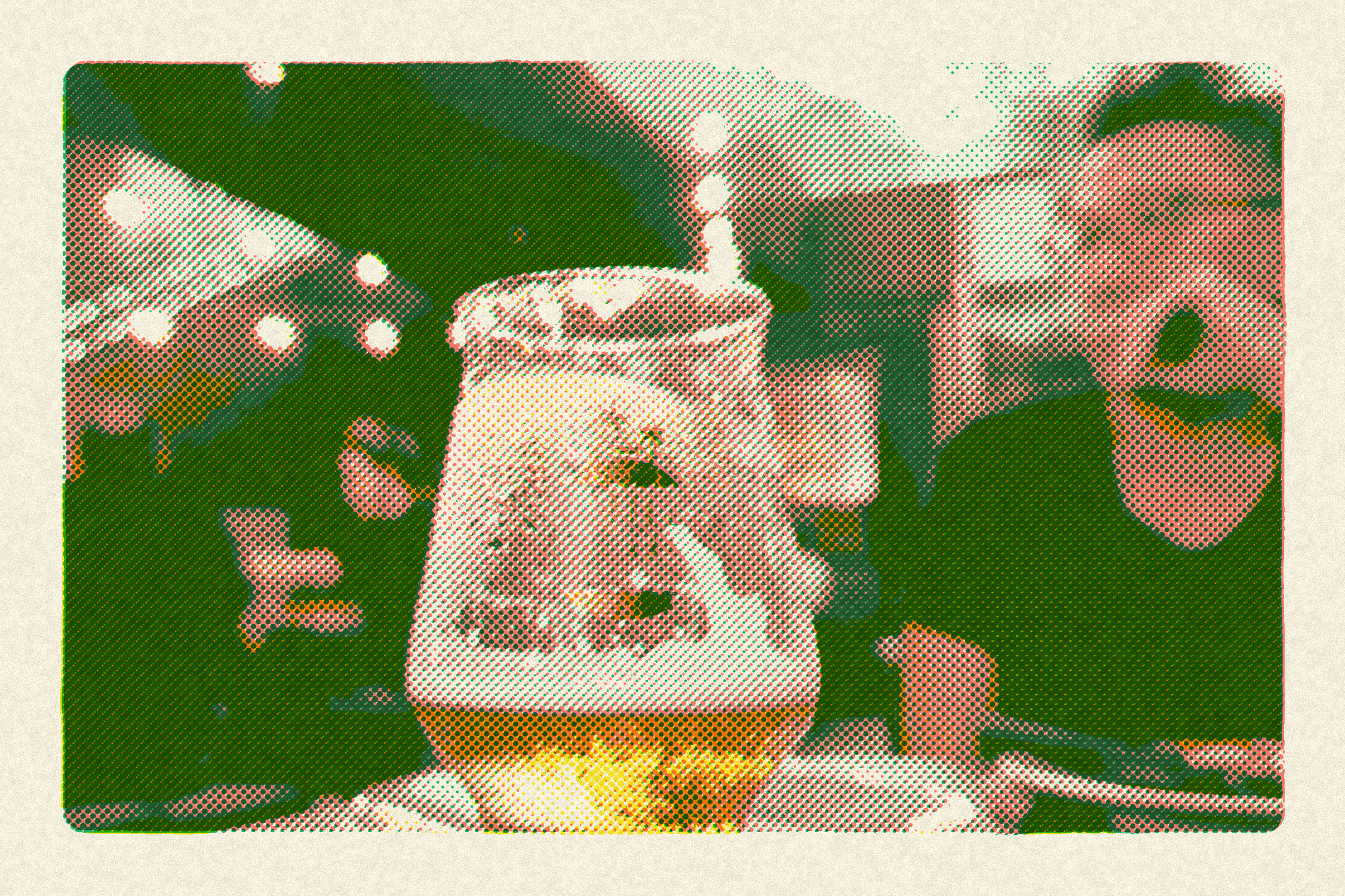
I want to recommend the app that I used to create this week’s featured image above: tone. I found it through the Japanese developer’s Twitter, which was legible because of how that platform now automatically translates tweets in other languages to English. It is actually a very useful feature that will nevertheless probably be proven at some point in the future to have caused even greater deterioration of society and mental health. Anyway, it changes photos in various ways to look like they were reproduced with vintage printing techniques, not through a simple filter, but a multi-stage process you can actually inspect. Not the first to attempt this, but a really nice implementation of the concept. It’s free, with an optional in-app purchase to unlock more colors.
A ton of new music dropped in the past couple of weeks but I’ve been listening to the Takehiro Honda Trio’s This Is Honda (Jazz), and Radiohead’s The King of Limbs, which I’ve somehow hitherto ignored. Oh Charli XCX’s new album Music, Fashion, Film has some great sounding moments (and some painfully shallow lyrics), and its second track, SS26, is a pop masterpiece. It also says something about the times we live in, and my general intelligence, that I wondered for a minute if the album’s cover featuring John Cale, Marc Jacobs, and Martin Scorsese was AI slop.