It’s been a month since I bought my Jawbone UP band, and since then I’ve incorporated a lot more walking into my life, trying to reach my goal of 8,000 steps a day. By my estimates, I probably averaged half of that before, since a lot of my time is spent at a desk, and commuting to and from it in cabs and public transport. Most days now, I do 8,000–10,000 by walking halfway home in the evenings.
I just weighed myself, and I’m back to the weight I remember being for quite awhile, up until the last couple of years when I’ve felt fatter and slower. The difference is about 3kg, not a lot, and I’d like to lose a few more kilos to get my BMI in the sweet spot.
What surprises me is how painless it’s all been. No grunting at the gym, or aching all over in the morning. Just being mindful of how much movement I should be making each day, and going out of my way to walk more. Low-impact, sustained exercise. I listen to podcasts, new music on Spotify, or think about things along the way. I get some air, and take the occasional photo (below) if I see an interesting scene. It’s great.
Okay, I guess I’ve also been slightly more mindful of my caloric intake, thanks to the food diary feature of the UP app. I haven’t denied myself anything reasonable, and so there’s no need for “cheat days”. I’d consider my eating habits to be 95% the same. Still, it probably helped?
The new Daft Punk is incredible. The more I hear it, the more it unpacks waves of hidden melody. I was underwhelmed the first time, listening while walking home (on bass-weak Etymotic headphones), but now it’s like a whole other record.
I’ve had the luxury of some console gaming time these past few months, and managed to complete Metal Gear Rising, BioShock Infinite, and the rebooted Tomb Raider, while making progress in Devil May Cry, Luigi’s Mansion 2: Dark Moon, and Super Mario 3D Land.
The observation here is that in my advanced age, the definition of fun has changed. I used to be excited for sandbox experiences, building/business simulations, and multiplayer combat. I think if Minecraft and LittleBigPlanet existed when I was younger, I’d totally see the point of building a giant robot’s head in a mountainside. Now, the thought of spending hours on that kind of play instead of catching up on reading or working on other projects is out of the question.
Open-world games are in a precarious position. Five years ago, I could spend hours collecting Crackdown’s Agility Orbs. I’d mess about in Assassin’s Creed and forget the main quest entirely, writing my own inner narrative about Altair being a medieval pickpocketing Batman. When life next comes collecting, these games will be the first to go.
So when the nights are short, what games make the cut? The aforementioned games on Xbox360 (Metal Gear Rising, BioShock Infinite, Tomb Raider, Devil May Cry) are marked by strong, cinematic narratives, or at least entertaining ones in the case of MGR and DMC. The remaining Nintendo 3DS titles succeed on pure mechanics, where joy is extracted purely from the timing of button presses, helped by exuberant character animations and inventive set pieces.
Luigi’s Mansion 2 might be one of the most charming games I’ve ever seen, and like most portable titles, it satisfies in a different way than a blockbuster console title. Each level is polished and detailed to the point that it vibrates. From one minute to the next, you’re constantly having your assumptions challenged by experimental level designs, new enemies, and ingenious puzzles. There’s a simple set-up about why the ghosts are loose, but the game’s real Story is located in the way that these parts interoperate, and in how the characters react, much like how design was famously said by Steve Jobs to be the craft of how things work, not how they look.
Stories are perhaps the best reason to engage with any entertainment medium; often they function perfectly being the only reason, but videogames call for a balance between play and involvement to be fully realized.
Take BioShock Infinite, one of the year’s most highly rated games, if not the highest. To experience a playthrough is to see an ambitious, first-person SF story with many smart things to say about games, politics, gender, religion, and whatever else people want to see in it. As a game, mechanically, it’s mediocre for a lack of innovation. Fights play out in the usual fashion, with a few superficial gimmicks. When the supporting character, Elizabeth, throws you a health pack mid-firefight with a press of your "X" button, it’s an Auto Heal/Use Potion action in disguise. Much like how artists can throw new textures atop a game engine to create an expansion pack, BioShock’s gameplay designers have reskinned a generic FPS using emotion and worldcraft.
Finding the combat somewhat boring, I started to cynically see places where narrative paint was employed to make the shooting gallery journey seem shinier than it was. It’s sad that a week after finishing the game, I mostly remembered its central conceit and frankly awesome ending sequence. This doesn’t happen in Luigi’s Mansion 2, because the gameplay itself is what you think about when not playing.
Why is BioShock Infinite so overloaded on the story side of things, constantly trying to shove more story in your face with voice recordings, environmental artwork, snatches of conversation, meaning-laden anachronistic pop song covers, in-game exposition cutscenes, etc., but so underdeveloped as an action game? I’m pretty sure the experience of watching someone play the game is >90% as satisfying as playing it yourself. It doesn’t have to be your hands on the wheel. I’ve played games where after a momentous moment unfolded on screen, I was left acutely aware of a lingering sensation under my thumb where things had been set in motion. The button press echoed through flesh and time. Triumph seemed to reside directly in my actions. Because of how little I cared for and enjoyed the gameplay, BioShock felt like pressing Play on a rented movie.
Tomb Raider is more successful in several of these places. While well-written, the story isn’t mind-blowing in the way BioShock’s is, but it has its own surprises and is superbly paced: you always feel like the game’s climax is drawing near, and then the story horizon stretches out in front of you again like a challenge, taunt, and gift all at once. Traversing the world, hunting with a bow & arrow, scouting for hidden objects… did I just get tricked into playing an open-world game I said I didn’t have time for? As a combination of story and fun, and critically, by allowing enough freedom for its player to feel a sense of grace and mastery of the world, it succeeds.
Although progression is linear, how you navigate Tomb Raider’s world feels under your control. Lara is continuously gaining new abilities that open up previously impassable areas. It’s the old Metroid design, and a sound one. You could argue that the superpower-granting Vigors in BioShock play a similar role, but they are few, and the fun is taken out of them by the ammo limits. Tomb Raider doesn’t charge you for the joy of shooting a rope arrow across a chasm and zipping down it. Incidentally, where the ropes go is largely predetermined, but because the player personally installs them, the feeling is completely different from BioShock’s steel skyline cables, which herd you heavy-handedly around the map like the rails they literally are. A minor difference, design-wise, but one with an outsized impact on the experience.
This is a bit of a long shot, but if you live in Singapore and need a unique gift, or just so happen to actually need an unironic, non-jokey trophy, consider Alpha Plus at Queensway Shopping Center.
We needed a silly trophy made for our departing colleague and creative partner, Christian, and they were able to turn it around in about 2 days for a fair price. You could probably make yourself one, just for kicks.
All manner of trophies and bludgeoning objectsSeveral inside jokes involved here
About two weeks ago, I kinda realized that two people I knew online were in a band together, and preparing to put out their first EP. I visited their website, bought the record when it came out, and ended up seeing them live at the Esplanade last Friday. Hear for yourself through the embedded player below.
I bought one of the newly revised Jawbone UP wristbands a week ago. For those not following the rise of wearable activity trackers such as the Nike+ FuelBand, they are essentially pedometers you put on your wrist as you go about your business each day (and wear to sleep at night, in some cases), that connect with your PC or smartphone to give you more insight into your health. The UP was one of the first products on the market, but suffered from design and manufacturing defects that led to a hasty recall and another year on the drawing board before it was finally re-released last Christmas.
It all started with using the free Moves iPhone app (by the Finnish company ProtoGeo) for about a week, during which I got a taste for recording and quantifying my movements. When I saw the UP on sale locally, it was an easy purchase. It’s only been a week, but it has been a behavior-altering experience for me so far. Along with its companion app, the UP provides a couple of key features.
Activity reports
Food logging
Sleep quality tracking
Social network awareness
Fiddle-free design
Comfort and style
Activity reports
Open up the app and you’ll see at a glance how you’re doing against your set objectives. A healthy target is 10,000 steps a day, but few sedentary workers can meet that. Because UP is an internet-connected service, it’s able to tell you what others like you (in age, gender, height, and weight) are averaging. In my case, the average most do is about 5,500 steps a day. I decided to set myself a high but achievable goal of 8,000 steps.
What’s happened since? I’ve found myself striving to reach that by alighting one bus stop ahead of my destinations, taking the long way around the office, and going for more short walks whenever I can.
It translates your activity into calories burnt, which it shows you alongside an estimate of how many calories you burn just resting, and a total for each day. Every now and then, the application shows you “Insights”; pre-written facts and advice tailored to your own performance. Examples include deciphering hidden patterns in your behavior and mood, and helping you understand terms like “you walked 8,000 steps” with statements such as “equivalent to walking across the Golden Gate Bridge and back”.
Food logging
This part is optional, but you can enter your meals (or just photos of them) to keep a record of what you’ve eaten. If they’re available in the online database, nutritional information is attached. It has the same effect as using an expense tracking app: it makes you acutely aware of every little bit you put into your body, and alerts your conscience to the unnecessary.
In practice, having a vague idea of how many calories I’m consuming, coupled with the knowledge of how much I’m burning (or NOT burning, on idle days) has been powerful. If I know that I’ve only moved a minimal amount all afternoon, any random urge to snack quickly meets a mental roadblock — “Why would I need more calories?”
Sleep quality tracking
Like the popular Sleep Cycle app, the UP band can monitor your movements in the middle of the night, and map out your light vs. deep periods of sleep on a graph. And then at the best possible time close to your intended waking hour, it will silently vibrate in the morning.
You are asked to set a sleep goal for yourself, and along with all the other data it collects, this is plotted over a timeline of days, weeks, and months, which illustrates how good you’ve been at getting the sleep and exercise you need.
Social network awareness
This is easily one of the best features of the UP. Other people can be added as “teammates” and their activities populate your Home screen, turning it into an Instagram of physical activity. You’re encouraged to inspect their details, leave comments, or react with a small selection of emoticons. You might see that a friend had a healthier lunch, or walked far more than you, or slept better than you. These events nudge you into behavior change.
When I started, one of the only people it found for me to add to my “team” was someone living in Japan that I only follow on Twitter and YouTube. I asked, she said ‘Sure’. I don’t know her personally at all, but I’ve found that reading UP’s activity feed is a unique interaction different from regular status updates. Being able to correlate your own physical state with another person’s through shared metrics, leads to a different sense of awareness; any encouragement you receive resonates that much more. Her most active day blew me away at over 24,000 steps, followed by 11 hours of sleep. It really spurred me on to try and find the time for activity. Multiply that by the number of people you follow, and the social features become an extremely compelling component.
On my second day, two more people I interact with online bought their own. On the third, my girlfriend joined in.
Fiddle-free Design
While the UP is not designed to be worn and forgotten — its constant presence serves to remind you of your goals — it is designed to be worn and left alone. Its long battery life (about 7-10 days) is one of the ways in which this is obvious. Charging via USB only takes about 80 mins, which you can easily do while idle.
In chasing this long battery life, the UP eschews Bluetooth syncing, which other products like the Fitbit and Nike+ FuelBand have. To sync the UP, one must remove it and plug one end into a smartphone’s headphone jack. Jawbone recommends doing this about twice a day to keep up with your own stats and update your team. On the other wristbands, one only has to start the app, and they sync wirelessly.
I actually think this omission is a strength.
Like how shooting on film frees you from constantly checking how the photo came out on the little digital screen, thereby letting you take more photos and experience the scene you’re in, not continuously syncing the UP creates mystery, anticipation, and actually lets you get on with it and not fiddle with tracking apparatus every spare minute.
In his excellent essay about using a FitBit, Paris and the Data Mind, Craig Mod described looking at the LED display and seeing that he had climbed 96 flights of stairs one day. The next thing he did was walk halfway across the flat town of Palo Alto to the nearest flight of stairs he knew of, so that he could shift that number to read 100. It sounds like great exercise, but I don’t want to obsess over live numbers or end up conducting accuracy tests each day over how many steps it’s counting.
The UP way, you’re wondering things like “will I break my record today?”, and if you’re extra competitive, “I hope I don’t lose to so-and-so,” as you go about your business. Sometimes, by not knowing, you exceed your targets. And then you sync at the end of the day, and it’s like waiting for lottery numbers to be called out. It’s its own kind of fun.
Comfort and style
The UP is available in 8 colors, of which 3 are available here in Singapore right now. I got the Black (sorry, Onyx), and it’s pretty nondescript and unlikely to draw attention. The brighter colors pop more, and show off a subtle zig-zag texture that identifies it as part of the company’s product range under design chief Yves Béhar. None of them are what you’d expect a “wearable computing device” to look like. The only button is cleverly hidden, looking like an integrated design feature. Two LED lights are embedded beneath the hypoallergenic rubber surface, and only visible when lit. It’s much thinner than the FuelBand, and could easily be mistaken for one of those Livestrong-type charity support wristbands from a few feet away.
These things help with making the UP an invisible part of daily life, which gives it potential to succeed at being adopted by more. But as the wearer, I always feel its presence (at least in this first week). The routines I’m developing around the app, around thinking about moving more, burning more, eating less, around how my teammates improve themselves, are the very definition of behavior change.
If having visualized, connected, and actionable data on your own body and movements sounds interesting to you, the UP will probably be a great addition to your life.
Lots of portfolio tools advertise the ability to create a gorgeous website online within minutes, but how many are suited to showcasing a copywriter’s work? This post covers getting a basic presence up for a handful of your projects. More comprehensive site builders are only briefly mentioned.
It’s often said that people only look into their CVs between jobs, but taking stock of what you’ve accomplished on a regular basis is a really good practice. But with a standard resumé, updating a paragraph about your current employment several times a year isn’t attractive. Fortunately for people in the creative industries, there’s the portfolio, which can be very satisfying to compile, if only to remind ourselves how little victories on a project tend to make up a bigger result.
Not Your Creative Director’s Portfolio
Over the last few years, I’ve seen a fair few creative portfolios, and increasingly, when one asks to see some work, a URL gets sent instead of a PDF. When I was starting out in advertising about 8 years ago, we routinely brought physical folders of printouts to interviews. If you wanted the job, you might make an extra copy to leave behind. If you’ve heard some creatives calling their folios “books”, it’s because that’s what they really were.
Another thing that’s changed since the mid-noughties is how the presentation of a copywriter’s work has gone from showing a few ads and/or documents with long-form writing samples, to being very close to how the art guys do it. Big, colorful pictures that would reel even an illiterate eye in. Some writers’ books now haven’t got a word in them.
Carbonmade: Your online portfolio, the door to a bright future in children’s illustrations
Most of the people I’ve met showed off work on portfolio cum social networking sites for creatives. Places with start-uppy Web 2.x names like Carbonmade, Krop, the Behance Network, Cargo, Coroflot, and to some extent, Dribbble. Some respectable, shirt-wearing creatives had portfolio sites on their own domains, and the ones who didn’t return their pencils used blogging services like Tumblr.
What I’ve noticed is that very few of these solutions are suited to the needs of creatives who self-identify as copywriters.
Copywriters Are A Needy Bunch
Designers, illustrators, and art directors are well served by the many visual portfolio tools out there. Flip through a few examples and you’ll notice a tendency to not explain the images — when it comes to showing off craft, the work often speaks for itself. Maybe it’s because most tools just don’t allow text at all, but I’ll come to that later.
I think a writer needs a little room to take his viewer through the work. So much of what we do is problem solving and just not visible in the finished consumer-facing work (nor should it be). Some of the things a writer could supply to complement a piece of work are: some background info, a project or team story, the strategic line between proposition and product, an elucidation of the idea (if one exists), how the piece works with a wider campaign or positioning that the brand has pursued, and any measured results that came out of it. Touching on just a little of the above, versus a caption reading “Banner Execution #2” on a photo of a toothpaste tube telling a joke, can help explain yourself come Judgement Day.
Five Steps to Happier Portfolioing
The more I saw, the more I started to wonder, where should a copywriter put their work online? To answer that question, I signed up for a bunch and put them through their paces, and also asked colleagues and industry friends for their (possibly subjective) opinions on the leading ones. Here’s what I know, filtered through what I didn’t like.
1. Keep Good Company
Maybe this won’t apply where you are, but Cargo (or CargoCollective) ostensibly carries a reputation for being full of student work. I don’t know where that comes from; too many cans of Heinz baked beans styled like Warhol prints? That said, there’s probably nothing wrong with using Cargo if you ARE a student. Coroflot seems to be another good place for junior creatives to get their work in front of recruiters and large brands. DeviantArt was ranked below the two, because your application will disappear into an HR drawer labeled ‘Slashfic Writers’.
Krop: Your killer headlines will need killer headlines
For professionalism, I was advised to try Krop. It charges a not-insignificant monthly price of US$10, in the league of premium site-building services like Squarespace. I didn’t see anything that justified the price against Krop’s drawbacks. Amongst those I asked, Behance enjoys a neutral to positive reputation that will not stand in the way of your looking righteous.
As far as domains and URLs are concerned, it’s also about the right associations. If you’re on a site built for creative work, then piggybacking on their domain isn’t an issue. For example, having “behance.net/name” is okay, but “name.tumblr.com” looks like a collection of meme gifs. Using a “name.com” is great as long it’s not the “best-name-online.com” that GoDaddy recommends when your name of choice is taken.
2. Know the Tools You’ll Need
Behance: Owned by Adobe now, so you’ll have to hit refresh for minor HTML updates every 10 minutes
Plenty of sites simply don’t let you annotate or supply a paragraph of text beside your large and beautiful images. It’s practically textist. Krop is a major offender. And since we’re talking your garden-variety copywriter here, and not those mystical hybrid writer-designers who can tastefully superimpose text within their images, an ideal tool would allow writers to enter text on the page itself. In that regard, Behance trumps Krop, which only allows a short caption for each image. Not only is Behance free, it allows the mixing of as many images, embedded videos, and text blocks on a project page as needed.
Most importantly, if you’re going to be uploading work where you’re especially proud of the writing, make sure it can be read! Being able to click and zoom in (or load the original image) is table stakes, but plenty of sites I’ve seen don’t do it. This is the point where your portfolio’s tab gets closed and your reader goes back to a ‘Hunger Games Wedding Ideas’ board on Pinterest.
For this reason, I do not recommend using ‘free’ services that reserve this ability for paying customers, e.g. Carbonmade. Behance won’t zoom either, but you can at least reproduce your copy on the page using a text block.
3. Create a Gallery, Not a Blog
If you must Tumblr, your portfolio should look a lil’ sumthin like this wicka wicka
When a portfolio site is built on a blogging CMS, and looks like a linear blog, expectations are set for a diary of constantly evolving works-in-progress. Visitors will be less impressed by your last post being 18 months old, even if it was ahead of its time.
Of the sites I’ve seen built on simplistic platforms like Posterous, Tumblr, Blogger, Pinterest (you gotta see this Hunger Games wedding), too few employ themes with a static front page serving as a table of contents. If your platform of choice doesn’t let you do that, find a new one. A scrolling page of entries without proper navigation is counterintuitive to your purpose: showing your recent work at a glance, and putting more details one click away.
Some sites will also format and present a version of your resumé in addition to your portfolio. Behance and Coroflot are two that stood out for me.
4. Decide If You Want Feedback with That
Socially enabled sites like Behance are proud of their communities. You can follow people doing interesting work, and browse a stream of their recent work right from your front page. Gold stars, comments, resharing; all that stuff. But there’s a real need for portfolios that don’t talk back, and if you’re familiar with the teen movie trope of parents embarrassing their sons with baby stories whenever a girl comes over, you’ll understand not letting a potential mentor or employer see the “helpful” suggestions you’ve been given by others. Or your witty mom-centric replies.
Moreover, as we’ve already covered, many of these sites are for designers and not copywriters. I’ve heard this sentiment several times: “Designers have Dribbble, but where do copywriters go to share their work and get constructive feedback from peers?” It’s a gap that no one has filled. Until then, my advice would be to keep the two as separate as you can. Find an avenue for copy feedback that works for you, and display your work on a pedestal where it belongs.
5. Keep Open Secrets
Another feature that’s rather important but not always available: the ability to secure projects with a password. Some client work can never be fully public, but if there’s a story in there worth telling, you might open it up to select viewers. Please don’t set your password to “password” or your first name, or have no password at all and instruct the HR person to ‘just press Enter’, because that just makes it look like passwords are a new concept to you.
Choose Your Own Ad Venture
The first conclusion I drew is that you’ll want to spend some money to get this right, although it doesn’t have to be a lot. Whatever your choice, make sure it looks good on mobile devices and doesn’t rely on Flash.
Squarespace: Can you handle this much customization? Find out with a free 14-day trial.
My preferred solution has always been to create pages on a personal site, using whatever CMS you’re comfortable with, but that involves a fair amount of set-up and manual work. In contrast, the allure of these modern portfolio services is undeniable. Most come with the promise of page views from fellow creatives baked in, and who doesn’t like getting ‘Liked’? The drag-and-drop features and professionally designed templates are also particularly good for copywriters. Uploading a bunch of comps and artwork almost always results in a presentable page.
Of all these services I evaluated, the only free one that would meet the needs outlined was Behance. Their paid option is called ProSite, but its fancy templates frustratingly strip away the extra text that makes their free pages compelling for writers. If that gets fixed, it would be a complete winner.
If you’re willing to get your hands a little dirty, then Squarespace, Breezi, Virb, and WordPress are sound bets. The first two have no free options and start at around $8/mo for a standards-compliant, responsive design site. With templates as starting points and pixel-level control over every detail, they are suited to people with knowledge of web design but who don’t want to code.
Virb: If it’s good enough for a coffee bar in Portland, why not your portfolio?
Virb is another all-in-one hosted site & blog solution that costs the same as Krop ($10/mo) but lets you do more. There are templates that let you bundle images and text together quite simply and beautifully.
The open-source WordPress.org software is pretty much the gold standard for consumer CMS on the web, and if you don’t want the hassle of installing it on your own servers, WordPress.com has an ad-supported “hosted service” that takes care of everything for you, with few compromises. A number of portfolio-ready themes are available, but do pay for the domain mapping upgrade, because “name.wordpress.com” looks almost as bad as it would if it said Tumblr. Almost.
A couple of days ago, a new bottled version of Guinness Draught was launched locally. My friend and colleague Bert (@bertnert), probably the biggest Guinness fan I know, got me in the door to try a few of them out. As the embedded tweet should show, it’s pretty close to the experience of drinking a ‘surger’ or ‘widget’ can of the stout. Unlike drinking from a pint glass, you don’t get a foamy head but the creaminess is there and quite satisfactory.
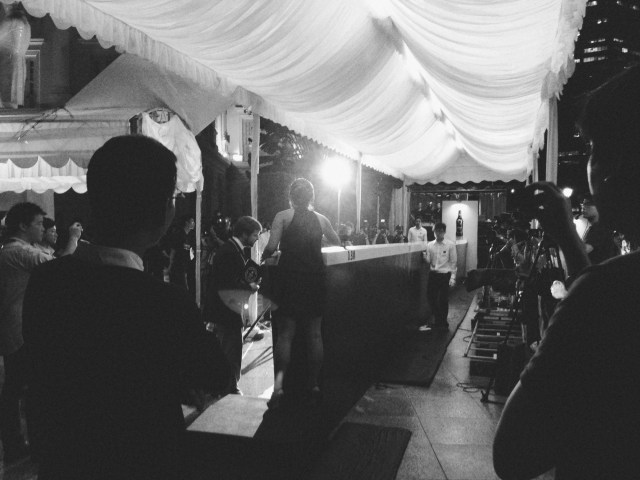
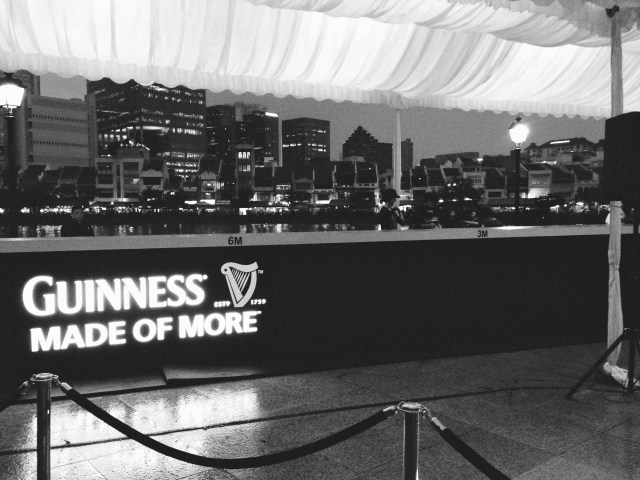
There was also a Guinness World Record attempt going on that night, to see how far a full bottle could be slid down a narrow bar counter. The previous record was 10 meters, and the record was broken, and then broken again by the four plucked-from-Facebook contestants. I think it now stands at around 12.5 meters.





 sangsara.net