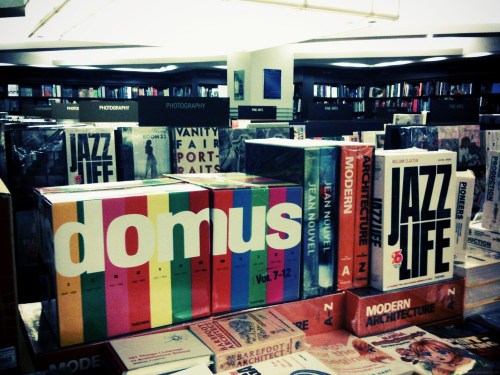
• ION Orchard

    ION Orchard front view

    ION Orchard panorama

    ION Orchard interior

    Basement 3 & 4
    ION Orchard interior

    (Full photo set on Flickr)

    I went to have a look at the new ION Orchard shopping mall on Tuesday, its first official day of being open. I’ve talked about it resembling the Bullring mall in Birmingham, UK before, from its sprawling promenade flanked by two-storey shopfronts to the curved sides of the building. The same architectural firm designed both, although I think they did a much better job with the Bullring. The ION’s curves are too slight, giving the whole building a strange form not unlike a dented pillow – I know for a fact they were hoping to elicit words like “organic” from onlookers. Not quite, in my opinion.

    The interior layout of the four above-ground shopping levels also resembles that of the Bullring’s central arcade, which is a good thing. It’s easy to see where you’re going and where you’ve been because the shops don’t occupy fixed boxes of space, which gives them more identity, and better spatial recognition for shoppers. The roof design does a good job of letting in lots of natural light in the day, which, along with the use of predominantly white surfaces throughout and contrasting angular/curved elements like escalators and pillars, gives the whole affair a look of modernity that should last a decade, at least.

    Basements 1 & 2 were a little darker, although that may change when all shops are open (currently about 70% are). The walkways are also narrower, which will probably cause some congestion problems. I was afraid, on the way down, that four similar basement levels were going to feel quite oppressive, but B3 & B4 smartly mixed things up with a different layout and more open space.

    High points were the ThreeSixty Marketplace (link to another blog), with loads of imported food products that you’ve probably wanted but could never find locally before; a Korean gelato cafe that felt like it had been transplanted from some other country’s sidewalks; the return of the Dunkin’ Donuts franchise, which means good, cheap coffee and passable donuts for me; and a raft of new Japanese restaurants to try out. I’m downplaying it a little here. If you’d seen me there that day, it would be pretty clear that I love this place and am very excited to have it as a part of our landscape (physical facade notwithstanding) from now on.

    I also want to mention the large Epicentre outlet (they are a third-party Apple retailer) directly across from a Nokia flagship store and a SingTel mobile shop. Epicentre makes a few mistakes now and then, but they largely play it safe and therefore well by following the design language of official Apple Stores around the world. That includes placing large, round tables with lots of flashing, animated iPods and iPhones near the front of the space, for passersby to play with. People are always standing around and fiddling with them.

    When you walk into the Nokia store, you’re greeted by a small table with maybe four working phones (I went in to look at the N97 flagship model, and the one I picked up wasn’t functioning), and then a very long wall of all the phone models they currently offer. It would have been very impressive, had any of them been real and not a plastic dummy. Move over to the adjacent SingTel store and you’ll find the same thing in each of the dedicated brand zones. LG, Samsung, Sony-Ericsson… not a single REAL phone to be had. Getting customers into your store is half the work done, so why let it fall apart with a non-existent product experience? It’s one of the simplest things in retail and marketing, and you don’t appreciate how Apple does it right until you see others get it horribly wrong.

    ~

    As much as I’d like to go back several more times now, I expect the ION Orchard to be a total mosh pit for the next few weeks. There’s probably going to be a massive ground effect that wrecks the whole of Orchard Road for anyone who needs to find parking too. So while everyone comes down to town this weekend for a glimpse at the new hotness, my plan is to go shopping in the heartlands. Maybe I’ll finally get a place in line for that other Uniqlo.


  • iPhone app review – Tradewinds 2

    (This iPhone review and others like it have been moved to my new app review site, positivemachine.com. Why not have a look?)


    Name / Category: Tradewinds 2 / Games
    What it costs: $2.99 on sale (normal price $4.99)


    What it is: A port of an old PC game about visiting ports.


    Why you should buy it: Because you have an addictive personality and some misguided, internet-era obsession with pirates and the Caribbean that the makers of this game could not possibly have foreseen, and therefore exploited, back in the 1990s. Thank god for the iPhone, then, as the current rights holders and publishers will finally be able to make good on their foolhardy investment from nearly two decades ago. If they’re really lucky, their children will start calling them again. From jail.


    Why you shouldn’t: If you already played Chocolatier, a game that shamelessly ripped off the look and gameplay essence of this classic title, you might not want to revisit the old sail-around-the-world-making-money genre. Of course, Chocolatier did remove all the pirates, sea battles, and general fun found in Tradewinds 2 in order to include a realistic simulation of chocolate manufacturing – complete with catapults, giant ingredient icons, and indoor ferris wheels. Tradewinds 2 also feels a little more ‘adult’, that is to say people drown at sea by your scurvy hand.


    Alright, fine, I’ll give a rating: 4/5

    Buy Tradewinds 2 in the iTunes App Store.
    Buy Chocolatier ($4.99) in the iTunes App Store.

    ——-

    Below: Tradewinds 2 (touching any of the buildings shows their names)

    From sangsara.net

    Below: Chocolatier’s port view

    From sangsara.net

    Below: Chocolatier’s action puzzle replacement for sea battles.

    From sangsara.net

  • Using an iPhone 3GS as a film camera

    I got my iPhone 3GS a little over a week ago, on the 11th, and have been lucky enough not to get one that overheats or goes dead after a few hours. The WiFi reception isn’t as good as on my old iPhone 3G, but that’s another story.

    My main reason for upgrading was the speed increase, and in that respect the phone has been everything I expected. I play a lot of casual games on it, and being able to start up and get into a level within seconds is something I’ll never take for granted. Even other handhelds like the Nintendo DS and PSP don’t always do a good job of loading quickly. Don’t even get me started on games that only let you save at predetermined points.

    The secondary draw of the iPhone 3GS was its improved camera. With apps like Autostitch (a Flickr group I started is here) and ShakeItPhoto updating to support the increased memory/speed of the 3GS though, it may soon be my favorite feature. It’s not like I’ve never had a good camera on a phone before; my old Nokia N82 had a good, autofocusing 5MP camera with Carl Zeiss optics. It was versatile enough that I tried using it as my only camera while on a short holiday. But it wasn’t a very lovable device – great hardware features bolted onto creaking, vintage software.

    Because the iPhone does so much (takes notes, calculates tips, translates Japanese, tracks expenses, etc.), and gets pulled out of your pocket so often, it also finds more use as a camera. And with the right iPhone apps, you can do all your post work and upload the results to Flickr without even coming near a desktop. Some of my other recommendations: Photo FX, CameraKit, ColorTaste (outputs low-res photos, hopefully an update is on the way), Mill Color, and Camerabag.

    Here are some photos I’ve taken this week, processed to look like they were shot with a film camera: noise, light leaks and all. (Unfortunately, these weren’t done on the iPhone.)

    Starbucks mug macro

    Mandy in the garden Mooks' Australian paraphrenalia Chili's Burger Canon Singapore Visitor Centre


  • Prince of Persia on sale

    This is pretty crazy. One of my favorite games from last year, the Prince of Persia series reboot, is on sale for just US$16.90, or less than SGD$25, inclusive of free shipping to Singapore and many other countries.
    Head over to Play-Asia.com to get your copy sometime in the next few days; the offer ends early next week or when stocks run out.

    Affiliate link to product page.(Version sold is NTSC-J, with English and Korean languages)


  • Comparing ebooks: Classics, Stanza, and Eucalyptus on iPhone

    Reading books on little mobile devices has never been very pleasant. I first started reading ebooks ten years ago, on the black and green screen of my PalmPilot. I packed it with Shakespeare to avoid bringing a bag full of books to class. Later in university, I would do the same to get around bringing a suitcase of books back and forth every summer. I used my computer then, and much better looking PDF files.

    On every new phone I’ve bought in the last ten years, I would try and find ways to read books on it, but in that era, it was like hoping your phone could tell you where you were on a map and how to get someplace else. Up until my last Nokia phone, which DID have GPS, the dream of comfortably reading books was still a distant one. Apps were clunky and coded in Java, could only access ugly system fonts, and were no better than opening up a text file in notepad. Proper formatting was secondary to getting words on a screen.

    Despite these limitations, I maintained a fondness for the idea of mobile reading and ebooks. Many people I know tell me they can’t read off a screen. I think that has less to do with the idea of reading off a screen and more to do with the poor software that’s traditionally been available. Microsoft Reader on Windows, which I used to play with, was actually one of the best desktop solutions with its ClearType rendering technology. Of course, telling your mom she should sit in front of a computer to read her bedside novel isn’t going to win any converts. Handhelds are the key, but phone software just wasn’t up to it.

    There are many advantages to reading an ebook on a modern mobile device. For one, you don’t need to have adequate ambient lighting. You can pretty much curl up on a couch in the dark. This doesn’t apply to e-paper devices like the Amazon Kindles, of course. You can carry hundreds in no more than the volume of a single paperback. If it’s a phone that’s already in your pocket, you can read in short bursts, anywhere. The main tradeoff used to be that the text would be ugly, which can really make a difference to the whole experience.

    Of course, I’m here to tell you that’s no longer the case.

    The iPhone, with its App Store full of quality 3rd-party software applications, has far more book reading solutions than any other phone had in the past. A company called Mobipocket used to dominate the mobile book reading software space on regular old phones and PDAs; but they were bought by Amazon which has its own Kindle software for iPhones now. One wonders what their plans for Stanza are.

    I’ve tried just about all I could get my hands on. Most of them are not very good. Some stick to the old word processor paradigm and print text downwards on a scrolling page. I don’t think that’s the way to go. The best ones try to replicate the paper book experience, which is of course, the current best way to read.

    —–

    Stanza app

    Above: Stanza, by Lexcycle (now acquired by Amazon) [lexcycle.com] – Free

    Stanza came first, and it was free. I won’t go into the details of everything that Stanza does, but it does a lot. You can buy DRM-ed books and you can download public domain books. You can even upload your own PDF files into it. The text rendering though, was a completely DIY affair. It started up with a vanilla black on white scheme, and if you wanted the words bigger/smaller, the line spacing and margins changed, or whatever, you would have to tweak it on your own. It didn’t come with presets to approximate professional results. In fact, the earliest versions of Stanza used justified text as a default preset. It looked awful. The latest versions have a feature where you can enable hyphenation, which tells the program it’s okay to break some long words up to avoid sentences looking like morse code. What you see above are my own presets, the result of much trial and error.

    Classics app

    Above: Classics, by Andrew Kaz & Phill Ryu [classicsapp.com] – $0.99

    Classics arrived on the scene a little later with a completely different approach. The selection of books was hardcoded into the app. You couldn’t add or take away anything. It was a small library of carefully curated choices, and the fact that each page was professionally typeset to look good was alluded to in marketing materials. Oh, and it had a flashy page turning animation. Subsequent updates to the app added new books, but that hasn’t happened in awhile. It debuted at the price of $2.99, which its developers claimed was a special introductory price. I suppose that meant it was especially high for early suckers, because you can get it now for just 99c. The much-lauded professional typesetting was a real disappointment for me. Text was larger than it needed to be, everything was poorly justified (huge rivers), and the text color wasn’t quite bold enough. Still, I loved the sound and look of the turning pages. Because every page was pre-rendered and fixed, none of these aspects could be changed by the reader.

    I alternated between Stanza and Classics for awhile. I changed the settings in Stanza to keep my text left justified until the option to hyphenate appeared. I could never get the page color I wanted. The yellow you see above looks a lot darker on my iPhone’s screen, which works well enough.

    Eucalyptus appAbove: Eucalyptus, by James Montgomerie [eucalyptusapp.com] – $9.99

    Eucalyptus blows them both out of the water, but there’s always a catch. It only accesses public domain books on Project Gutenberg, which Stanza can do in addition to opening other files. There are about 20,000+ texts accessible through the PG library.

    That’s it. That’s the only negative apart from the price. I don’t consider not having the ability to turn your page color a sickly red and your text color Christmas-green to be a drawback. I love it when somebody who obviously knows his business, a professional of some sort, calibrates something so I don’t have to. If you’re the type who tries to fix his own air-conditioning or calibrate his own plasma TV, then perhaps you will enjoy whipping Stanza into shape. I didn’t.

    Even an illiterate can see that Eucalyptus has nailed the look of a book on a small screen. It even has a much better page flipping animation than Classics, and does it in real-time 3D. You can manipulate the softly flowing paper of a page in mid-air the same way you might a real page. You can’t do that in Classics. To maintain control over its presentation, Classics seems to store every page as some sort of image file (it’s nearly 50MB in size with about 15 books in it). Eucalyptus renders plain text with its own proprietary algorithms to make those beautiful pages on the fly. Because of that, you can change the text size, but not the typeface (it looks like Times to me turns out it’s the open-sourced Linux Libertine).

    I want you to indulge me and do a little experiment. Scroll back up and read the first paragraph, slowly, in each of the screenshots. Then come back here.

    ~

    If you’re like me, you would have noticed the big gaps between words in Stanza, and the need for hyphenation, which slowed down your reading/comprehension speed a little. The overall feeling you got after reading it like that was probably something along the lines of “meh”. Classics, on the other hand, somehow encourages reading faster, and skimming. I think it’s the larger type, which also serves to soften the gaps… but you’ll see gaps aplenty on other pages in Classics. The rhythm of the sentence is wrecked. It goes from a slow, three-part opening line that sets the tone for the book to come into something rushed, and not fully digested. When you read it in Eucalyptus, it should be something of a revelation.

    With regards to Stanza: I don’t like having too many choices, because they encourage me to fiddle instead of just read. And if it’s not done quite right, like in Classics, I just groan and try to make do. I’ve read quite a few of the books in Classics. But when ebook reading is done really, really well, like in Eucalyptus, then I can see a bridge clearly stretching from those days spent squinting on a dim, muddy screen in English class, all the way to the present, and it makes me really glad that now other people might finally have reason to get into this.


  • Advancements in sandwich technology


    Science is ready to build a robotic girlfriend. We have the technology.

    Believe it or not, the sandwiches from vending machines like this aren’t half bad. I found this in the carpark of Mount Elizabeth Hospital tonight. The only other time I’ve seen a similar machine was in the lobby of Thomson Medical Center. Yeah, I know what you’re thinking. It’s only attractive in the presence of bad hospital food? But no, not half bad.

    Two choices are available, and I’m told these are cycled every few days. The new sandwiches are delivered fresh daily, so with any luck, you’ll eat something newer than what’s on the shelf of your local 7-Eleven. I had a Sichuan Pepper Chicken Sandwich ($2.80), but the other choice was Chicken & Cheese ($2.30). You can also buy both for $4.50, but I was out of change.

    Once ordered, it takes about 90 seconds to toast the sandwich (which stays wrapped in a paper bag), and then you toss it around from hand to hand for a minute. It seems there are only 20 of these machines nationwide, and they are operated by a company called HotBake.

    — Posted from my iPhone with BlogPress


  • 20090426-IMG_0377, originally uploaded by sangsara.

    Hopefully this rainy Sunday we’re having is a sign that the heatwave is over. 32ºC indoors has not been conducive to anything.


  • Bintan vacation wrap-up

    I haven’t been very good about uploading the rest of my holiday photos since the last post, but finally got around to it this afternoon. Here are some of my favorite non-people ones.
    Resort Leisure Center Panorama
    Pool Villa Panorama
    (The above panorama was stitched together from about 20 photos; the two edges of the pool you see on the left and right were part of the same straight line. I have no idea what an equivalent wide-angle lens would be.)
    Black & White
    20090328-P1000957
    20090328-P1010016
    20090326-P1000879
    Ocean
    Martinis by the pool
    Dragon cloud 20090328-P1000965