Tag: Email

  • Week 31.24

    Week 31.24

    It’s been about three months since I embarked on a break from full-time employment, but my subconscious seems determined to remind me of what I left behind. I’ve had about a half-dozen dreams about work: either I’m being called back to help fix something “for just a few days” and finding I can’t leave, or I’m being given some “urgent” problem that is really a big overreaction — I must stress none of them were actually based on real situations or people, which is the weirdest part. Each time, I wake up and realize it’s not just that the problems aren’t real, but I haven’t got ANY problems like them at all, and it makes the whole thing worth it despite opportunity costs.

    With Kim’s leg injury improving, my focus shifted from caregiver to caretaker of my own neglected digital life. The first task was reviewing my digital security practices: passwords were reset, new tools deployed, and unlikely edge cases considered and guarded against. Take this as your reminder to please sort this stuff out for yourself! You must get a password manager. Use 2FA and unique passwords for every website, no exceptions. Protect yourself with a Recovery Key for your iCloud account, and add some trusted people as Account Recovery contacts and Legacy Contacts so you/they can access your data in the event of a hack or your demise.

    Next: email migration! Whoo!

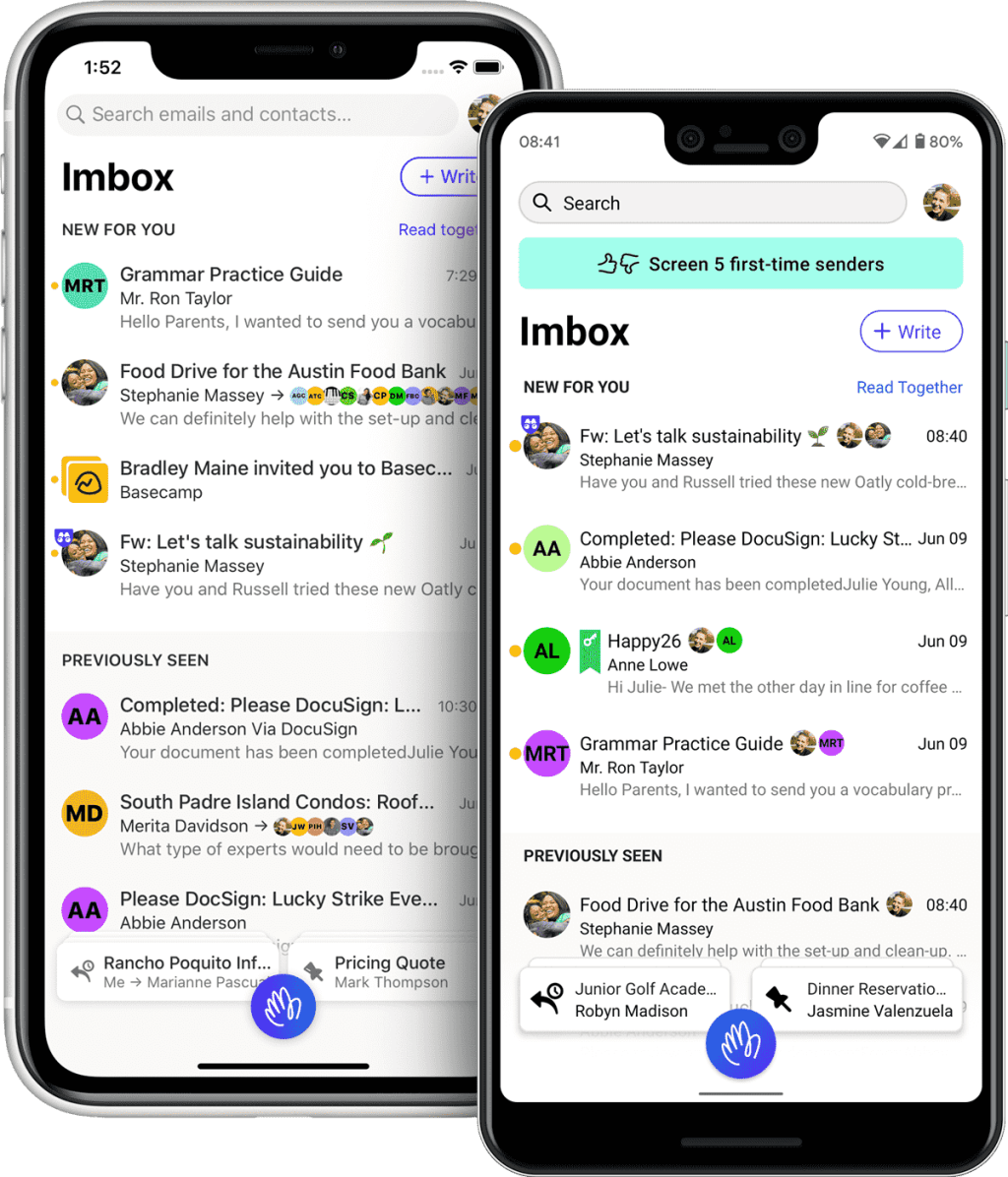
    Four years ago, I switched from Gmail to Hey.com, a $99/yr email service that offered an opinionated user experience which meant leaving behind nearly two decades of history for a fresh start. They don’t support you bringing your email archives along. They don’t even let you use your own choice of email app; their web app and hybrid apps are all you get. I wrote two posts about it back then, saying I would probably not continue with my free trial. But I ended up doing it anyway, and for the most part I’ve really enjoyed trying a new approach to such an ancient, core component of online life.

    For one thing, I never got spam in my inbox. Hey unfortunately lets a lot of spam through, but they land in a separate zone called “The Screener”, along with any mail from an unknown address mailing you for the first time. From here, you can either let them in or block them. It’s a small difference, reviewing a bunch of possible spam on a separate page versus seeing them mixed in with all your legit mail, but feels huge because your inbox becomes a serene, protected space. Admittedly, taking care of “The Screener” has become daily work because spam always gets in.

    From what I’ve seen of Gmail in the past four years whenever I log in for a peek, it’s a post-spam apocalyptic wasteland. It looks like Google has just given up on detecting and filtering spam because some data-driven PM decided it won’t hurt their bottom line.

    Since my current Hey subscription ends in September, I looked into whether it might be time to switch again. Three key reasons: Apple Intelligence, performance, and $99/yr is money I don’t need to spend on email right now.

    Apple Intelligence: I’ve never liked the Apple Mail app on iOS. It felt a little underdeveloped for handling the different needs of modern email — without the tagging and search filters of Gmail, or the segregation of personal mail, newsletters, and receipts that Hey.com built their UX around.

    But the new AI-powered Mail app in iOS 18 looks exactly like what I want, and I’ve decided to embrace the power of defaults. I’m bearish on some aspects of generative AI, but this stuff is where it shines. Because Apple Intelligence will be able to understand what emails are about, it can summarize and prioritize messages while sorting them into categories like “Updates” and “Invoices”, so you can tackle them with different mental modes. I’m hoping that AI will also bring spam filtering that really works. Sadly, because Hey.com intentionally won’t support IMAP and SMTP, I can’t use them with Apple’s new app and have no choice but to leave. The Hey manifesto also contains strong wording that suggests they won’t be adding any AI features soon.

    Hey.com’s performance: It was never blazing fast to use their apps because they’re hybrids with seemingly little caching, and it annoyed me to death every time I ‘backed out’ of a link to find that the whole thread of newsletters I was reading had refreshed and I was back at the top again, but lately things have gotten even worse. About a year ago, the Basecamp/Hey founders went on a crusade against cloud hosting services and decided that they could self-host their services and save millions. I have to assume their infrastructure is extremely Western world or US-centric, because speeds have become terrible for me here in Singapore. I’m talking about noticeably slow performance waiting for EMAILS TO LOAD. I got even more confirmation of this when I tried downloading my 1.6GB .mbox archive to move elsewhere: it was capped at 100kb/s and took me over five hours. I can normally download a file of that size in maybe a minute?

    Ninety Nine United States Dollars A Year: Yeah, I can’t justify paying this much to have my email load slowly AND miss out on exciting AI features. I’m already paying for iCloud+ with tons of storage, so it seems logical to just use iCloud Mail as well. Bless Hey though, they let you keep your @hey.com email address for life even if you leave, so I’ll continue using mine and forward everything to my Apple address.


    A note about concentration risk: I’m aware there are risks in letting one company handle your entire digital life. All it takes is one successful hack locking you out of your iCloud account and it’s game over. For that reason, I would recommend NOT using the new Apple Passwords app coming in iOS 18 if you know how to select and use a third-party one. It’s a great default for people who wouldn’t use a password manager otherwise, but if you can have another basket for that egg, do it. Email is particularly important to keep separate, as most of your account passwords can be reset in the event of a hack if you still control your email address.

    But like I said about the Vision Pro and its integration with Apple Services like Arcade and TV+, I’m finding myself getting even deeper into their ecosystem and liking it fine. Where I once subscribed to differentiated, prosumer-serving alternatives to Apple’s ‘good enough’ apps, these days I prefer their simplicity and constraints.
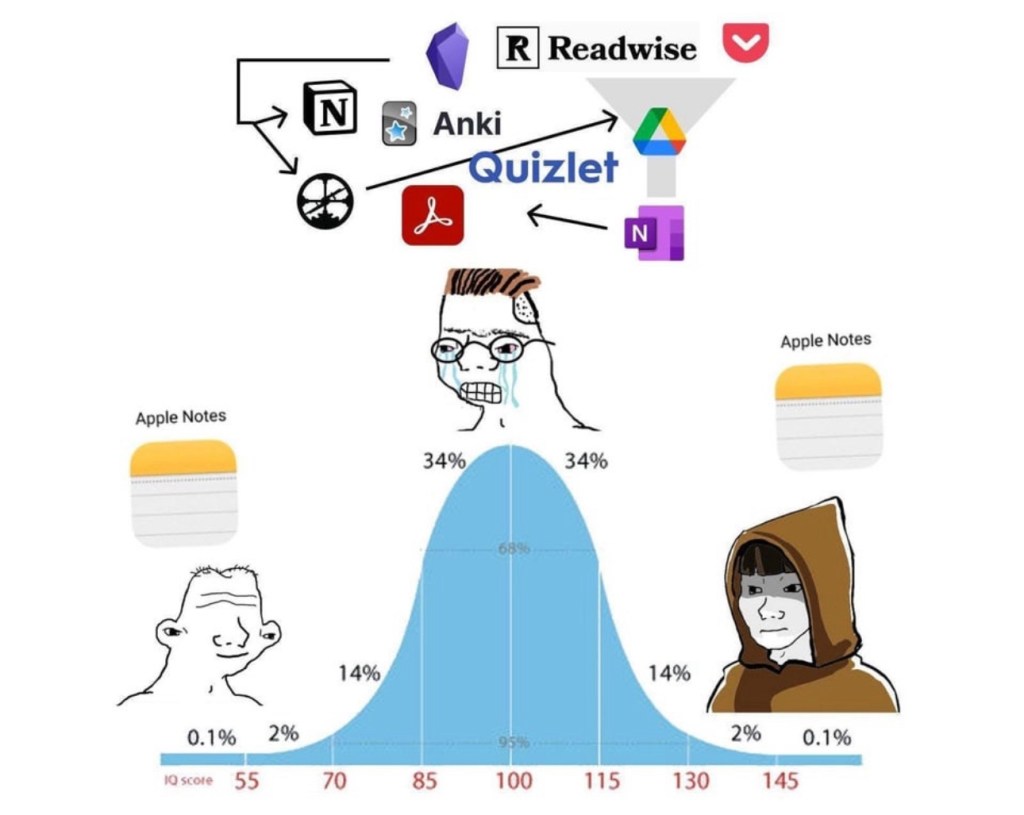

    I switched from Evernote to Apple Notes several years ago and haven’t looked back. Side note: I’ve been on an anti-Notion campaign ever since I saw an unsuccessful rollout in my last team; it’s another overpowered tool for fiddly people who like to overcomplicate their tasks. I’ve used iCloud Calendar since leaving Gmail. I’ve even ported a lot of ancient files from Google Drive and Dropbox to iCloud Drive. And now email, arguably the most crucial service of all.

    “Hang on, Apple Intelligence in the Mail app isn’t out yet and might not be until the end of the year! How will you live until then?”

    Thanks, little imaginary reader, I’m glad you asked! I’m using Spark Mail in the meantime, which I’ve dabbled with in the past using my Gmail account. It’s a mail client with a bunch of smart, AI features (for a price) that are pretty close to what Apple promises. For one, a smart inbox that works quite well at sorting your different mail types, and a feature called “Gatekeeper” that works just like Hey’s “The Screener”. Their asking price is less than Hey’s, but more than Apple’s (free, if you already pay for iCloud+).

    Just a couple of days into using Spark with iCloud Mail, and two things stand out: One, it’s so nice to use a native email app, and two, I’m actually reading my newsletters again. In Hey, newsletters are collected on a a separate, infinite-scroll page called “The Feed” which suffers from an ‘out of sight, out of mind’ problem. In Spark, received newsletters sit inside the main inbox, just collapsed into a single line. This seems to make a difference. It’s a visible nudge to check them out, and because they load and react instantly, you can actively triage them and unsubscribe/block/delete if you find yourself asking why you ever signed up for one. Where Hey’s endless stream of newsletters can get overwhelming, Spark’s (and I assume Apple’s) approach is more like a physical magazine or newspaper with a finite amount of content, which most people prefer.

    I should have taken my own advice in 2020 — it turns out Spark’s approach was always the better fit for me. I even made visual aids to explain it!

    This diagram above is how HEY is laid out, if you think of each column as a screen. In the Imbox and Paper Trail, each email is a single line item, while they are larger previews in The Feed, which is designed to give a peek into newsletters so you can decide if you want to expand and read them. This doesn’t work for me because I don’t want to keep all of Graniph’s new product announcements, but I do want to see them.

    And this is an illustration of how I’d prefer to handle my email. A single inbox view encompassing important emails and personal letters, newsletters, and updates/receipts/notifications from other services. Spark … is the closest thing I’ve found to this.

    All in, it’s been a week of fiddling with things that seemed to work just fine, but hopefully I’ve simplified and improved them for the future and not introduced more things to maintain.

    ===

    Media Activity

    • Before I could move off Hey Email, I had to finish my backlog of favorite newsletters. One of them was Craig Mod’s “Return to Pachinko Road” series from earlier this year. Over 18 days, he walked 694,942 steps and wrote close to 50,000 words in daily email updates. I read them while waiting those five hours for my mail archives to download. He’s such a good writer, and I can’t recommend enough that you sign up for his newsletters and/or membership if you can spare the money (regretfully, I can’t right now as a member of the unemployed class).
    • MUBI’s collection of films by Abbas Kiarostami is leaving the service over the next couple of weeks, so I prioritized watching them, starting with the Palme d’Or-winning Taste of Cherry (1997). God, I was not prepared for it on a Monday afternoon and fell to pieces during the old man’s monologue in the final third. Fortunately, I watched it on the TV because I don’t think Vision Pros have an IP rating. 5 stars.
    • Next was Through the Olive Trees (1994) which was very charming — the Iranian actors’ performances are fantastic, and perfectly naturalistic in keeping with the cinematography. I initially score this a 4, but it’s now a 4.5-star film for me.
    • The Wind Will Carry Us (1999) shares some landscapes and in-car camera angles with Taste of Cherry, but where the latter is heavy with life’s troubles, this one centers hope and rebellion against the narratives we find ourselves in. One could even read it as an anti-work parable: forced on a business trip of indefinite length, neglecting his family’s pleas to return home for a funeral, summoned to give gravely inconvenient (hur hur) updates to his boss at all hours, a workaholic asshole learns to relax, enjoy the local milk, and finally give his assignment the finger. 4.5 stars.
    • Fresh off Presumed Innocent, we were looking for another legal thriller to watch and discovered neither of us had seen The Firm (1993) starring Tom Cruise. Welp, it turns out there are no courtroom scenes in the film at all, and he’s a tax lawyer. Still, a very enjoyable 3.5 stars.
    • The Paris Olympics are on, and despite not caring much for sports I’ve found myself unable to resist watching competition on a global scale. Mostly tennis, but also archery, shooting, diving, gymnastics, and some athletics.

  • Week 27.20

    • I’m pinching an idea from Michael Camilleri’s blog: what he calls Weeknotes. I like how the bullet format keeps things simple while the weekly cadence provides a structure that will hopefully mean I update more.
    • There was some mild pain and inconvenience this week dealing with Apple over the phone for an iCloud Drive issue. My free space was 13GB less than what it was supposed to be. It’s sorted now and I wrote about it here, but little failures like this make it hard to rely on iCloud and move away from Dropbox and Google Drive.
    • I was reading a lot a couple of weeks ago when I was on vacation (at home). I think I finished 9 novels in three weeks, including 1Q84 which comes close to about a thousand pages. Then I went back to work and simultaneously started on the massive Cryptonomicon, the combined effect of which has put the brakes on my Goodreads progress. Maybe because the last few things I read were mindless Jack Reacher novels, this one was an exhilarating change of pace. I’m still astonished a mere human being sat down and created something this wild, violent, complex, and also funny. I finally finished it this weekend and can’t imagine what to follow it with.
    • I’ve written too much about HEY already, but you know you’re all-in on a new email address when you change your main daily logins and usernames over to it. That’s now been done.
    • On the subject of email, my mom was cleaning up around the house and found some I’d sent her 20 years ago. How? She’d printed them out and kept them in a folder! She gets the last laugh, though. Not only did I forget even owning that old email address, I think all that pre-Gmail history is just gone; I don’t have any record of mails sent or received. If I had to guess, I used a hosted POP/IMAP server and a local mail client (maybe Eudora? Thunderbird?), so it was first lost during the move to Gmail — I don’t believe importing from elsewhere was supported, and I guess I’m fragmenting my email history again now by moving to HEY — and then totally lost during a PC transition. How do we still not have a universal personal data vault solution?
    • Unsplash gets photographers to give their work away for exposure — a deal that never goes out of style in the creative industry. But so many have volunteered to do it that the site is now a very useful resource for people looking for free images. I often use it when I need photography for presentations, and I‘m familiar enough with some of the best photos to recognize them popping up in other people’s decks.

      Since I haven’t sold any of my photos for money in quite awhile, and the idea of seeing otherwise unused photos appear someday in someone else’s deck seemed like fun, I’ve now become part of the problem. I trickled four photos in over six days, and they’ve already been viewed 3,000 times. I suppose I’ll keep going.
    • I switched mobile providers after a year and a half with Circles. I’m still amazed at how easy it is now, and how bad things were before. You just sign up online and someone shows up at your door the next day with a SIM card! Your number is automatically ported the day after! Used to be you had to go to a store and sign many papers and wait a week, and occasionally even call your old telco to break up with them. Not to mention contracts are out of fashion. Progress. Since working from home, I’ve barely used any mobile data since there’s WiFi. I’m sure it’s one reason why I was able to find a more generous deal on the market. They’re probably happy to hand out massive data allowances now that most people aren’t going to use them.
    • On Friday night we went to hang out with a friend who lives down the street, and her kids stayed up with us as an excuse to play more Animal Crossing Pocket Camp and Minecraft. It was nice to see them tapping around proficiently and being engrossed in designing worlds. Even at the age of six! Lego has its limits, and we couldn’t work with dream material in such a direct way when we were kids.
    • Season 2 of Hanna is out on Amazon Prime Video. Seems like this time it’s not just one coming of age story, it’s a genetically modified school of them. I saw the first two episodes last night and the fight scenes were so clumsy, it broke the elite assassins world-building for me.
    • It was the Chinese Dragon Boat Festival recently, but I prefer its other name, the Dumpling Festival, because come on, that’s really the part we all care about. I’ve always known these pyramid-shaped rice clumps as Bak Zhang/Chang, but I guess they’re also known as Zong Zi. They look awful but are mad good, and I can’t think of a taste reference point in the world so you’ll just have to try and get some. I spent nearly an hour on Tuesday trying to find a good delivery option while salivating wildly, and eventually managed to catch the Kim Choo Kueh Chang company’s online store in a good mood (if it’s down, try, try again).
    I looked for a good chart to help explain Bak Chang, but you’ll have to make do with this low-res copy someone sent me. I couldn’t even find it on on Tidbits Mag’s own website.
  • After thinking aloud about HEY email over the past 10 days, and trying out Fastmail + Spark as an alternative, I’ve come to my conclusion: I’m going with HEY. The AMA they did helped dispel a lot of my concerns, and I’m looking forward to seeing how it develops.

  • Hold up, HEY

    Hold up, HEY

    The debut of HEY email has been an interesting case study in launching a new service, in part because it took place on social media — a two-way street that led to them getting public feedback that’s already led to significant changes. As others have done in recent years, the launch was a staggered rollout with invite codes and a waitlist, and the resulting members-only feel and scarcity drove tens of thousands more to join the waitlist. Some say this is intentional marketing, but it’s also legitimately done to manage the experience when someone isn’t sure how much interest there will be.

    I took notes on my hands-on experience in a previous post, and have spent a week now getting to grips with it, trying to picture it as my primary email service for the foreseeable future. The commitment isn’t just a new email address to inform people about; it’s also paying a perpetual premium service fee. After 16 years of “free” Gmail, that’s a big decision. Yes, you’re free to leave any time and they’ll forward all emails sent to you anywhere else you’d like, but I wouldn’t use a @hey.com address if I wasn’t actually using HEY.

    Everybody’s got opinions

    But before the details of my decision (like, who cares, right?), I wanted to comment on the fascinating public launch of HEY that we’ve been spectators to, and how its creators have had to walk back some of their design decisions after product met reality.

    As my friend YJ says above, Basecamp and HEY are heavily opinionated products by opinionated people; it’s what allows them to take a well-established thing like email, with its standard organizing paradigms of Inbox, Outbox, Sent, Spam, and Trash folders, and try something new. It’s only meant to satisfy a certain type of user with certain needs and preferences.

    It’s not easy building something out of new ideas, at huge scale, and making sure it’s robust enough to carry the personal and business correspondence of paying customers who’ll depend on it for time-sensitive messages. By Basecamp’s account, they’ve been working quietly on HEY for two years before this month’s semi-public launch. I think they deserve a tremendous amount of credit both for attempting it and for how stable it has been.

    When we design services, we know we won’t catch everything or get it right the first time. It’s about having priorities and principles, and optimizing against them every step of the way. If you’ve defined and studied your target audience, and care about pleasing them to the exception of everyone else, then you can make decisions based on their needs. If you put in the work to develop a core experience that will set your business apart, then that becomes the thing you protect even if Apple or anyone else tries to make you change it. Some companies famously put speed over certainty, and while it dazzled a lot of CIOs and inspired them to try and do the same, its pitfalls are now well known.

    We don’t know what HEY’s development process looked like, or what they prioritized, and so we can only guess from what they actually shipped and what they’ve done since. Upon contact with the wider marketplace, some of those opinionated ideas are now being challenged as problematic or discriminatory. Could more user research and testing have caught them before launch? Probably. Was catching them before launch a priority for the team, or did they intend to test them in public and fix unintended consequences as they were discovered? To their credit again, they’ve fixed a lot of things very fast in the past week. From adding disposable functionality suggested by Apple to dumping fully built, non-trivial features… their responsiveness has been impressive.


    Things that came broken

    Let’s look at a couple of Twitter exchanges and changes I’ve spotted. On my first day with HEY, I noticed an unusual option in the “More” menu on every email thread. It was a button labeled something like “Generate Public Link”. This actually published the entire email conversation thread to a public webpage, allowing any third party to read and follow the exchange. I used it to help share a problem I was seeing with their support team, which is a nice way of enabling them to help customers without giving full access to all mail. And while you could always share private emails to a third party with copy/paste, screenshots, PDFs, etc. there was something unsettling about this. None of the other people would receive any notification that they were being “listened in on”, and anyone with the link would be able to see not just all previous emails, but any new ones added to the thread for as long as it was publicly shared.

    You could be in a conversation with 20 people and not know if any one of them had generated a link and leaked it. When I explained this in a group chat, there was some disbelief. One person called it a “built-in whistleblower feature”. After others complained on Twitter about the potential for abuse, this feature was completely removed.

    (more…)
  • An early look at HEY email

    An early look at HEY email

    (For Part 2 of this review, check out: Hold up, HEY)

    I’ve been pretty keen to see HEY’s rethinking of email, and just got my early access invitation this week (I joined the queue back in February, perhaps on Day 2 of their recruitment drive). I was also an early adopter of Gmail back in 2004, and as they say on the manifesto page, there’s not been much innovation in the world of personal email since. If anything, email has been in decline and most of its use cases now belong to chat platforms (keeping up with friends), workplace project management/collaboration suites (enterprise communications), and services’ own portals (seeing account and order histories). The resurgence of newsletters is one bright spot, and displaying them is one of the main jobs of my email account.

    Anyway, I get excited about new things quite easily. When the invitations started rolling out, I was obsessively checking my inbox, and I kid you not, literally dreaming about getting mine to the point where I was waking up in the middle of the night with the urge to check my mail! Part of the anxiety probably came from wanting needing to secure my address of choice, like I was lucky enough to do back in 2004 with Gmail. Just try getting your name now without adding random numbers; I don’t know how the poor kids today deal with the scarcity. My wife also wants any readers to know that she’s heard enough about my two username options, the pros and cons of both, and never wants to discuss email addresses again.

    So now that I’ve used it for a little bit, I’m undecided if I should make this my primary email service. On one hand, everything they promise is true. The workflows are elegant, the way it puts you at the center of the experience is refreshing (no stranger can disturb your peace, OCD freaks can bundle threads together, etc.), and the emphasis on privacy and business model transparency is way better than any free alternative. On the other hand, it’s not entirely how I’d like to use email, and some edges are rough to the touch.

    (more…)