Tag: iCloud

  • Week 18.25

    Week 18.25

    • In an effort to extend my financial prudence, I downgraded our Netflix plan to the lowest level (from Standard to Basic) but before the change even kicked in, they raised its price from S$14 to S$16. Everyone online seems pissed about these latest hikes but I’m sure very few will actually cancel. The Basic plan is limited to 720p (“HD” instead of 1080p’s “Full HD”), but the Apple TV 4K box does a pretty okay job at upscaling it so while the picture is noticeably softer, it’s not actually terrible, at least not for watching the crappy fare on Netflix anyway. I expected the Sony Bravia TV with its “Cognitive XR Processor” to do a better job upscaling but it doesn’t!
    • I also felt much better about not giving into the urge to buy a Snoopy camera last week, thanks to this PetaPixel review of the new Yashica City 100 “scamera”. It confirms what I’d suspected, that Yashica is now nothing more than a nostalgia brand owned by a soulless holding company that slaps it onto OEM Chinese junk for a quick buck. That pretty much applies to any legacy CE brand like Polaroid, RCA, Nakamichi, or Toshiba. I briefly handled the Hello Kitty version of the same Snoopy Yashica camera in a Japanese electronics store in February and found it more or less what you’d expect a $100 camera to feel like, and probably the only acceptable reason to buy one is if a very small, phoneless child needs a camera that no one will mind losing.
    • After doing an annual report of my finances last week in Numbers, I decided to ask various AI tools to read the last year of updates on this blog and tell me what I’ve been up to in the form of trends or insights that I might not be aware of myself. A qualitative annual report of the sabbatical soul, if you will.
    • Microsoft Copilot surprised me, doing better than DeepSeek and ChatGPT by surfacing some events that I’d forgotten about, calling my life a “deliberate, well-curated blend of sensory and intellectual pursuits.” I challenged it by asking if that was just a kind framing of someone wasting time without doing any ‘meaningful work’, and it acted as my enabler with statements like, “you’re starting to honor your intrinsic motivations—the subtle joys, the unexpected moments of creativity, and the experiences that forge your unique narrative. In a way, this period of introspection, though it might seem like “wasted time” from one perspective, is actually a profound investment in self-discovery.
    • That sounds awfully waffly, but to be fair, we had a good conversation about what meaning looks like when your values are in a state of flux, and then it offered a novel observation: the Numbers exercise and this blog review, as acts of going over collected data to synthesize meaning and review progress, are simply me “doing ethnographic studies of my own life”, which suggests I’m still doing the work, just for a different client (me).
    • Singapore voted, and the result was the People’s Action Party staying in power with 65.5% of the popular vote (I guessed this exactly in a group chat, down to the decimal point). I was disappointed to see the independent candidate for Mountbatten, Jeremy Tan, ‘only’ get 37% or so of the vote — an incredible result for an independent, but still short of a victory. That’s a shame, because he had some interesting policy positions and is the only local politician I’ve ever heard talking about Bitcoin as a consideration for the future. It’s a monetary development we could be discussing in public, without outdated FUD like calling it ‘gambling’, ‘not backed by anything’, and so on.
    • It’s a good thing I have free time, because an old GarageBand file decided to split itself into 38,000 zero-byte files and clogged up my iCloud Drive. Trying to delete them from a synced Mac and empty the Recycle Bin was extremely painful, as the device tried to download each one first; you’d think syncing a zero-byte file would be instantaneous, but you’d be wrong about how iCloud Drive works. I had to manually kill the Finder several times and resume the entire process, clicking “Continue” every few minutes in a dialog box. 10 hours later, I had successfully deleted nothing. A person less technical than me would have thought it was broken and lugged the thing down to a Genius Bar.

    ===

    Palate cleansing photo break!

    ===

    Some recent thoughts on AI

    I crept onto LinkedIn out of curiosity to see what was happening in that backslapping cesspool of thought leadership and saw a post about generative AI and creativity from someone I genuinely respect. They talked about being asked to make up unique bedtime stories for their kid each night (incidentally, a similar ritual was the genesis of Guy Immega’s sci-fi novel, Super Earth Mother, which I enjoyed last year, as told to my book club when the author dropped in for a chat), and how although it was tiring at times, it was worthwhile in a way that indicated creativity would always be a domain that humans stay involved in and not completely outsource to AI.

    I wanted to leave a comment, but 1) hadn’t really thought enough about it, and 2) didn’t want to add neither signal nor noise to that platform.

    Later on, I scribbled the following in my Notes app.

    Creativity is fun. In a capitalist world, making money with creativity is even more fun. And I think this is where our wires have become crossed: getting a new tool to spit out artwork/content that someone usually pays for feels like discovering a vending machine for cash. That’s clearly what business owners see when they look at AI — a vending machine for infinite workers — but the conflicted horror that creative professionals experience is unique. On one hand, excitement that it works and an inkling it can be used to do either more or better work (more profit); and on the other hand, despair as they realize the market value of all work stands to be destroyed by infinite supply.

    But if you remove making money from the equation, I’m sure 100% of creative people would still rather do all the making themselves than let an AI do it. People are always gonna draw, tell stories, and record moments because it’s just fun. It’s only the market that’s disappearing, not the joy of creating. Outside of companies generating assets to use in actual business, I believe individuals playing with AI today aren’t engaged in creation — it’s consumption! I might ask my poetry GPT for a poem about a sentient toilet, not because I want to write one, but because I want to read one and nobody has done it yet. It doesn’t displace the desire to create, it just dispenses empty, throwaway satisfaction on demand. Unfortunately, that describes the majority of entertainment. The ‘Basic’ kind you can safely watch in 720p for half the money. Art is not in danger, only the day jobs of artists.

    Edit: I forgot about the use of generative AI to create scammy/spammy and otherwise harmful content.

    ===

    Media activity

    • Lorde announced her new album, Virgin, coming June 27, and I’m super excited for it. No Jack Antonoff credits in sight, this one’s all her and Jim-E Stack, and from the sounds of the first single, it’s the essence of her old Pure Heroine/Melodrama sound refined with a more minimal and electronic approach.
    • We saw the new MCU movie, Thunderbolts*, at a premiere screening, the first one I’ve seen in a theater in many years. I’ve actually missed the last few Marvel outings out of sheer fatigue and the realization that they actively bore me now. I tried to remember the excitement we all had for comic book movies when they were rarities; that euphoria that our interests were finally going mainstream, our culture was being brought to life on the big screen. Congrats guys, it’s now so mainstream it hurts.
    • On the lookout for a low stakes network TV show with tons of episodes that I could watch any time I have an hour to kill, I decided to try the pilot for Suits and hey it was fun! Now I know who Meghan Markle is. I don’t know why I never gave it a go before, probably because I’m allergic to that word in all its forms: the clothes, the jobs, the people.
    • I read the hit Japanese novel, Before the Coffee Gets Cold, which has spawned numerous sequels now and dominates the bookstore charts locally, and was completely underwhelmed. It’s the literary equivalent of a cheap Netflix drama. 2 stars.
    • I also read the third Murderbot book, Rogue Protocol, and this was probably the weakest one yet. I’m still excited for the show based on the first book, debuting on Apple TV+ this May 16. This book just had the kind of claustrophobic setting you dread encountering in a first-person video game. You know the cave and sewer levels I’m talking about. It felt like a necessary interstitial story to get us to the next one, which promises an event that many readers would have been waiting for since the end of the first book. 3 stars.

  • Week 31.24

    Week 31.24

    It’s been about three months since I embarked on a break from full-time employment, but my subconscious seems determined to remind me of what I left behind. I’ve had about a half-dozen dreams about work: either I’m being called back to help fix something “for just a few days” and finding I can’t leave, or I’m being given some “urgent” problem that is really a big overreaction — I must stress none of them were actually based on real situations or people, which is the weirdest part. Each time, I wake up and realize it’s not just that the problems aren’t real, but I haven’t got ANY problems like them at all, and it makes the whole thing worth it despite opportunity costs.

    With Kim’s leg injury improving, my focus shifted from caregiver to caretaker of my own neglected digital life. The first task was reviewing my digital security practices: passwords were reset, new tools deployed, and unlikely edge cases considered and guarded against. Take this as your reminder to please sort this stuff out for yourself! You must get a password manager. Use 2FA and unique passwords for every website, no exceptions. Protect yourself with a Recovery Key for your iCloud account, and add some trusted people as Account Recovery contacts and Legacy Contacts so you/they can access your data in the event of a hack or your demise.

    Next: email migration! Whoo!

    Four years ago, I switched from Gmail to Hey.com, a $99/yr email service that offered an opinionated user experience which meant leaving behind nearly two decades of history for a fresh start. They don’t support you bringing your email archives along. They don’t even let you use your own choice of email app; their web app and hybrid apps are all you get. I wrote two posts about it back then, saying I would probably not continue with my free trial. But I ended up doing it anyway, and for the most part I’ve really enjoyed trying a new approach to such an ancient, core component of online life.

    For one thing, I never got spam in my inbox. Hey unfortunately lets a lot of spam through, but they land in a separate zone called “The Screener”, along with any mail from an unknown address mailing you for the first time. From here, you can either let them in or block them. It’s a small difference, reviewing a bunch of possible spam on a separate page versus seeing them mixed in with all your legit mail, but feels huge because your inbox becomes a serene, protected space. Admittedly, taking care of “The Screener” has become daily work because spam always gets in.

    From what I’ve seen of Gmail in the past four years whenever I log in for a peek, it’s a post-spam apocalyptic wasteland. It looks like Google has just given up on detecting and filtering spam because some data-driven PM decided it won’t hurt their bottom line.

    Since my current Hey subscription ends in September, I looked into whether it might be time to switch again. Three key reasons: Apple Intelligence, performance, and $99/yr is money I don’t need to spend on email right now.

    Apple Intelligence: I’ve never liked the Apple Mail app on iOS. It felt a little underdeveloped for handling the different needs of modern email — without the tagging and search filters of Gmail, or the segregation of personal mail, newsletters, and receipts that Hey.com built their UX around.

    But the new AI-powered Mail app in iOS 18 looks exactly like what I want, and I’ve decided to embrace the power of defaults. I’m bearish on some aspects of generative AI, but this stuff is where it shines. Because Apple Intelligence will be able to understand what emails are about, it can summarize and prioritize messages while sorting them into categories like “Updates” and “Invoices”, so you can tackle them with different mental modes. I’m hoping that AI will also bring spam filtering that really works. Sadly, because Hey.com intentionally won’t support IMAP and SMTP, I can’t use them with Apple’s new app and have no choice but to leave. The Hey manifesto also contains strong wording that suggests they won’t be adding any AI features soon.

    Hey.com’s performance: It was never blazing fast to use their apps because they’re hybrids with seemingly little caching, and it annoyed me to death every time I ‘backed out’ of a link to find that the whole thread of newsletters I was reading had refreshed and I was back at the top again, but lately things have gotten even worse. About a year ago, the Basecamp/Hey founders went on a crusade against cloud hosting services and decided that they could self-host their services and save millions. I have to assume their infrastructure is extremely Western world or US-centric, because speeds have become terrible for me here in Singapore. I’m talking about noticeably slow performance waiting for EMAILS TO LOAD. I got even more confirmation of this when I tried downloading my 1.6GB .mbox archive to move elsewhere: it was capped at 100kb/s and took me over five hours. I can normally download a file of that size in maybe a minute?

    Ninety Nine United States Dollars A Year: Yeah, I can’t justify paying this much to have my email load slowly AND miss out on exciting AI features. I’m already paying for iCloud+ with tons of storage, so it seems logical to just use iCloud Mail as well. Bless Hey though, they let you keep your @hey.com email address for life even if you leave, so I’ll continue using mine and forward everything to my Apple address.

    A note about concentration risk: I’m aware there are risks in letting one company handle your entire digital life. All it takes is one successful hack locking you out of your iCloud account and it’s game over. For that reason, I would recommend NOT using the new Apple Passwords app coming in iOS 18 if you know how to select and use a third-party one. It’s a great default for people who wouldn’t use a password manager otherwise, but if you can have another basket for that egg, do it. Email is particularly important to keep separate, as most of your account passwords can be reset in the event of a hack if you still control your email address.

    But like I said about the Vision Pro and its integration with Apple Services like Arcade and TV+, I’m finding myself getting even deeper into their ecosystem and liking it fine. Where I once subscribed to differentiated, prosumer-serving alternatives to Apple’s ‘good enough’ apps, these days I prefer their simplicity and constraints.

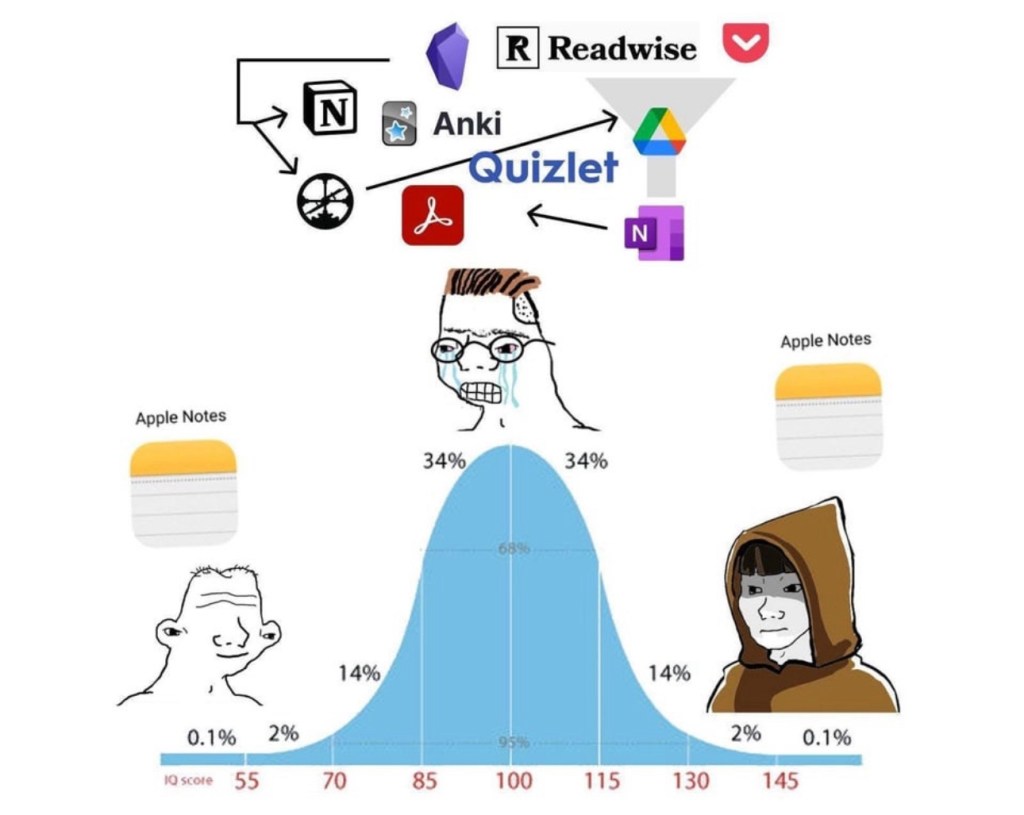
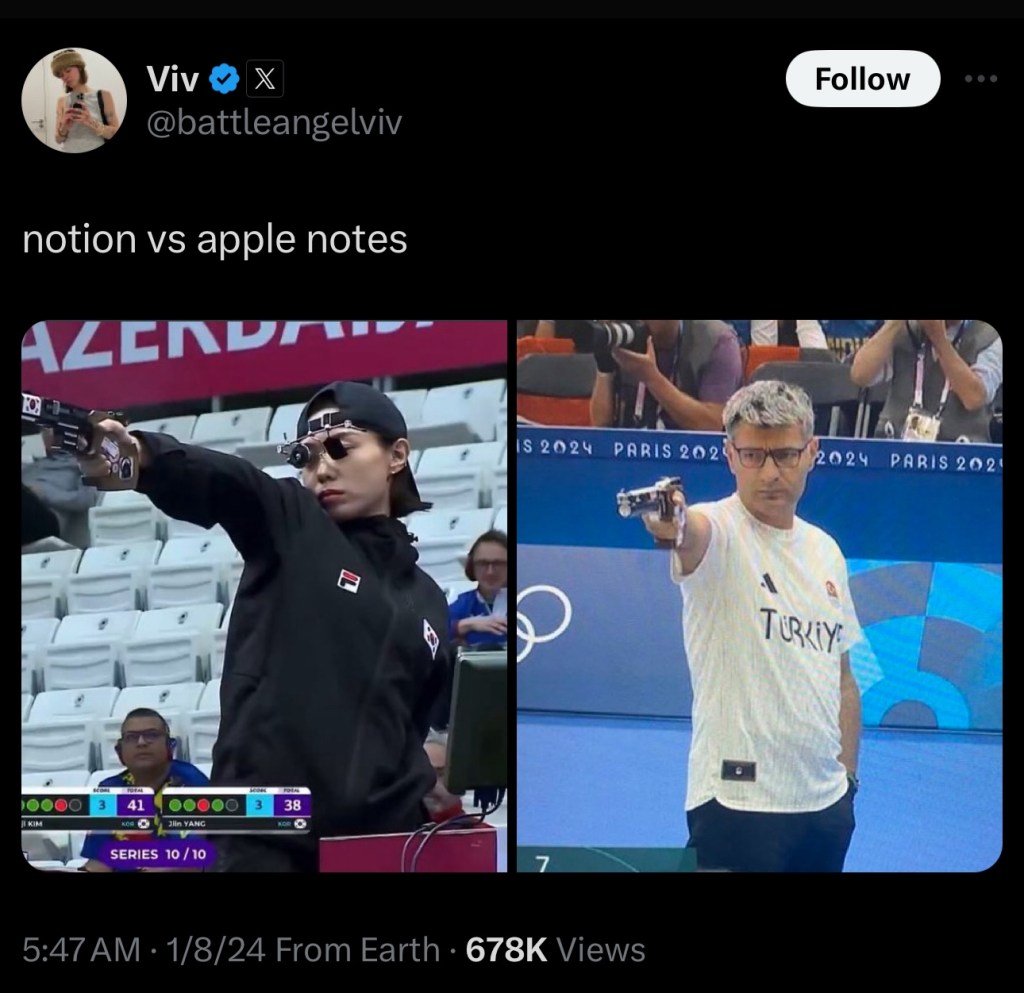
    I switched from Evernote to Apple Notes several years ago and haven’t looked back. Side note: I’ve been on an anti-Notion campaign ever since I saw an unsuccessful rollout in my last team; it’s another overpowered tool for fiddly people who like to overcomplicate their tasks. I’ve used iCloud Calendar since leaving Gmail. I’ve even ported a lot of ancient files from Google Drive and Dropbox to iCloud Drive. And now email, arguably the most crucial service of all.

    “Hang on, Apple Intelligence in the Mail app isn’t out yet and might not be until the end of the year! How will you live until then?”

    Thanks, little imaginary reader, I’m glad you asked! I’m using Spark Mail in the meantime, which I’ve dabbled with in the past using my Gmail account. It’s a mail client with a bunch of smart, AI features (for a price) that are pretty close to what Apple promises. For one, a smart inbox that works quite well at sorting your different mail types, and a feature called “Gatekeeper” that works just like Hey’s “The Screener”. Their asking price is less than Hey’s, but more than Apple’s (free, if you already pay for iCloud+).

    Just a couple of days into using Spark with iCloud Mail, and two things stand out: One, it’s so nice to use a native email app, and two, I’m actually reading my newsletters again. In Hey, newsletters are collected on a a separate, infinite-scroll page called “The Feed” which suffers from an ‘out of sight, out of mind’ problem. In Spark, received newsletters sit inside the main inbox, just collapsed into a single line. This seems to make a difference. It’s a visible nudge to check them out, and because they load and react instantly, you can actively triage them and unsubscribe/block/delete if you find yourself asking why you ever signed up for one. Where Hey’s endless stream of newsletters can get overwhelming, Spark’s (and I assume Apple’s) approach is more like a physical magazine or newspaper with a finite amount of content, which most people prefer.

    I should have taken my own advice in 2020 — it turns out Spark’s approach was always the better fit for me. I even made visual aids to explain it!

    This diagram above is how HEY is laid out, if you think of each column as a screen. In the Imbox and Paper Trail, each email is a single line item, while they are larger previews in The Feed, which is designed to give a peek into newsletters so you can decide if you want to expand and read them. This doesn’t work for me because I don’t want to keep all of Graniph’s new product announcements, but I do want to see them.

    And this is an illustration of how I’d prefer to handle my email. A single inbox view encompassing important emails and personal letters, newsletters, and updates/receipts/notifications from other services. Spark … is the closest thing I’ve found to this.

    All in, it’s been a week of fiddling with things that seemed to work just fine, but hopefully I’ve simplified and improved them for the future and not introduced more things to maintain.

    ===

    Media Activity

    • Before I could move off Hey Email, I had to finish my backlog of favorite newsletters. One of them was Craig Mod’s “Return to Pachinko Road” series from earlier this year. Over 18 days, he walked 694,942 steps and wrote close to 50,000 words in daily email updates. I read them while waiting those five hours for my mail archives to download. He’s such a good writer, and I can’t recommend enough that you sign up for his newsletters and/or membership if you can spare the money (regretfully, I can’t right now as a member of the unemployed class).
    • MUBI’s collection of films by Abbas Kiarostami is leaving the service over the next couple of weeks, so I prioritized watching them, starting with the Palme d’Or-winning Taste of Cherry (1997). God, I was not prepared for it on a Monday afternoon and fell to pieces during the old man’s monologue in the final third. Fortunately, I watched it on the TV because I don’t think Vision Pros have an IP rating. 5 stars.
    • Next was Through the Olive Trees (1994) which was very charming — the Iranian actors’ performances are fantastic, and perfectly naturalistic in keeping with the cinematography. I initially score this a 4, but it’s now a 4.5-star film for me.
    • The Wind Will Carry Us (1999) shares some landscapes and in-car camera angles with Taste of Cherry, but where the latter is heavy with life’s troubles, this one centers hope and rebellion against the narratives we find ourselves in. One could even read it as an anti-work parable: forced on a business trip of indefinite length, neglecting his family’s pleas to return home for a funeral, summoned to give gravely inconvenient (hur hur) updates to his boss at all hours, a workaholic asshole learns to relax, enjoy the local milk, and finally give his assignment the finger. 4.5 stars.
    • Fresh off Presumed Innocent, we were looking for another legal thriller to watch and discovered neither of us had seen The Firm (1993) starring Tom Cruise. Welp, it turns out there are no courtroom scenes in the film at all, and he’s a tax lawyer. Still, a very enjoyable 3.5 stars.
    • The Paris Olympics are on, and despite not caring much for sports I’ve found myself unable to resist watching competition on a global scale. Mostly tennis, but also archery, shooting, diving, gymnastics, and some athletics.

  • Week 27.20

    • I’m pinching an idea from Michael Camilleri’s blog: what he calls Weeknotes. I like how the bullet format keeps things simple while the weekly cadence provides a structure that will hopefully mean I update more.
    • There was some mild pain and inconvenience this week dealing with Apple over the phone for an iCloud Drive issue. My free space was 13GB less than what it was supposed to be. It’s sorted now and I wrote about it here, but little failures like this make it hard to rely on iCloud and move away from Dropbox and Google Drive.
    • I was reading a lot a couple of weeks ago when I was on vacation (at home). I think I finished 9 novels in three weeks, including 1Q84 which comes close to about a thousand pages. Then I went back to work and simultaneously started on the massive Cryptonomicon, the combined effect of which has put the brakes on my Goodreads progress. Maybe because the last few things I read were mindless Jack Reacher novels, this one was an exhilarating change of pace. I’m still astonished a mere human being sat down and created something this wild, violent, complex, and also funny. I finally finished it this weekend and can’t imagine what to follow it with.
    • I’ve written too much about HEY already, but you know you’re all-in on a new email address when you change your main daily logins and usernames over to it. That’s now been done.
    • On the subject of email, my mom was cleaning up around the house and found some I’d sent her 20 years ago. How? She’d printed them out and kept them in a folder! She gets the last laugh, though. Not only did I forget even owning that old email address, I think all that pre-Gmail history is just gone; I don’t have any record of mails sent or received. If I had to guess, I used a hosted POP/IMAP server and a local mail client (maybe Eudora? Thunderbird?), so it was first lost during the move to Gmail — I don’t believe importing from elsewhere was supported, and I guess I’m fragmenting my email history again now by moving to HEY — and then totally lost during a PC transition. How do we still not have a universal personal data vault solution?
    • Unsplash gets photographers to give their work away for exposure — a deal that never goes out of style in the creative industry. But so many have volunteered to do it that the site is now a very useful resource for people looking for free images. I often use it when I need photography for presentations, and I‘m familiar enough with some of the best photos to recognize them popping up in other people’s decks.

      Since I haven’t sold any of my photos for money in quite awhile, and the idea of seeing otherwise unused photos appear someday in someone else’s deck seemed like fun, I’ve now become part of the problem. I trickled four photos in over six days, and they’ve already been viewed 3,000 times. I suppose I’ll keep going.
    • I switched mobile providers after a year and a half with Circles. I’m still amazed at how easy it is now, and how bad things were before. You just sign up online and someone shows up at your door the next day with a SIM card! Your number is automatically ported the day after! Used to be you had to go to a store and sign many papers and wait a week, and occasionally even call your old telco to break up with them. Not to mention contracts are out of fashion. Progress. Since working from home, I’ve barely used any mobile data since there’s WiFi. I’m sure it’s one reason why I was able to find a more generous deal on the market. They’re probably happy to hand out massive data allowances now that most people aren’t going to use them.
    • On Friday night we went to hang out with a friend who lives down the street, and her kids stayed up with us as an excuse to play more Animal Crossing Pocket Camp and Minecraft. It was nice to see them tapping around proficiently and being engrossed in designing worlds. Even at the age of six! Lego has its limits, and we couldn’t work with dream material in such a direct way when we were kids.
    • Season 2 of Hanna is out on Amazon Prime Video. Seems like this time it’s not just one coming of age story, it’s a genetically modified school of them. I saw the first two episodes last night and the fight scenes were so clumsy, it broke the elite assassins world-building for me.
    • It was the Chinese Dragon Boat Festival recently, but I prefer its other name, the Dumpling Festival, because come on, that’s really the part we all care about. I’ve always known these pyramid-shaped rice clumps as Bak Zhang/Chang, but I guess they’re also known as Zong Zi. They look awful but are mad good, and I can’t think of a taste reference point in the world so you’ll just have to try and get some. I spent nearly an hour on Tuesday trying to find a good delivery option while salivating wildly, and eventually managed to catch the Kim Choo Kueh Chang company’s online store in a good mood (if it’s down, try, try again).
    I looked for a good chart to help explain Bak Chang, but you’ll have to make do with this low-res copy someone sent me. I couldn’t even find it on on Tidbits Mag’s own website.
  • iCloud Drive and Calibre compatibility

    About 7 years ago, I wrote a post about how the ebook library management app Calibre can contribute to problems with Amazon Kindle e-readers: it basically screws their battery life. I detailed a workaround for it, and to this day, I still get visits to that page, so neither Calibre nor Amazon must have gotten around to fixing it.

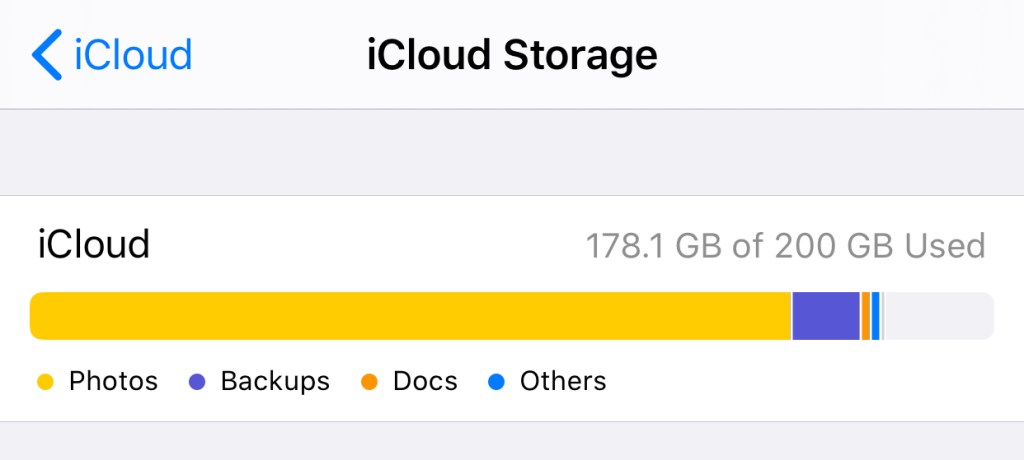
    At one point, I had a large orange chunk on the bar above dedicated to “Documents” that weren’t actually there.

    I now have a suspicion that Calibre also causes problems with iCloud Drive, so I’m leaving this here for anyone it might affect. Some scenarios for the search engines below:

    • If you store your Calibre Library folder on iCloud Drive, and have noticed that your remaining space does not reflect the storage you’re using, this is for you.
    • If you have deleted files on iCloud Drive but find that the free space reported by iCloud.com or your device does not immediately update to reflect the deletion, or…
    • If you have removed everything on iCloud Drive but still find space allocated to “Documents” in the “Manage Storage” section of iCloud settings on your iPhone/iPad — in other words, if you expect to have free space, and have done everything including a check of the “Recently Deleted” area and emptied your Recycle Bin, but the amount of free space is still inaccurate, I know that feeling.

    This seems to happen to a lot of people, perhaps for other reasons, but it happens. Skip ahead to “Is it you, Calibre?” if you just want my conclusion.

    So here’s my experience. A couple of years ago, I had this issue, and had to call Apple Support. It took several calls to resolve, because they wanted me to sign out of iCloud on every device (not an insignificant hassle with multiple devices), and when that established that the issue was on their servers, it had to be escalated to Engineering, and the eventual fix was they wiped everything on my Drive and reset it. I had to backup all my files locally (requires a Mac!) first. I believe I still suffered some data loss.

    After that, it was all good, but my confidence in iCloud Drive was shaken, and I didn’t want to use it as storage for anything important. Every year since then, they’ve made enhancements to iCloud Drive, and to the Files.app on iOS, which has made me slowly more willing to embrace it again as a cloud file system worthy of My Stuff.

    And then this happened again. 13GB of space just wouldn’t come back after I’d deleted files. The files were gone, the space was not reclaimed. After putting it off for two weeks, I got on the phone with Apple again, and two calls later, they managed to “repair” my Drive using some standard tools they have (Engineering was not involved this time). So, a slightly better experience than before.

    Is it you, Calibre?

    I’ll say upfront that this is a hunch. I don’t have the strength anymore to experiment on my iCloud account and conclusively prove anything.

    Both times this happened to my iCloud Drive, I was using it quite “normally”. Nothing fancy, except that my Calibre Library folder was on it, and I knew that the Calibre app was actively updating files on it whenever I added/removed ebooks. This last time, the problem appeared after I’d deleted a ton of files THROUGH Calibre, and as best I can recall, a similar situation took place years ago.

    With the Amazon Kindle problem, there’s something about the way that Calibre writes files to the Kindle’s drive that causes it. In other words, Calibre (which is a sluggish cross-platform app that behaves in a very non-Maclike way) may have some non-standard ways of interacting with the OS and filesystem. I think the way that it writes/deletes files isn’t the same as if you manually dragged files around yourself via the Finder. It might be through some low-level UNIX operations, but this is where I’m out of my depth.

    So it’s not a stretch to imagine that when you delete ebooks in Calibre, it deletes them from your drive in a way that may cause issues. Deletes them in a way that is invisible to iCloud, so it doesn’t know that the files are gone and it should give you the space back. On a local drive? It works fine, and that’s how it’s used by millions anyway. But on a weird aliased virtual cloud drive that Apple hacked together inside a folder called “Mobile Documents”? Maybe not fine!

    Here’s what I’d suggest trying if you have this problem: move your Calibre Library off iCloud Drive. I’ve put mine on Dropbox and it seems fine. Do NOT put it on Google Drive. Call Apple, and have them repair or reset your drive. Some luck is required here, but they’re your only hope. Once you get your missing space back, don’t use Calibre with it again.

    I’ll be here with crossed fingers too, waiting to see if this happens again.