Tag: VSCO

  • Introducing ✨PixelGenius GPT: An AI photo editing expert

    Do you edit photos, use filters, or make your own presets? What if you had an AI tool to help create any look you asked for?

    That’s ✨PixelGenius, my first “GPT” (a custom agent built on ChatGPT). It’s a photo editing expert that creates filters, suggests improvements, and helps you elevate your craft.

    • Describe a vibe and it’ll provide the settings to make a preset/filter.
    • Emulate a classic film stock!
    • Upload photos and get editing suggestions.
    • Reverse-engineer edited photos by providing a Before and After.
    • Learn editing techniques just by chatting naturally.

    It’s designed to help beginners learn the art and color science of photo editing, while letting pros save time with great starting points. For every adjustment, it explains the intent so you learn how this stuff works.

    It gives you standard adjustment values that you can plug into your favorite photo editing app like Darkroom, VSCO, Photomator, or Adobe Lightroom and save them as your own custom presets.

    I prefer to learn by trying stuff out rather than watching videos or whatever, so when I first started using Lightroom, it was a messy process of trial and error that lasted years. ✨PixelGenius turns that into an interactive, guided experience. It’s like having a photo editing expert on demand, and you can even get into deep conversations about color theory and photographic history. All you need is a ChatGPT Plus account.

    This involved writing one of the most comprehensive prompts I’ve done so far, so I’d be curious to know your thoughts after you give it a go!

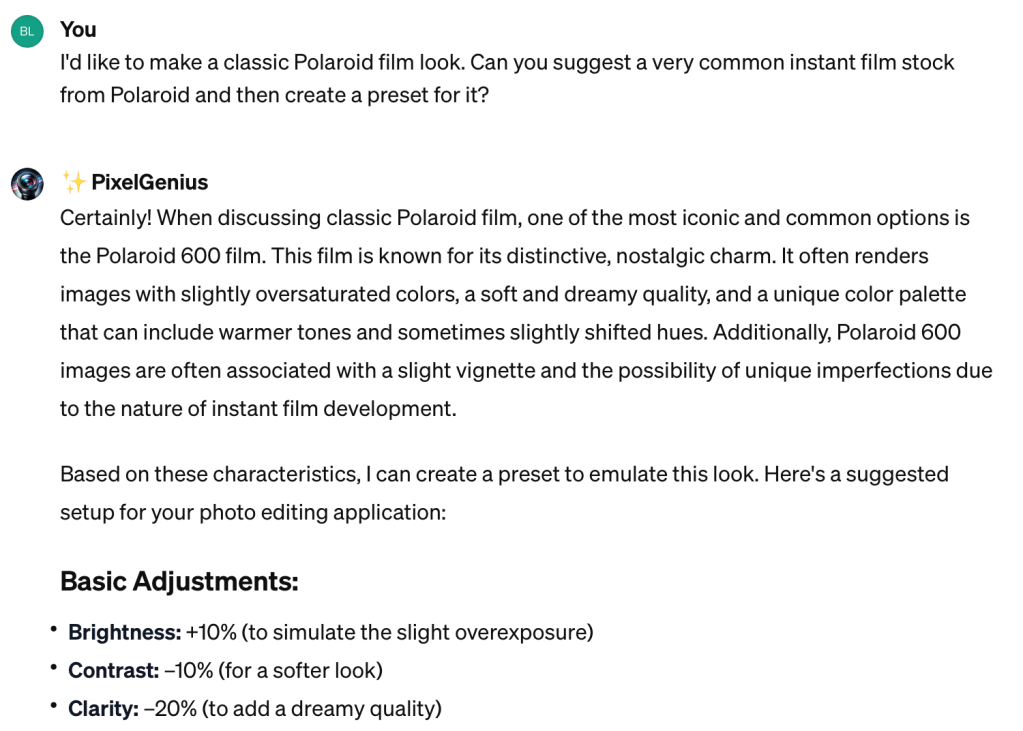
    ✨Polaroid 600 adjustments
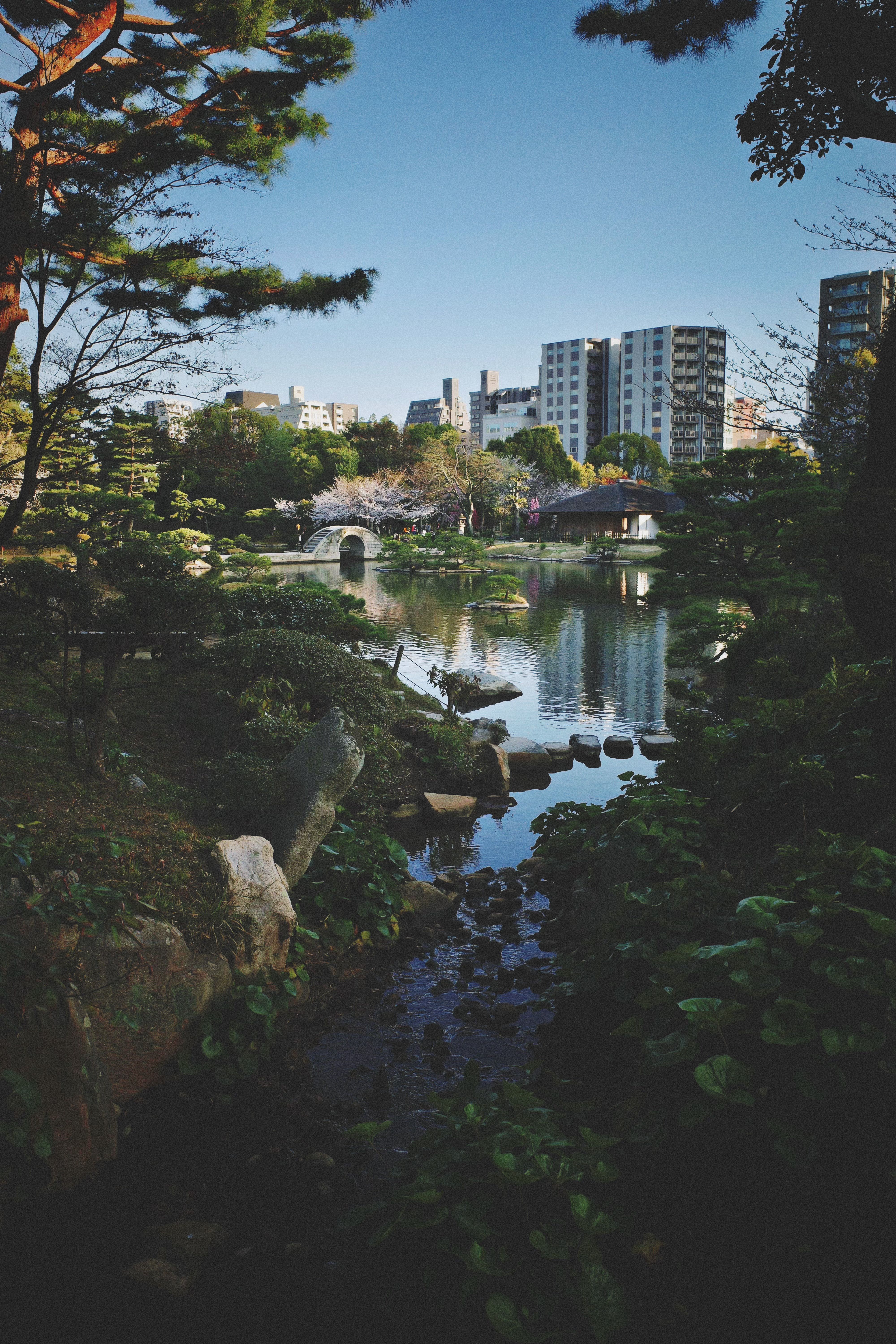
    A dramatic look created with ✨PresetGenius
  • Week 42.22

    We got a cat! Well, pretty close to it, more accurate to say that we have reserved a kitten from the breeder we were previously speaking with. The next few weeks will be spent buying essential equipment, clearing up some of the mess around the house that she might destroy, and then she should be with us by the end of the month.

    Appearance wise, she is what’s known as a seal bicolor ragdoll, white with brown markings on her face and tail. I’ve discovered that this combination combines the most popular and most common traits in these cats, so in gachapon terms we’ve pulled a three-star kitten. Although you wouldn’t know she was a kitten from looking at her; several people who’ve seen photos have remarked “oh, so you’re not getting a kitten?” They grow up to become large cats, with females possibly reaching 6 kg and beyond.

    We’re still thinking of a name (her dead name is Dewey) but already have a strong contender. In branding terms, this phase is what’s known as “writing the rationale after having found a name that sounds great but isn’t especially meaningful”. Aside: is it a bad idea to name your cat after a Microsoft product?

    ===

    Darkroom (a photo editor I’ve used since it came out for iPhone — it now works as a universal app on iPad and Mac too) released their new update supporting the sharing of filters/presets. Early users of the app will remember that you could always share filters via a QR code, but this feature was removed a few years back when they switched to a new architecture. The way it works now is the preset’s details get uploaded to their server, generating a link that you can share. Anyone who clicks the link can see how your preset looks applied against four standard photos, and install the preset in their copy of Darkroom with a single click.

    As someone who enjoys making presets in Darkroom, I’ve got a few that I would like to share with other users. I went through a phase of copying film looks from other apps like VSCO and RNI Films, as a sort of pastime, as I found it quite a soothing and mindless activity to switch back-and-forth between two photos and gradually nudge them closer together by adjusting sliders. Someone should make a game around that mechanic!

    I’ve posted a few on Twitter already, but have quite a few more that I’ll put soon — “better” ones that I’ve done on my own without referencing existing film stocks or looks. I even wrote about wanting to share a new preset last October!

    Darkroom presets shared so far:

    ===

    This week’s update was written via voice dictation on my Mac — with a few minor corrections. And that’s with a sore throat, stuffed nose, and raspy voice! As far as I can tell it’s not Covid, just this drawn-out flu that’s been getting quite a few people. On that note, Covid cases are once again rising here in Singapore due to the new XBB variant.

    I can’t wait to upgrade to Ventura, assuming that it will have the same voice dictation enhancements as iOS 16. I wonder if this post reads differently, stylistically, given that I am saying this out loud rather than typing it. Related to that, I am now reading the book Because Internet by Gretchen McCulloch (oh my God I can’t believe dictating that name out loud worked — I await the day this happens for Asian names). It’s about how language has been changed by the Internet and Internet culture (one of the things that involves is not capitalizing the word Internet, but macOS has seemingly not been informed).

    What a good week it’s been for reading: I finished Adrian Tchaikovsky’s One Day All This Will Be Yours and went on to finish Blake Crouch’s Upgrade two days later. With this post-Seveneves sprint, I should be able to finish the year with a not-embarrassing 12 books or more.

    I recommend both books by the way, the former being an unusual and fun time travel/time war story, and the latter another one of Crouch’s written-for-film-rights thrillers (his earlier novel, Dark Matter, is in production for Apple TV+). It is better than the film Limitless, but nowhere as great as Ted Chiang’s (dictation failed here) short story Understand. As you may already have guessed, the story is about a man whose genetic make up gets altered, giving him new abilities.

  • VSCOcam 2.0 — A New High-Water Mark In Mobile Photography

    I’ve been a fan of VSCO products for awhile, and have written about using their VSCO Film presets with JPEGs from consumer compact cameras, and recommended the last version of their VSCOcam iPhone app in my rundown of Essential iPhone Photography Apps.

    In the latter post, I said of version 1 of VSCOcam:

    As flawed as it is capable, this low-priced alternative to the VSCO company’s pricey desktop plugins is pretty good at giving photos a realistic film look; no light leaks and crazy cross-processing here, just subtle color shifts, fade operations, and real grain overlays. Skip the other basic editing tools included; they’re not up to scratch yet, but the package is an easy buy at $0.99.

    The good news this week is that version 2 of VSCOcam [iTunes] greatly improves upon those editing tools (specifically by giving operations such as adjusting brightness more precise ‘steps’ of control, and making them non-destructive within the app; new adjustments like rotation have also been added), and takes the original’s 10 built-in film looks to another level.

    The new version of VSCOcam (a separate download in the App Store) is a free download, and now contains a store with 16 packs of “presets” for download at 99c each. A pack consists of 3 presets, which are really more like filters since their results cannot be accomplished by tweaking any of the editing parameters. Presets is a strange term to carry over from VSCO’s Lightroom and Aperture products, where they really are Presets.

    Owners of the previous paid app can unlock the original 10 legacy filters in the new app, which is a nice touch. And as a launch special, all 16 packs can be bought for the price of 6.

    The new app is essentially a ground-up redesign and rebuild. All operations are significantly faster, the built-in lightbox mode is nearly unrecognizable and has some very nice power-user features like flagging and filtering by flagged/edited states. The camera module is now good enough to use as a camera replacement, with separate focus/exposure locking, a “big shutter button” mode, high ISO boost support for iPhone 5, and other improvements. There’s also a proprietary photo publishing platform called VSCO Grid built in that I haven’t had the chance to try because accounts are being rolled out slowly as they test it.

    In this week’s issue of The Round Down newsletter (subscribe!), I said:

    This is a new high-water mark in mobile photography apps. […] It’s almost too good to be true, and too good to give away for nothing.

    And it really is. At one point on the mobile photography timeline, taptaptap’s Camera+ app was king of the hill as an all-in-one solution because few others did as much as it did, as inoffensively as it did. However, its shortcomings in editing and effects processing have never been addressed, and the pace of development seems to have slowed down considerably in the past year. With VSCOcam 2.0, I think its successor has arrived. It has the power to fix shortcomings in photos as well as or better than Camera+ ever did, and the professional desktop editing pedigree of its filters is unmatched by competitors.

    A few bugs and metadata issues notwithstanding, if I had to delete every photo app on my iPhone bar one, this would be my choice to keep.

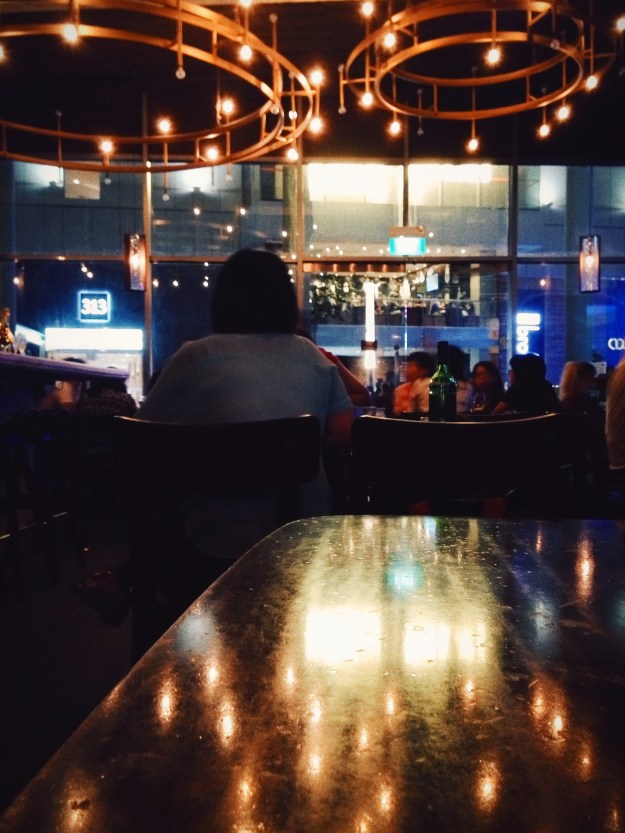
    Not the best example, but one photo I took last night.
    Not the best example, but one photo I took last night.

  • Using VSCO Film with Compact Cameras

    Many of us have a soft spot for the look of film photos, whether because of nostalgic associations; or a preference for the grain, faded tones, and color shifts that render the familiar world just a little more interesting. The effort to simulate this in digital photos has lately become conflated with “vintage” effects, where age and strong aberrations are introduced. Those are okay for throwaway shots and fun Instagrammable occasions, but not when a moment deserves quality with a little added character.

    As a frequent user of the Visual Supply Co.’s VSCO CAM iPhone app, I knew their VSCO Film preset for professionals using Adobe Lightroom and Apple Aperture were going to be capable of producing subtle film-like looks, and save a lot of time in post-processing to achieve the kind of results I usually want. But there’s a big difference between a US$0.99 app and buying two sets of presets (a handful of finely-tuned settings and slider positions) costing US$79 each.

    It’s a no-brainer for the working photographer who shoots weddings and events; VSCO Film presets are the result of people with more time than you, slaving away to find the perfect combinations of color, lighting, and grain to get the most out of photos. You pay to save yourself that Herculean effort, and make it back almost immediately.

    The amateur photographer (me) has less incentive to part with their money, apart from curiosity and desire. I don’t even own a DSLR camera. The VSCO presets are very much designed to be used on well-exposed, high quality RAW photos from a DSLR. On holidays, I mostly shoot with high-end compacts like the Ricoh GR Digital, which are capable of saving RAW files, but I’m just as likely to use Point & Shoots or smartphones with small sensors, depending on the situation. Up to this moment, I’ve always chosen to save JPEGs over RAW for the convenience.

    I tried to find articles online about whether or not it was worth buying VSCO Film for use on photos from regular compact cameras, but found little in the way of reassurance. The company’s official line was that they would “work”, but an SLR + RAW files was recommended. Being presets, they could not be expected to perform consistently across sources of widely varying quality.

    It doesn’t help that the company has a No Refunds policy, and does not make available any demo files for curious customers to judge the results with. Being that they are geared towards professional users using gear I don’t have, I understand my need to see how the presets work with consumer cameras is a unique and unsupported one.

    If you’re a Lightroom 4 or Adobe Camera RAW user, there’s a preset in the including Toolkit called “JPEG Contrast Fixer”, which corrects some of the issues you will encounter when processing a JPEG from a DSLR or camera incapable of saving RAW files. As an Aperture 3 user, that option was not available.

    Since there’s a sale now on to celebrate the release of VSCO Film 02 for Aperture, which amounts to savings of 25% if you buy both packs, I decided last night to take the plunge and see what would happen. I’ve only had a couple of hours or so to test it out on some old vacation photos, but the results are encouraging.

    The bottom line: If you’re not concerned with absolute emulation of the film stocks the presets are designed around — and online sentiment I’ve come across seems to be that their accuracy is subjective anyway — and you merely want to achieve a look reminiscent of film photography, you’ll be perfectly pleased using VSCO Film with consumer compact digital cameras.

    The shots below were taken with a Ricoh CX6 and GRD3, and processed only within Aperture using VSCO Film 01 & 02. The trick is usually to boost exposure between 0.3 to 1.0 whilst recovering highlights, and then apply the presets you want. This approximates the default brightness I see in many DSLR photos, while expanding the dynamic range a little. Most compacts I’ve used tend to underexpose by default, with the exception of many a Sony Cybershot.

    Even with the knowledge that these can work well for those with lower-end cameras, the usual per-pack price of US$79 (and US$119 for the Lightroom versions) is still going to be a significant roadblock for the casual photographer. Nevercenter’s Camerabag 2 for the desktop is just US$20 and capable of yielding great results too. I just wanted something that integrated with Aperture (non-destructive editing), wasn’t a plugin or app I had to leave the environment to use, and was more subtle. Camerabag’s baked-in presets are decidedly closer to “vintage”, but you are free to tone them down and save your own favorites.

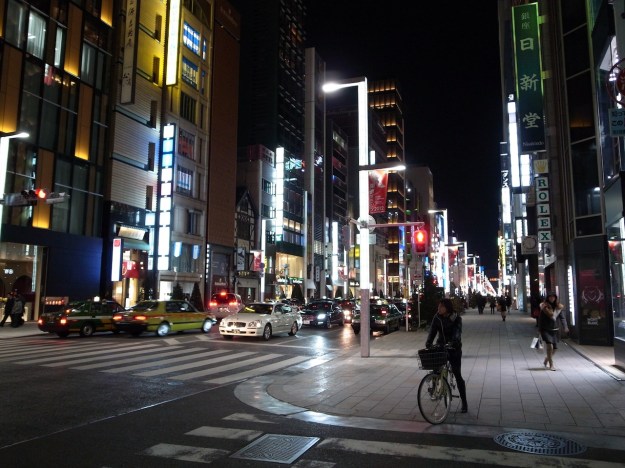
    Processed: Ginza by night
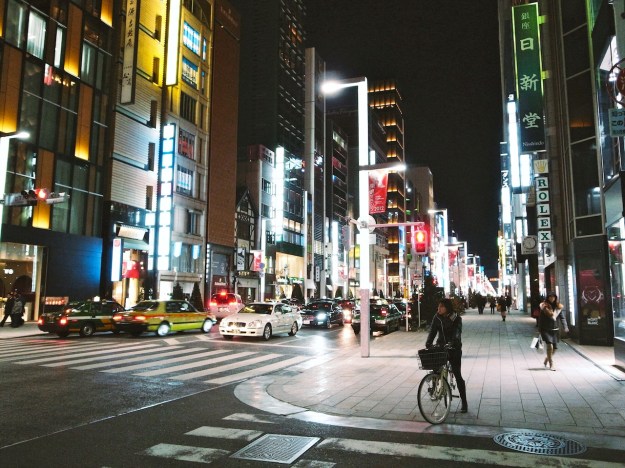
    Original: Ginza by night