

A location journal that’s actually yours.
Try it at crumbs.sangsara.net
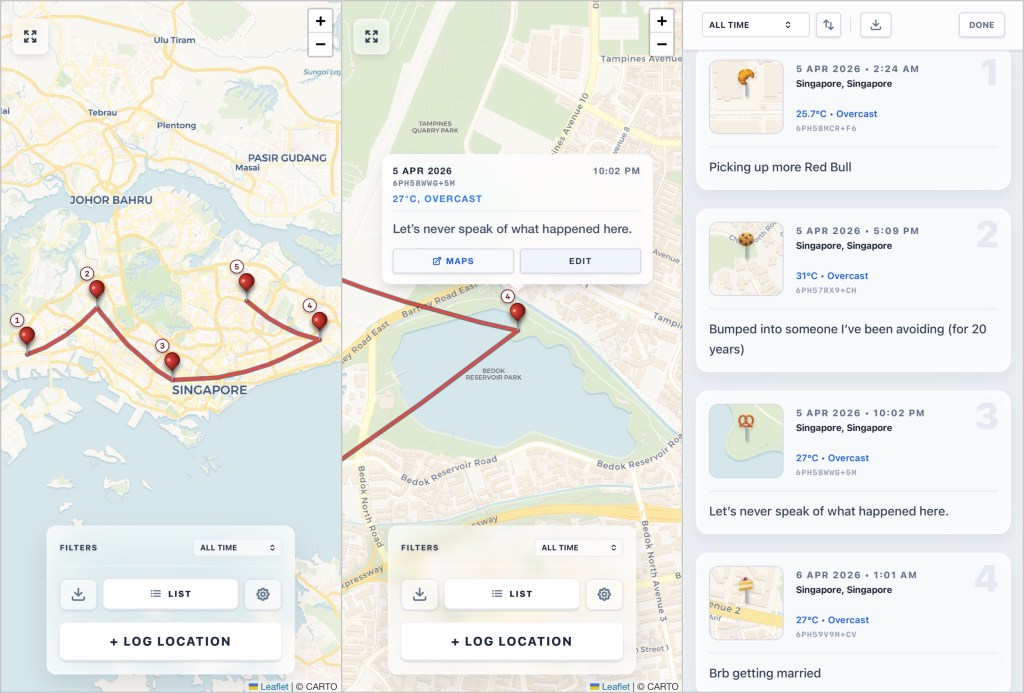
Most map apps are for navigation, not remembering. You know those sequences in old films like Indiana Jones where a dotted line traces across a map from city to city? That is what Crumbs does, except it is your life and the dots are places you actually went.
Effortless location logging
The idea is simple: press a button to log where you are, write a note if you feel like it, and watch your trail build across the map. No passive background tracking, no accounts, no selling your movements for ad targeting. Just the places you chose to remember, connected by a line, yours to keep.
Most travel apps get this wrong in one direction or another. Google Maps’ Timeline tracks you constantly whether you want to remember or not. Swarm needs a business listing to exist before you can check in. Neither lets you draw a line across a whole week, or a custom trip length, and export it cleanly. Crumbs does all of that, and stores everything locally on your device.
Do things with your data
There is a list view that lays out your stops like a journal with timestamps, weather, and location metadata, exportable as a PDF keepsake. You can also save a clean image of your map at any point, ready for sharing or scrapbooking.
Crumbs is a PWA (Progressive Web App) which means mobile operating systems may occasionally purge its local data if not used in awhile. However, connect your Dropbox account and we’ll sync with the cloud automatically, so you won’t lose a crumb. If Dropbox isn’t your thing, manual JSON export and import are available for backups. Either way, your data is yours to keep and use freely. Vibe code an app to generate custom posters, for example.
If you want native background tracking that runs without you thinking about it, I recommend Where Now? — a free indie app by Scott Boms that also logs your location privately. Crumbs can import Where Now’s data exports so you get the map trails and other features. Best of both worlds.
Other details:
- Pins capture location, date/time, city/country, and current weather conditions from Open-Meteo.
- Works offline: Pin your location while off the grid, and Crumbs will show it on the map when you’re back online.
- Filter map and list views by Today, This Week, This Month, All Time, or a custom date range to see only specific trips.
- Uses standard Plus Codes as a shorthand for geolocation, so PDF exports retain all relevant information in a human-friendly form.
- Open any pin location in Google Maps for more detail on nearby places of interest that were involved in your moment.
- Minimal, glassy UI that “puts the focus on your content™”.
- Bread mode: replaces all red pushpins with baked goods.
- Red string trails can be disabled in settings.
- Pins can be moved via drag and drop if necessary.
Disclaimer: I made Crumbs with the help of Google’s Antigravity and Gemini 3.1 Pro. Your location data stays on your device. I have no idea where you’ve been.
Related blog post: Week 14.26


Leave a comment