Category: Reviews

  • A Sudden Crop of New iPhone Photo Apps

    iPhone photography apps hit a sort of peak with Hipstamatic, Instagram, Camera+, 645 Pro, and Snapseed. The past few months have seen a few quirky apps being released (Gridditor being one that comes to mind), but most have been crappy knockoffs of the very successful but sadly neglected Camera+*, or silly ones for decorating your shots with candy-colored doodles or cartoon stamps.

    Very little for the serious photographer determined to replace a compact camera with an iPhone… until these came along!

    •••

    Blux Camera: The first app I’ve seen to offer the equivalent of what’s called “Auto Scene Mode” on most point-and-shoot cameras. The app applies a compensation scene mode based on what it thinks you need (taking local weather into account too). I’ve been waiting for someone to do this, but Blux seems to go even further with 14 filters, tilt-shift effects, and a futuristic, customizable UI that might prove too fiddly in actual use. Still, it looks very good and it’s free for a couple of days.
    Edit: Having tried it now, it’s not worth the trouble. Too much high-tech flash, not enough substance and usability. I’d put this at the top of the cheesy knockoff category.

    Alt Photo: This one has some real pedigree, like VSCO Cam, coming from maker of pro Photoshop plugins, Alien Skin Software. It has one of the best-looking brightness adjustment algorithms I’ve seen in an iPhone app (Mattebox has another great one), not to mention some nicely tuned filters designed to emulate film looks.

    Perfectly Clear: This just got a big 3.0 update today, with a fully redesigned UI and higher quality results. This is a one-function app — it tunes up lackluster photos with more clarity, color, and brightness — and it does it well. There’s now also the ability to remove noise for no extra charge; it used to be an in-app purchase. It even claims to recognize and brighten eyes, smoothen skin, and whiten teeth. That last one sounds like a joke, but there it is on the page.

    Scout Camera: A camera replacement app with a few nice filters, and the welcome ability to see and shoot in 1:1, 4:3, 3:2, and 16:9 aspect ratios, all live. It’s a shame you can’t change filters on a photo after you’ve shot it, and that you can’t import your own photos into its lightbox for editing. Hopefully the developer is looking into these things, because you can get those aspect ratios from 645 Pro too, and there’s little reason to make this your first choice in a pinch.

    Beamr: From the makers of JPEGmini, one of the best photo technologies I’ve seen in awhile (it crunches down high quality JPEGs to half their size, and your eyes won’t see the difference) comes this new photo sharing app. The app description is a bit confusing, but I think it uploads your full-size photos using the aforementioned tech, and then creates a flippable online magazine — oh god, those are back? — that you can send as a link to friends and family. The selling point here is high quality photos, not the recompressed junk you see on Facebook or other sharing sites.

    Photoset: Another sharing app, this one from Tumblr. It lets you very quickly create a layout of several photos by dragging them around, and then publish them to a webpage on Photoset.com or to an existing Tumblr blog. Pretty cool, and much more versatile than using something like, say, Twitphoto for impromptu sharing.

    • I say Camera+ has been neglected despite having recently been updated because of how unusable its filters look these days on brighter iPhone 5 photos, and because other much needed refinements never materialized. It’s like there’s nobody there looking out to keep it #1.
  • iPhone 5 Camera Comparison vs. Ricoh GR Digital III

    The new iPhone 5 features an improved camera, mainly in the area of image signal processing in the A6 chip, which reportedly allows it to do intelligent sharpening, noise removal, and pixel binning for low-light situations. The lens elements have also been rearranged, resulting in a slightly different field of vision from the iPhone 4S. There’s also the new sapphire crystal lens cover which resists scratches — unfortunately, I already have a tiny speck of dust on the inside of mine, which I’ll have to get them to clean at some point.

    I’m more interested in seeing how the iPhone 5 competes with other point and shoot cameras than with the iPhone 4S. Here are two scenes taken with the Ricoh GR Digital III (my review here), a high-end compact comparable to Panasonic’s LUMIX LX3/5/7 series, and Canon’s S90/95/100 cameras.

    The photos below are direct from camera and have not been fixed or enhanced. The GRD III is something of a prosumer camera, and if handled correctly, i.e. with manual controls and lots of fiddling, is capable of some great results. For parity with the iPhone 5, these photos were taken in fully automatic mode, letting the camera figure things out.

    Ricoh GRD 3

    I had to take this shot twice because the Ricoh chose a very shallow focus, directed on the leaves in the middle, which left the stone duck and foreground leaves blurred out. It’s a little underexposed, but the larger sensor gives some beautiful detail to the fern.

    iPhone 5

    The iPhone 5 analyzed the same scene, and chose to keep a relatively deep focus for a usable shot the first time around. The photo is also noticeably warmer (pleasant, but perhaps inaccurate) and brighter. This photo is good to go without any editing, which is how most users want it. No problems with sharpness in the details.

    Ricoh GRD 3

    The GRD had trouble focusing again, and ended up with a spot in the middle (above and to the right of her nose), which keeps the dog’s legs in focus but not the face. Although what fine details that were in focus got captured with a good amount of clarity, the photo is pretty dull and boring on the whole. Your aunt would not consider this a keeper without a trip to iPhoto.

    iPhone 5

    Again, brighter and warmer. I don’t think the iPhone makes everything warmer, only in shade and indoor lighting conditions. None of the daylight shots I’ve seen so far look overly warm. Sharpness is consistent across all areas of interest, and noise is acceptable for ISO 400. Fine fur details are not as well resolved as in the GRD photo, but this may be down to JPEG compression. Using an app that allows setting lower JPEG compression, such as 645 Pro, may compensate for this.

    For most purposes, I can’t see why the iPhone 5 wouldn’t be an adequate camera replacement. In terms of straight-from-the-camera usability, these photos are astounding compared to the GRD III, which used to cost in the region of USD$500-600 (it has now been replaced by the GRD IV model).

    I’ve gone on a few trips where I ended up taking all or most of my photos on an iPhone 4/4S, with few regrets. Focusing on the 4S was a little touchy, and it tended to take photos before focus had fully locked, if you hit the button too soon; this seems to work the way it should on the iPhone 5.

  • Slava’s Snowshow, Singapore

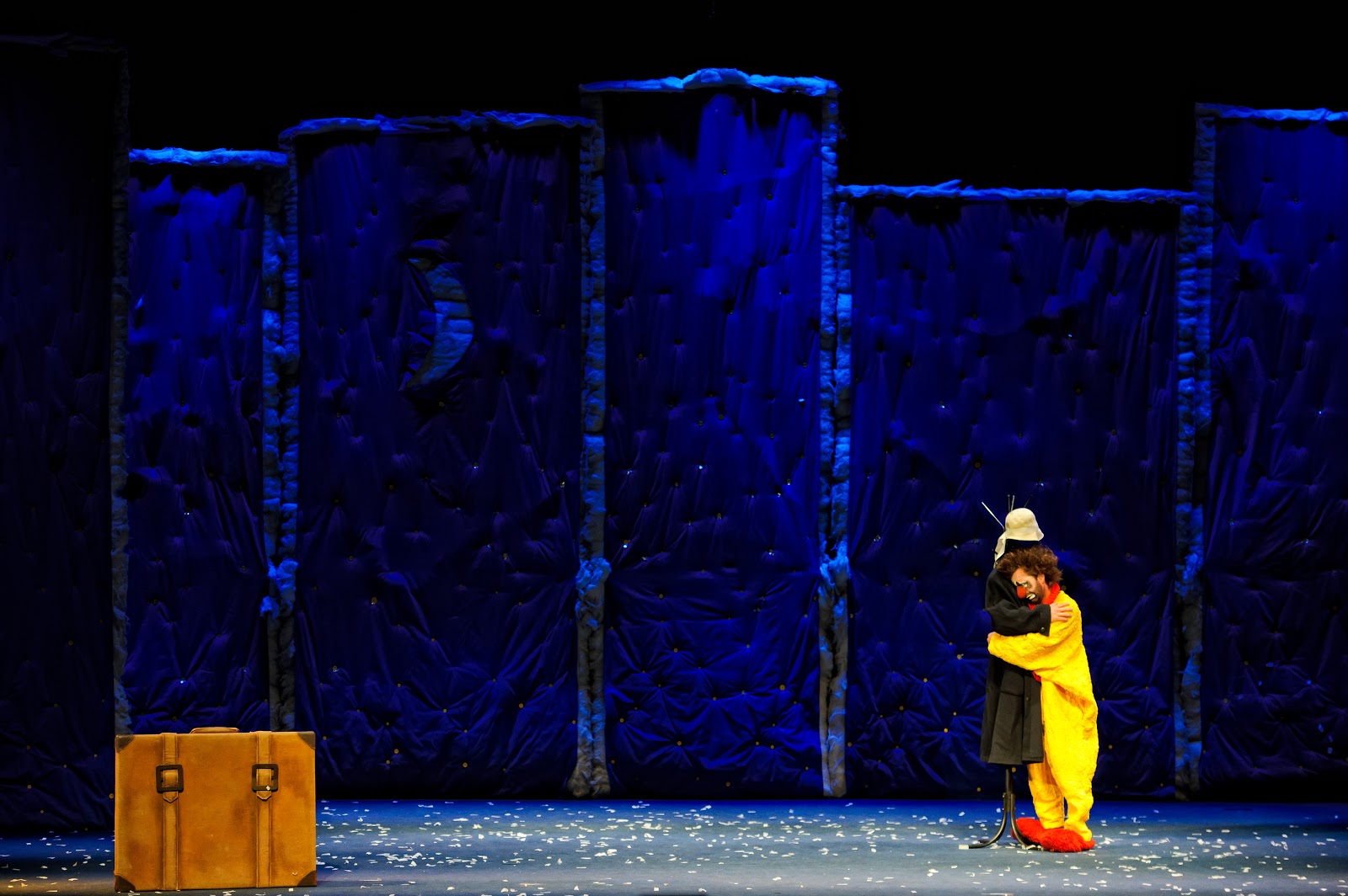
    Snow storm, Slava's Snow Show.
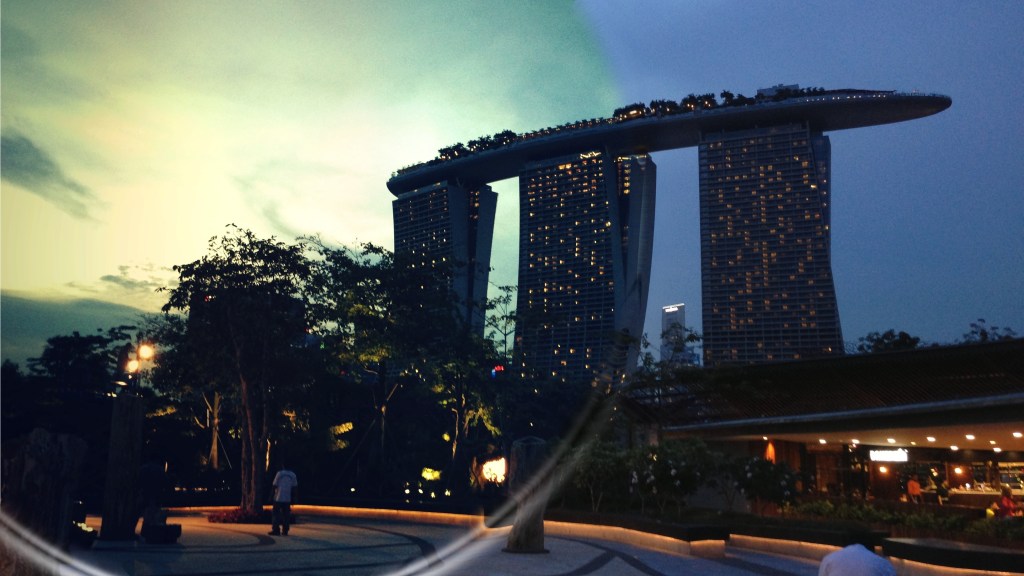
    Snowstorm finale, Instagrammed from my iPhone

    My girlfriend and I attended last night’s performance of the award-winning Slava’s Snowshow (now on till the 9th of September, at the Marina Bay Sands theaters), which isn’t easily described because it has clowns, but isn’t really for kids; its narrative has no binding logic, but it says a lot without words; there’s snow, as promised, but really it’s about dreams, playacting, physical comedy, scenes of profound Godot-esque surrealism (as you’d expect from Russian clowns) , departures, alienation, and (I got the sense of this) having fun by being lost.

    The Times of London called it “a theatre classic of the 20th century”, and its creator, Slava Polunin, was formerly of the Cirque du Soleil where he served as a clown-in-chief of sorts.

    I don’t want to spoil it too much, but as long as you’re sitting in the stalls, you can’t escape being immersed in its key scenes. The performers regularly break the fourth wall (does this apply to the stage?), multiple objects and effects break free from the front and rush to the back of the hall, creating for adults a sense of wonderment that evokes memories of childhood play.

    Even at around 80 minutes, it’s all over a little too quickly. I wish I’d paid a little more attention to the details, and the use of music (which was excellent, and the hall handled acoustics well). It’s something I can definitely see myself going for again someday, somewhere else in the world.

    There’s about a week and a half to go, and tickets are still available. Try the link below for the Marina Bay Sands’ website.

    Event info

    Photo credit: Marina Bay Sands

  • Ditching Read It Later for Instapaper

    This evening I made the switch from Read It Later to Instapaper. The latter is by far the more popular service. On the surface, it might be hard to choose one over the other. Their iPhone apps both cost $4.99 (Read It LaterInstapaper), they both have free-to-use websites, they both suck the text out of a web article you’re too busy to read at the moment of encounter, and store it online for later enjoyment. Well, at least that’s the idea.

    It seems grabbing the right text off a page isn’t that easy, and RIL was just letting me down too many times. Quite often I’d have words like Home, About, and Related Articles – clearly bits of the navigational interface missed by the dust filter – appearing before or in the middle of the story I wanted to read. Sometimes they’d be the only words on display: the article itself having been weeded out and tossed aside, 90% of the page’s content or not!
    The RIL text engine wasn’t very smart about pretending to be a normal browser either. Sometimes the policing mechanisms of a website would prevent it from loading the intended content and direct RIL to the front page instead. In the instances where I might only get around to reading the article months later, there’d be simply no way to remember what I was supposed to have been saving. Salon, Edge Magazine, Wired Mobile, and The New York Times all gave it trouble, among others.
    There were reasons I stayed this long, though. Read It Later excels at being social. After reading an item I really liked, I could send it to Diigo for full-text archiving, or Evernote, or tweet it, Facebook it, bookmark it in Delicious, share it in Google Reader, or even email the plain text to a friend who might be interested. The Diigo bit was closest to my heart. But for every sweet feature – a full-screen view and a scrollbar for quick skimming are two examples worth mentioning – there’d also be the disadvantages of being second-best.
    I think the reason Instapaper has such a knack for sniffing out the right words from a page is that dedicated users send Marco Arment emails whenever something doesn’t work right. By his own admission, the system is a pile of hacks, but as far as the end user (me) is concerned, it just works. I wish it didn’t always have to be about Features vs. Excellence, but Instapaper definitely wins the lower-my-blood-pressure challenge. RIL probably doesn’t get enough feedback to develop a comparably intelligent engine, but missing the first paragraph of every article on the New York Times? Come on.
    Also, most apps install support for Instapaper first, and the wait for RIL integration is always long and uncertain. I don’t know if Nate Weiner, Read It Later’s developer, does anything to help adoption of his service along, but like in the case of the new Twitterrific for iPhone, users like me end up being the ones petitioning other app developers to please please please consider adding RIL support. It sucks.
    Plus, in the time since I last saw Instapaper, it’s received a bunch of great new features like a paginated viewing method, and an enhanced presentation with inline graphics. I’ll miss RIL’s sharing features, and hope Instapaper adds just a couple more export options to the current choices of Tumblr & Twitter (Diigo, please!), but for the moment it’s enough that I can bookmark stuff and be secure in the knowledge that they’ll be waiting for me, complete, when I get to them.
    The fact that this blog somehow appears in the screenshot for Instapaper in the App Store has nothing to do with it, I swear!
  • Hipstamatic – a new iPhone toycamera app

    I was going to write about this on PositiveMachine.com, but decided to contribute a properly useful review to the iTunes store instead. I am republishing it here for those not using the Singaporean App Store, in the hopes that it brings some attention to this rather exciting new camera app. My one sore point: it is sooo very close in execution to an iPhone app I wanted to have built earlier this year. A different concept, but maybe someday I’ll convince the guys at Synthetic Corp to take it up.

    —-

    Hipstamatic

    I discovered this app by accident whilst absentmindedly searching for the keyword “Holga”. The preview screenshots in iTunes don’t do it justice.

    It’s also the first camera application I’ve seen with in-app purchasing, which made me quite wary of this being something I might become tempted to sink a lot of money into, unnecessarily, over time. Everyone else gives free updates with more features, why should this be any different? The answer might be that the app itself is very different. It features a polished user experience that almost puts a real, no-longer-in-production camera in your hands, and the quality of its image processing is superb – some of the best I’ve ever seen on the iPhone. Its creators no doubt know that photography geeks are more than a little bit vulnerable to buying new equipment for a camera they love, and in-app purchasing is a brilliant way to exploit that. What’s 99c for a new lens, 3 colored gel flashes, and a new black border on all your pictures? If only things were so cheap in the real world with Lomography and Superheadz products.

    But freshly installed, one can get some brilliant results out of the two included “lenses” (film choice only affects the borders/frames, except in the case of the single B&W option available in one of the in-app purchase packs), but I’m willing to bet you’ll be so impressed with the whole experience that you’ll pick up one of the extra add-ons within a day. So budget for the price of the app (currently at $1.99, a so-called introductory price) plus 2 x $0.99.

    More than any other photography app out there – and I have bought more of them than I’d have liked – this one gives you the feeling of owning a whole new camera. The UI design is a big part of this. You constantly see the front and back of the camera as you change settings and take photos. You have a tiny and inaccurate preview of your shot where the viewfinder is supposed to be. You don’t change the look of your photos by moving sliders or pressing radio buttons, you swap in visual representations of “films”, “lenses”, and “flashes”. Sure, it’s little different from any other photo app under the surface, except the results are up there with the best of them, but that surface gloss makes you forget Hipstamatic is taking shots through your iPhone’s camera. And the results back that up. Night shots taken with the “Jimmy” lens and the fake flash are soaked through with warm light, almost devoid of speckled color noise. It’s the kind of result you’d expect from a film camera that left its shutter open until the film was fully exposed. Marvelously rich and much more analog than you’d have thought was possible from an iPhone.

    Moreover, like ShakeItPhoto before the last update, Hipstamatic doesn’t give you the option of processing photos you’ve already taken with some other app or the built-in camera module. I wouldn’t like to see this behavior in every app, but it makes perfect sense here and really sells the illusion of a unique toy camera with risks involved. You don’t get a safety shot, you just get the one you take, which makes every shot somewhat precious. It also gives you a bit of a heart attack when you’ve captured something you think might be great, and then the app crashes. It does this quite a lot when saving at the highest resolution of 1050 x 1050px, even on my freshly-rebooted iPhone 3GS. I’m hoping the next update brings more stability, but even so, this fully deserves a five-star rating today.

  • iPhone app review: Ramp Champ

    (This iPhone review and others like it have been moved to my new app review site, positivemachine.com. Why not have a look?)

    Ramp Champ (Game)

    Price: $1.99
    What it is: A carnival of sadomasochism.

    Every retirement home has one old man who used to be a championship boxer, tough enough to still knock out two young men bigger than him. Likewise, every group of cowed nerds has among their numbers one who will eventually arm up and shoot up the school in a black trenchcoat. Ramp Champ has a lot in common with these people.

    It lives amongst the feeble pursuits most call “casual games”, a candycoated term cooked up by executives to describe alternative entertainment for normal people – those don’t play first-person shooters and airplane simulations eight hours straight at a time – or as we like to call them, “games for pussies”. But don’t be fooled by the company it keeps. Ramp Champ is a prison-hard motherf*cker. I suspect it broke out of hardcore gaming prison and into casual gaming prison just because it was bored.

    Ramp Champ is like the serial killer who wears thick glasses and tucks his striped shirt into his pants and talks with a feigned speech impediment and holds a boring desk job at a government agency, but really goes home every night and becomes like Christian Bale or something, with ripped muscles from pumping rusty iron in his basement and hunting animals in the woods naked.

    So what looks like an innocent game of skeeball is actually an elaborate psychology experiment. I mean, it must be! The physics simulation suggests that you have full control over where the ball goes, if you’re good enough, and then when you need to score the most, it lets some blind Parkinson’s patient take over the shot. But sometimes, it does exactly what you expect, making the time spent smearing goat’s blood on your own face seem completely worth it. It frustrates, it makes a mockery of your so-called skills, and it’s completely addictive. I know because I’ve mastered it at the cost of my sanity.


    Slammer Rating: 4/5 shivs

    Buy Ramp Champ in the iTunes App Store.


    Above: What you’ll see when you become a ramp champ. Each of the levels’ three goals filled in with a yellow dot.


  • iPhone app review: Paper Toss World Tour

    (This iPhone review and others like it have been moved to my new app review site, positivemachine.com. Why not have a look?)

    Paper Toss World Tour (Game)
    Price: $0.99

    What it is: Same sheet, different cans.

    The original (and free) Paper Toss introduced a new casual game genre so shallow, it threatened its own sequel possibilities. A ball of paper is flicked into a bin. To increase the challenge, the bin could be moved farther back, and a fan provided wind. What more could be done?

    Fortunately for the developers at Backflip Studios, that question had already been answered by millions of poncy fat cats who regularly jet around visiting manicured gardens that charge thousands of dollars a year for the privilege of hitting little white balls into holes: change the scenery.

    The result is Paper Toss World Tour, an armchair tosser’s dream. Wait, that came out wrong. By virtue of having 8 different cities to visit, the game finally has something that resembles a career mode. You begin in a Japanese Zen garden, and unlock others from there. The distance between paper and bin varies in each city, and you get some nice environmental effects like the sandstorms in Egypt. I only wish they’d included Singapore as the final stage, whereupon missing the trashcan, SWAT teams materialize with shotguns and rottweilers to end your career. Oh well, there’s always the next version.

    Confusing New Ratings System: 3/5 and B+

    Buy Paper Toss World Tour in the iTunes App Store.
    Get the original Paper Toss for free in the iTunes App Store.

    Below: The original Paper Toss game.

    Below: Paper Toss World Tour