I’ve had the luxury of some console gaming time these past few months, and managed to complete Metal Gear Rising, BioShock Infinite, and the rebooted Tomb Raider, while making progress in Devil May Cry, Luigi’s Mansion 2: Dark Moon, and Super Mario 3D Land.
The observation here is that in my advanced age, the definition of fun has changed. I used to be excited for sandbox experiences, building/business simulations, and multiplayer combat. I think if Minecraft and LittleBigPlanet existed when I was younger, I’d totally see the point of building a giant robot’s head in a mountainside. Now, the thought of spending hours on that kind of play instead of catching up on reading or working on other projects is out of the question.
Open-world games are in a precarious position. Five years ago, I could spend hours collecting Crackdown’s Agility Orbs. I’d mess about in Assassin’s Creed and forget the main quest entirely, writing my own inner narrative about Altair being a medieval pickpocketing Batman. When life next comes collecting, these games will be the first to go.
So when the nights are short, what games make the cut? The aforementioned games on Xbox360 (Metal Gear Rising, BioShock Infinite, Tomb Raider, Devil May Cry) are marked by strong, cinematic narratives, or at least entertaining ones in the case of MGR and DMC. The remaining Nintendo 3DS titles succeed on pure mechanics, where joy is extracted purely from the timing of button presses, helped by exuberant character animations and inventive set pieces.
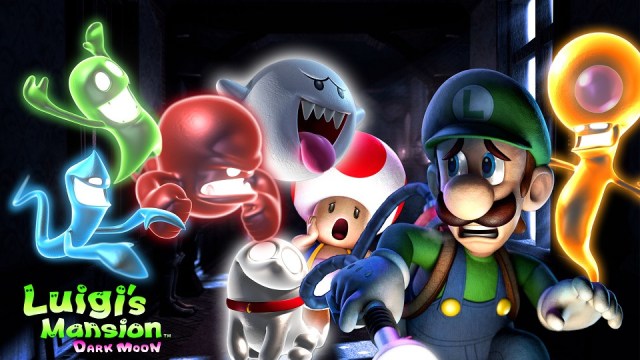
Luigi’s Mansion 2 might be one of the most charming games I’ve ever seen, and like most portable titles, it satisfies in a different way than a blockbuster console title. Each level is polished and detailed to the point that it vibrates. From one minute to the next, you’re constantly having your assumptions challenged by experimental level designs, new enemies, and ingenious puzzles. There’s a simple set-up about why the ghosts are loose, but the game’s real Story is located in the way that these parts interoperate, and in how the characters react, much like how design was famously said by Steve Jobs to be the craft of how things work, not how they look.
Stories are perhaps the best reason to engage with any entertainment medium; often they function perfectly being the only reason, but videogames call for a balance between play and involvement to be fully realized.
Take BioShock Infinite, one of the year’s most highly rated games, if not the highest. To experience a playthrough is to see an ambitious, first-person SF story with many smart things to say about games, politics, gender, religion, and whatever else people want to see in it. As a game, mechanically, it’s mediocre for a lack of innovation. Fights play out in the usual fashion, with a few superficial gimmicks. When the supporting character, Elizabeth, throws you a health pack mid-firefight with a press of your "X" button, it’s an Auto Heal/Use Potion action in disguise. Much like how artists can throw new textures atop a game engine to create an expansion pack, BioShock’s gameplay designers have reskinned a generic FPS using emotion and worldcraft.
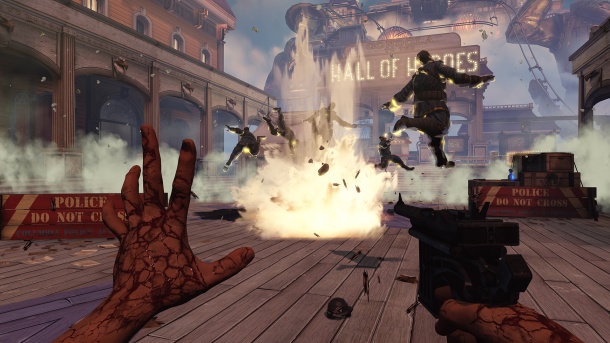
Finding the combat somewhat boring, I started to cynically see places where narrative paint was employed to make the shooting gallery journey seem shinier than it was. It’s sad that a week after finishing the game, I mostly remembered its central conceit and frankly awesome ending sequence. This doesn’t happen in Luigi’s Mansion 2, because the gameplay itself is what you think about when not playing.
Why is BioShock Infinite so overloaded on the story side of things, constantly trying to shove more story in your face with voice recordings, environmental artwork, snatches of conversation, meaning-laden anachronistic pop song covers, in-game exposition cutscenes, etc., but so underdeveloped as an action game? I’m pretty sure the experience of watching someone play the game is >90% as satisfying as playing it yourself. It doesn’t have to be your hands on the wheel. I’ve played games where after a momentous moment unfolded on screen, I was left acutely aware of a lingering sensation under my thumb where things had been set in motion. The button press echoed through flesh and time. Triumph seemed to reside directly in my actions. Because of how little I cared for and enjoyed the gameplay, BioShock felt like pressing Play on a rented movie.

Tomb Raider is more successful in several of these places. While well-written, the story isn’t mind-blowing in the way BioShock’s is, but it has its own surprises and is superbly paced: you always feel like the game’s climax is drawing near, and then the story horizon stretches out in front of you again like a challenge, taunt, and gift all at once. Traversing the world, hunting with a bow & arrow, scouting for hidden objects… did I just get tricked into playing an open-world game I said I didn’t have time for? As a combination of story and fun, and critically, by allowing enough freedom for its player to feel a sense of grace and mastery of the world, it succeeds.
Although progression is linear, how you navigate Tomb Raider’s world feels under your control. Lara is continuously gaining new abilities that open up previously impassable areas. It’s the old Metroid design, and a sound one. You could argue that the superpower-granting Vigors in BioShock play a similar role, but they are few, and the fun is taken out of them by the ammo limits. Tomb Raider doesn’t charge you for the joy of shooting a rope arrow across a chasm and zipping down it. Incidentally, where the ropes go is largely predetermined, but because the player personally installs them, the feeling is completely different from BioShock’s steel skyline cables, which herd you heavy-handedly around the map like the rails they literally are. A minor difference, design-wise, but one with an outsized impact on the experience.








 sangsara.net