
Two visits to Maji Curry in 9 days. Think I’d better cut back for awhile…
I blame a medical appointment for our being in the area. Remember how Kim took a fall a couple of months ago and hurt her leg? She’s been feeling mostly back to normal but was advised to get an MRI just to be sure. Late last week we met the doctor for his interpretation, and it was worse than expected. The tendon that normally runs down her entire leg has become completely detached from its anchor point at the top of the thigh. In other words, she’s currently missing a crucial muscle involved in leg movement. In practice she can still move it, but with less strength than normal.
So the weekend was spent worrying about what this meant, until our follow up appointment this Monday with another doctor who was called to advise on surgical options. Yes, it can be fixed: they’d slice the thigh open, dig around for the loose tendon, stretch it back up, then attach it to the pelvis or wherever it’s meant to be. This would then be followed by six weeks of recovery and then indefinite physiotherapy. It also carries the risk of nicking a large nerve that happens to reside in that area.
Fortunately, this doctor’s disposition was entirely the opposite of worried. He reckoned that as long as she wasn’t an athlete concerned with peak performance, one could get by without addressing this; other muscles compensate and exercise with physiotherapy will see her through it. He said many patients just leave it, and continue to have normal lives. It was exceedingly refreshing to finally get some good news.
But in not so good news, my neighbor’s long-dreaded renovations are finally beginning next week. That means a handful of days where I absolutely can’t be home during the day (or I’d probably go deaf from the hacking of walls and tearing up of floors); a few weeks where I probably wouldn’t want to be home (noisy enough that one wouldn’t be able to read, think in peace, or get on a call); and a couple more months after that where the noise should only be a mild annoyance.
I’ve already made plans for that first phase next week, which happily coincides with Singapore Design Week. That will give me a few things to see and attend around town from mornings to evenings. And then for the rest of the month, I’ve decided to sign up for a membership with a co-working space company (a la WeWork), and spend my days hot-desking like a digital nomad or startup serf. It sounds ideal: air conditioning, power, WiFi, free coffee, and a change of scenery. I might even meet interesting people?! Although I’m more likely to be watching movies or gaming on my Switch rather than doing any real work (unless some new side project idea hits me).
This is way better than my original plan, which was to hang out at public libraries the whole time. Fewer amenities there, and a lot more competition for desks because our libraries are very popular hangouts for senior citizens these days.
Anticipating being in libraries where plugging into wall sockets might be frowned upon, I made a premature purchase that arrived this week: the most powerful power bank I’ve ever had. My requirement was that it had to comfortably get me through a whole day or more of using everything from my phone to a MacBook to a Vision Pro.
And so I did some research on what a modern power bank looks like, and decided Ugreen’s Nexode lineup offers the best value. Anker has some competitive ones in their Prime series, but they’re twice the price and (as I discussed with Michael) they’re not even that reliable or safe these days.
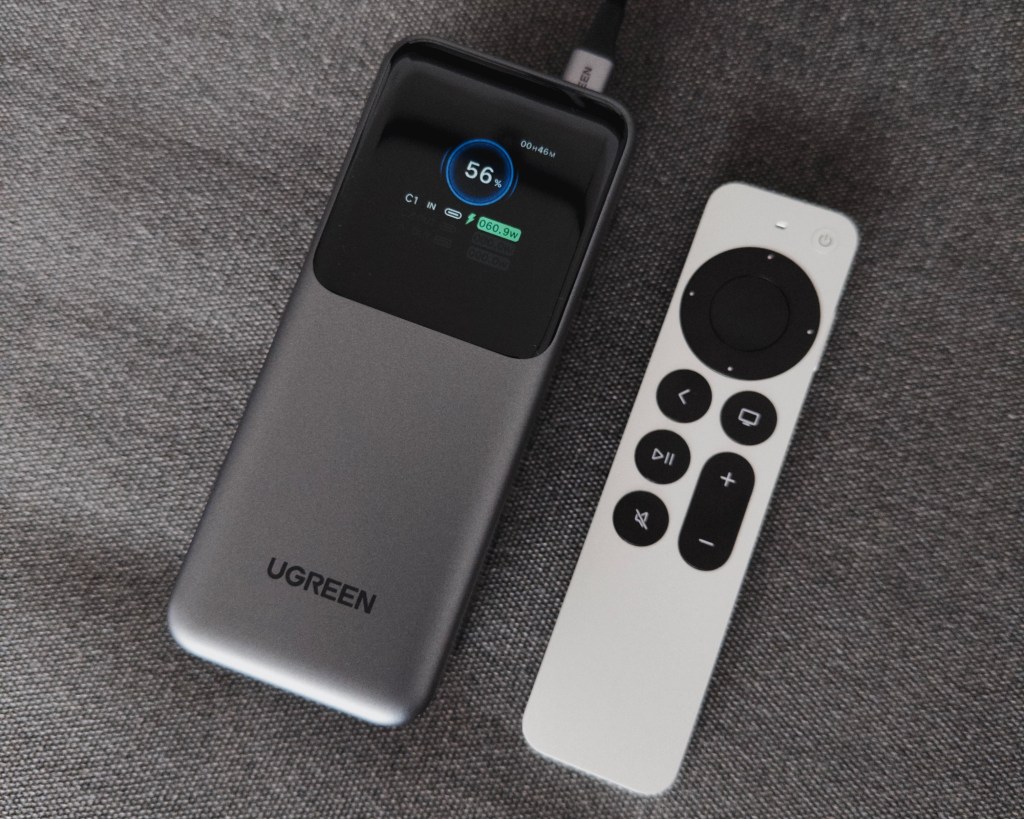
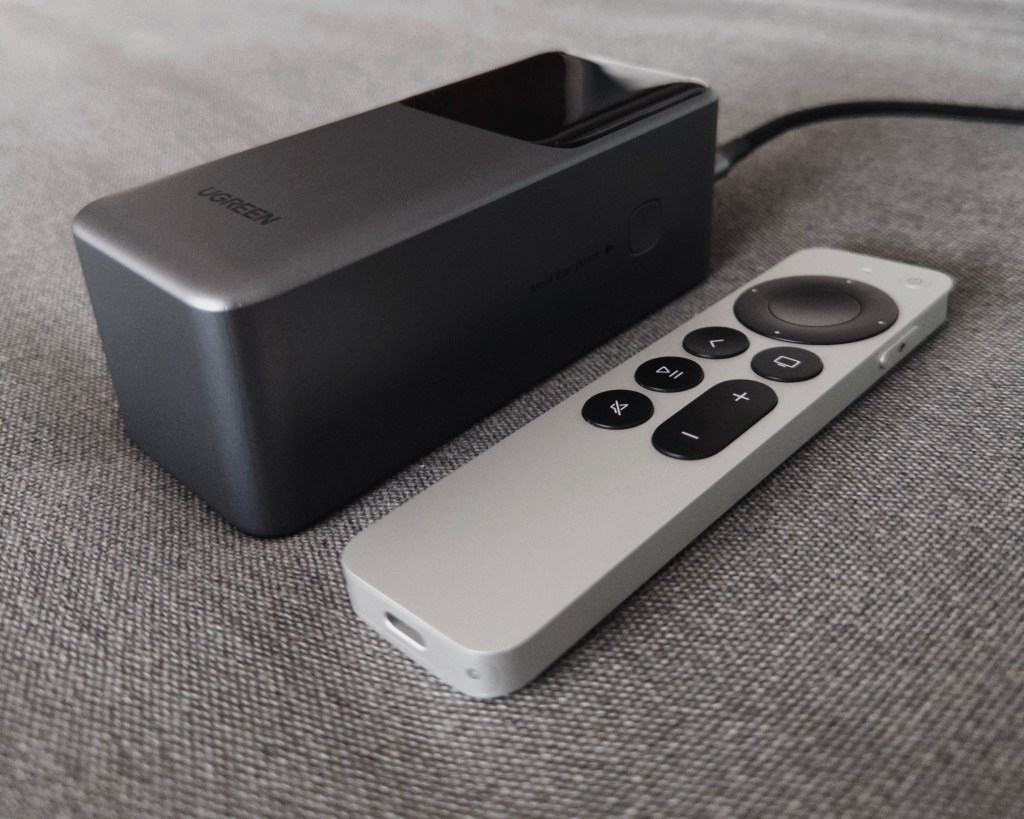
If you haven’t bought a power bank in recent times, you might be surprised by what they can do now. For starters, the one I got has a 20,000mah capacity with a maximum total output of 130W over 2 USB-C PD ports and a USB-A one for legacy devices. That’s enough bandwidth to fast charge two MacBook Pros at the same time. There’s also a digital display that shows you real-time power draw stats, and estimates of how long you’ve got before the battery is depleted (or fully recharged). Ugreen claims that it uses EV-grade batteries that can stay above 80% capacity for 1,000 charge cycles (Apple’s guidance on their batteries is only 500 cycles, for comparison). Given that coworking spaces provide lots of power points, I don’t really need one now but it’s good to have around?
For the record, I’m still undecided if I actually would whip out the Vision Pro in a coworking space. But I can’t imagine not using it for an entire month. This week, I wandered into a conversation in inSpaze (an immersive social network I wrote about here) and found myself invited to a ‘live’ test of a new feature. It essentially lets you upload a large video file (say, a home movie or film that you absolutely have the distribution rights for), and invite others to watch it with you in real time.
The final release will include a special 3D environment suited for watching videos, but for this test we were just in the usual “living room” environment. Spontaneously watching a film with strangers was more fun than it sounds. Everyone was well behaved and went on mute, chatting over text instead. In that way it was better than watching a film in a real theater with inconsiderate whisperers. We gave our feedback and suggestions afterwards, and I said that a visual/spatial way to express emotions like surprise or amusement would be nice to have, better to subtly feel a sense of community with everyone else in the theater.
===
I also tried a bunch of new camera apps. Halide really started a trend with their Process Zero mode, and now I’m seeing new and existing apps tout a “no AI” approach. I won’t link the more blatant copycats, but will quickly mention a few that go beyond just adding a RAW capture feature.
Fig Camera is currently in beta and offers a novel minimal camera UI, along with the ability to create your own camera-capture-to-file processing pipeline with LUT files. It also has a couple of options for taking more natural photos with less “AI” and Smart HDR, etc.
Mood.Camera is more of a traditional retro camera app with a selection of film-inspired filters, but it also lets you select from different levels of dynamic range enhancements: from zero (expect harsh, blown highlights) to an ‘Extended’ setting that’s even more artificial than Apple’s defaults. I really liked how the dev has modeled certain aspects of lo-fi film photography that are very hard to achieve with pure HSL sliders and presets (like the ones I’m fond of making in Darkroom). Stuff like different grain sizes, halation, and textures. I impulse bought the lifetime unlock for S$20 and now slightly regret it because the color shifts are quite strong and there’s no way to turn them down at this time.
Lampa also captures pure sensor data before Apple’s process gets a chance to stack and merge and overdo the brightness. It then puts your photos through their own RAW development profiles (the app description says they’re not “just filters”). There’s no option to shoot with Apple’s processing, unlike Fig and Mood. Surprisingly, Lampa only offers four distinct and pleasantly subtle looks, unlike the plethora of filters standard in Mood.Camera and most others. I’m a fan of this minimal approach but unfortunately the pricing model is maximalist and they want S$40/yr.


Bonus: if you’ve been shooting RAW files with Halide’s Process Zero (or any other app’s single-capture RAW — not to be confused with ProRAW), you might appreciate this Darkroom preset I made that emulates the high contrast monochrome look that the Ricoh GR cameras are famous for. I repeat, they are tuned for the brightness profile of iPhone RAW files.
Add P0-GRBW to your library here.
===
I’ve been watching this streamer on YouTube named Pim who runs a channel called 4AM Laundry. Every weekend, he sets off with a backpack full of batteries and modems, and livestreams his adventures going around Japan to find retro gaming gems in secondhand stores like Book-Off and Hard-Off. They are soothing and educational, and great to have on in the background as he literally does this for 9 hours at a stretch.
This week he was invited to visit the Tokyo Game Show with a press pass, so I tuned in for that. It’s an event I’ve always wanted to experience in person, even though I know it’s probably hellish and more fun in theory than practice. This was a nice way to get a glimpse of its atmosphere.


Leave a comment